Перейти к основному содержанию
Присоединяйся к сообществу ремонтников - Создай аккаунт

Ematic EGQ307 Front Facing Camera Replacement

Выберете то, что вам нужно

  1. Ematic EGQ307 Front Facing Camera Replacement, Front Facing Camera: шаг 1, изображение 1 из 1
    • There are two screws on the side with the micro USB power port. Remove the two 2mm x 0.5mm screws with a Phillips #0 Screwdriver head.

    Спросите у FixBot

    Добавить комментарий

  2. Ematic EGQ307 Front Facing Camera Replacement: шаг 2, изображение 1 из 2 Ematic EGQ307 Front Facing Camera Replacement: шаг 2, изображение 2 из 2
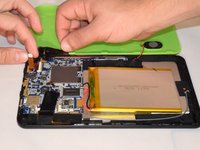
    • Pry off the plastic backing with the spudger and the plastic opening tools. Anything that can provide enough leverage and not conduct electricity will also work for this purpose.

    • Carefully separate the front and back plates because the wire that connects the speaker is connected to both the front and back plates.

    Спросите у FixBot

    Добавить комментарий

  3. Ematic EGQ307 Front Facing Camera Replacement: шаг 3, изображение 1 из 1
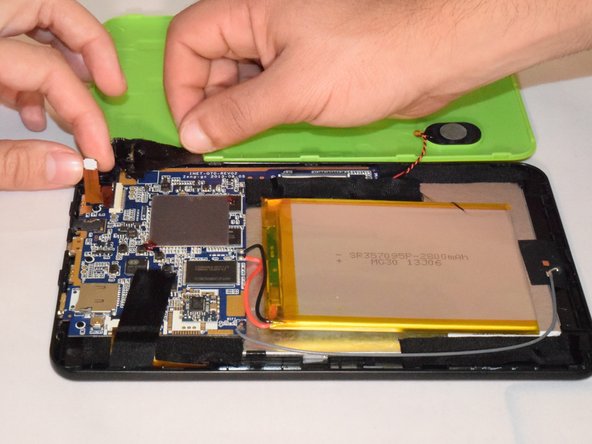
    • Once you pry off the plastic backing, you will expose the battery and the motherboard.

    • Carefully separate the front and back plates because the wire that connects the speaker is connected to both the front and back plates.

    Спросите у FixBot

    Добавить комментарий

  4. Ematic EGQ307 Front Facing Camera Replacement: шаг 4, изображение 1 из 2 Ematic EGQ307 Front Facing Camera Replacement: шаг 4, изображение 2 из 2
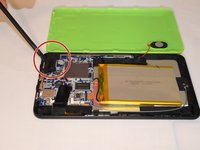
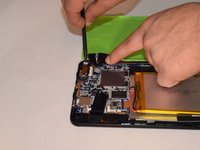
    • carefully pry off the plastic backing, remove the tape over the camera.

    • When working with device, make sure the battery is dead and there is not plugged in to the charger to limit the risk of shock.

    Спросите у FixBot

    Добавить комментарий

  5. Ematic EGQ307 Front Facing Camera Replacement: шаг 5, изображение 1 из 2 Ematic EGQ307 Front Facing Camera Replacement: шаг 5, изображение 2 из 2
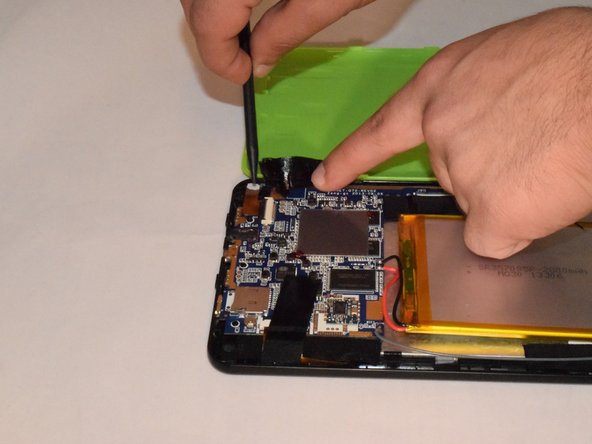
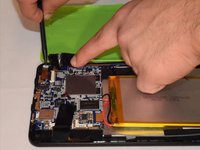
    • Carefully remove the tape holding the camera in place as the camera is attached to the backing of the tape.

    • Gently lift up the black lever that’s holding the camera ribbon in place using the spudger tools.

    • Once lever is lifted up, remove camera from device; and it is ready to be replaced.

    Спросите у FixBot

    Добавить комментарий

Заключение

To reassemble your device, follow these instructions in reverse order.

Отменить: Я не выполнил это руководство.

Jonathan Scinto

Участник с: 07/21/15

530 Репутация

Автор 4 руководств

Команда

Eastern Washington University, Team 1-1, Rowley SU 2015 Участник Eastern Washington University, Team 1-1, Rowley SU 2015

EWU-ROWLEY-SU15S1G1

4 членов

Автор 10 руководств

0 Комментарии к руководству

Добавить комментарий

Статистика просмотров:

За последние 24 часов: 0

За последние 7 дней: 8

За последние 30 дней: 17

За всё время: 557