Введение
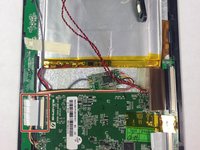
The side button array consists of the volume button, power button, M button and H button. The side button array is connected to the motherboard with a ribbon wire and to the front case with 3 screws. It is simple to remove and replace.
Выберете то, что вам нужно
-
-
-
Remove the 4.6mm Phillips #00 screw at the base of the device.
 Спросите у FixBot
-
-
-
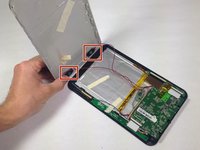
Slide the rear panel away from the base parallel to the screen.
-
-
-
-
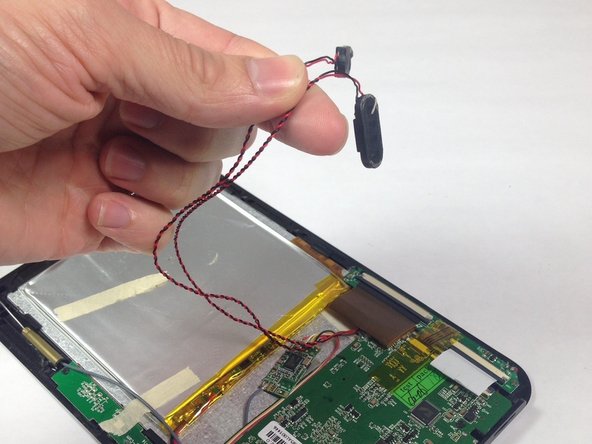
Carefully remove the speakers from the rear panel.
-
Pull the speakers off of the rear panel.
-
-
-
-
-
Remove the 3 Phillips #00 4.5 mm screws from the side button array.
-
-
-
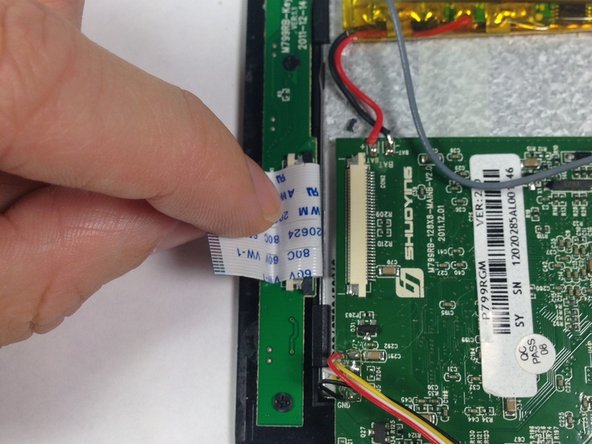
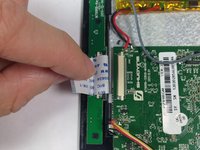
Slide the grey ribbon wire connector clip away from the ribbon wire port on the motherboard using the pointed tip of a spudger. This process will unclip the wire from the motherboard to release connection.
-
Remove the ribbon wire from the ribbon wire port on the motherboard.
-
-





To reassemble your device, follow these instructions in reverse order.
Отменить: Я не выполнил это руководство.
Еще один человек закончил это руководство.

Команда

Baylor, Team 5-8, Williams Spring 2015 Участник Baylor, Team 5-8, Williams Spring 2015
BU-WILLIAMS-S15S5G8
3 членов
Автор 6 руководств
