Перейти к основному содержанию
Присоединяйся к сообществу ремонтников - Создай аккаунт

Fujifilm FinePix S8630 Button Panel Replacement

Выберете то, что вам нужно

    1. Fujifilm FinePix S8630 Button Panel Replacement, Battery Door: шаг 1, изображение 1 из 1
      • Remove the M3 x 4mm screws from the bottom of your device as indicated by the picture. using the Philips Head J0 Screw Driver Bit .

      Спросите у FixBot

      Добавить комментарий

    2. Fujifilm FinePix S8630 Button Panel Replacement: шаг 2, изображение 1 из 1
      • Use your Philips Head Screwdriver to remove the M3 x 4mm screws from the left side of the device as indicated by the pictures.

      Спросите у FixBot

      Добавить комментарий

    3. Fujifilm FinePix S8630 Button Panel Replacement: шаг 3, изображение 1 из 1
      • Use your Philips Head Screwdriver to remove the M3 x 4mm screws from the right side of the device as indicated by the pictures.

      Спросите у FixBot

      Добавить комментарий

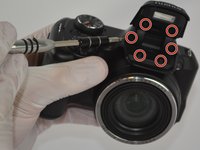
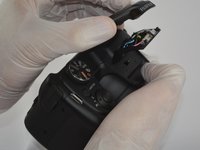
    4. Fujifilm FinePix S8630 Button Panel Replacement: шаг 4, изображение 1 из 2 Fujifilm FinePix S8630 Button Panel Replacement: шаг 4, изображение 2 из 2
      • Use your Philips Head Screwdriver to remove the M3 x 4mm screws from the camera flash lid as indicated by the picture.

      • Remove the plastic cover from the flash lid by gentle pulling them apart or using the plastic opening tool.

      Спросите у FixBot

      Добавить комментарий

    5. Fujifilm FinePix S8630 Button Panel Replacement: шаг 5, изображение 1 из 1
      • Fold the lid down in order to access and remove the final M3 x 4mm screw using your Philips Head Screwdriver.

      Спросите у FixBot

      Добавить комментарий

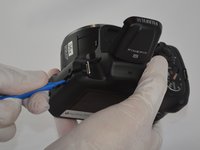
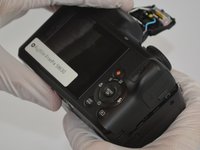
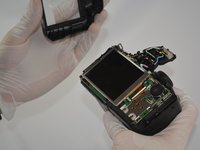
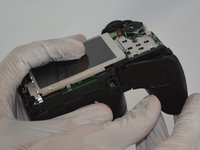
    6. Fujifilm FinePix S8630 Button Panel Replacement: шаг 6, изображение 1 из 3 Fujifilm FinePix S8630 Button Panel Replacement: шаг 6, изображение 2 из 3 Fujifilm FinePix S8630 Button Panel Replacement: шаг 6, изображение 3 из 3
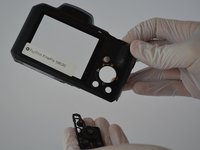
      • Use the plastic opening tool to pry the back and front casings of the camera apart.

      • Once pried apart use your hands to pull off the back plate of the camera.

      • You will need to apply a little bit of force to remove the back plate.

      Спросите у FixBot

      Добавить комментарий

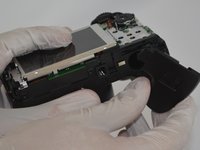
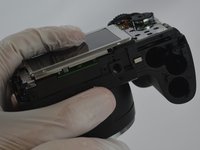
    7. Fujifilm FinePix S8630 Button Panel Replacement: шаг 7, изображение 1 из 3 Fujifilm FinePix S8630 Button Panel Replacement: шаг 7, изображение 2 из 3 Fujifilm FinePix S8630 Button Panel Replacement: шаг 7, изображение 3 из 3
      • Once the back plate is removed twist the battery cover clockwise and it should easily dislodge.

      Спросите у FixBot

      Добавить комментарий

    1. Fujifilm FinePix S8630 Button Panel Replacement, Button Panel: шаг 8, изображение 1 из 3 Fujifilm FinePix S8630 Button Panel Replacement, Button Panel: шаг 8, изображение 2 из 3 Fujifilm FinePix S8630 Button Panel Replacement, Button Panel: шаг 8, изображение 3 из 3
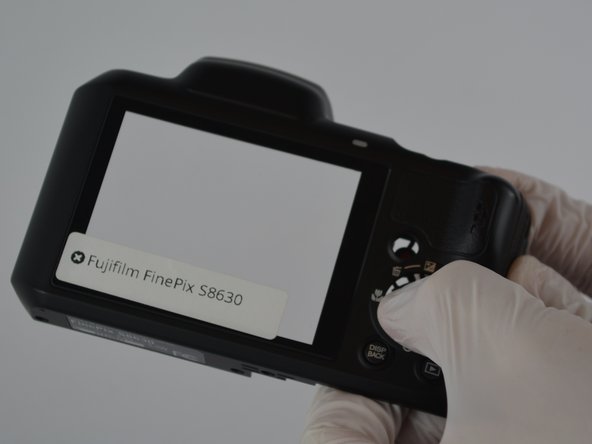
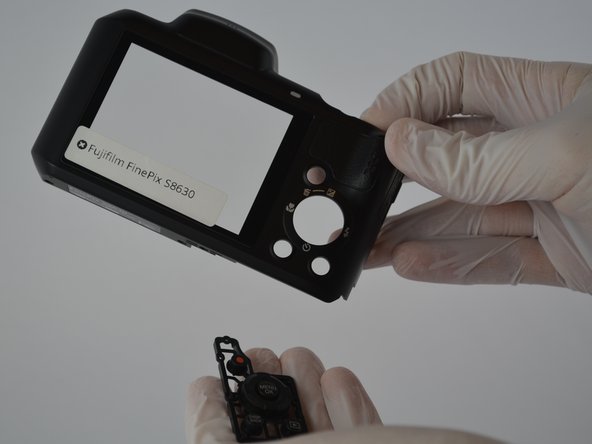
      • Take the back casing and push the button panel out gently. The panel will easily fall out and can easily be replaced.

      Спросите у FixBot

      Добавить комментарий

Заключение

To reassemble your device, follow these instructions in reverse order.

Отменить: Я не выполнил это руководство.

Colton Lancsarics

Участник с: 02/10/16

731 Репутация

Автор 6 руководств

Команда

USF Tampa, Team 3-2, Sullivan Spring 2016 Участник USF Tampa, Team 3-2, Sullivan Spring 2016

USFT-SULLIVAN-S16S3G2

4 членов

Автор 12 руководств

0 Комментарии к руководству

Добавить комментарий

Статистика просмотров:

За последние 24 часов: 0

За последние 7 дней: 9

За последние 30 дней: 30

За всё время: 767