Введение
The camera shell is the plastic casing that makes up the outside of the Fujifilm Instax Mini 8; which is meant to hide wires, protect the film, and hold the main components of this camera together in a compact manner. A damaged shell will compromise the integrity of the device and may cause other parts of the camera to malfunction.
Выберете то, что вам нужно
-
-
-
Start off by looking at your camera and rotating it to locate all the screws. There should be nine screws in all.
-
One screw is hidden below the oval plastic cover of printers opening. Remove the cover to unveil the ninth screw.
 Спросите у FixBot
-
-
-
Press the tab down in order to unlatch the film compartment cover.
-
Remove the film from the compartment (if any is present)
-
Remove the compartment cover completely.
-
Begin by using the small #00 Philips head screwdriver and turning at a counter-clockwise fashion to remove screws.
-
-
-
-
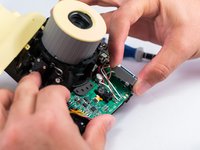
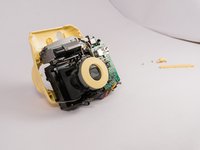
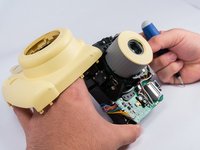
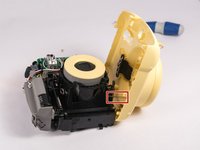
Lift the front part of shell up, assuring not to pull too hard due a spring that is connect to the shell and the inside of the camera.
-
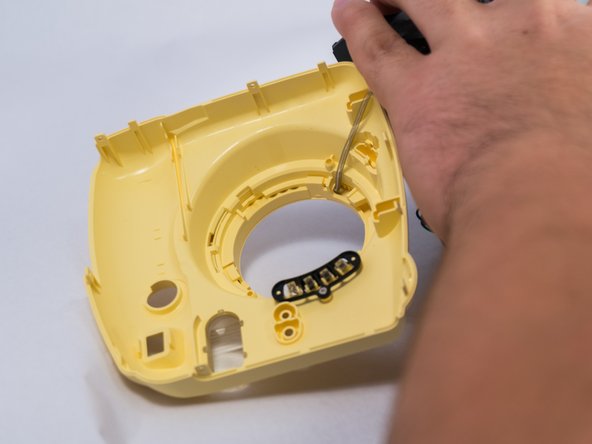
Carefully, using a small #00 Philips head screwdriver, remove the spring from the inside component of the camera.
-
At this point you should have the shell removed completely. Congratulations! Repeat the steps backwards to get the shell back on your camera unit.
-
-



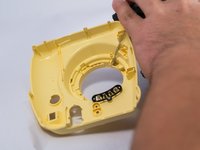
To reassemble your device, follow these instructions in reverse order.
Отменить: Я не выполнил это руководство.
14 человек успешно провели ремонт по этому руководству.

Команда

USF Tampa, Team 4-1, Meier Fall 2015 Участник USF Tampa, Team 4-1, Meier Fall 2015
USFT-MEIER-F15S4G1
4 членов
Автор 31 руководств
19 Комментарии к руководству
For removing initial screws, there are 9 screws. The 9th screw is under the cover overlying the exit of the Polaroid film area. (hidden under the cover)
but where near the exit? i cannot find it
It's at the top of the camera where you get picture.
I need the circular yellow plastic piece that goes around the lens. How can I obtain that? How do I attach?
I've drop my instax mini 8 at the airport and it looks perfectly fine at first until I realized that the film compartment has broken and it can't close its 'door', but the instax still can be use just need to press the door against the film everytime I used which is annoying. Does anyone know how to fix it?
