Перейти к основному содержанию
Присоединяйся к сообществу ремонтников - Создай аккаунт

Garmin Dezl 760LMT Screen Replacement

Выберете то, что вам нужно

    1. Garmin Dezl 760LMT Screen Replacement, Back Panel: шаг 1, изображение 1 из 2 Garmin Dezl 760LMT Screen Replacement, Back Panel: шаг 1, изображение 2 из 2
      • Using a Torx T6 Screwdriver, remove the ten 7mm screws from the back panel.

      Спросите у FixBot

      Добавить комментарий

    2. Garmin Dezl 760LMT Screen Replacement: шаг 2, изображение 1 из 3 Garmin Dezl 760LMT Screen Replacement: шаг 2, изображение 2 из 3 Garmin Dezl 760LMT Screen Replacement: шаг 2, изображение 3 из 3
      • Using a metal spudger, pry the device apart.

      • To recombine them, line up the two halves of the device and press them together.

      Спросите у FixBot

      Добавить комментарий

    3. Garmin Dezl 760LMT Screen Replacement: шаг 3, изображение 1 из 1
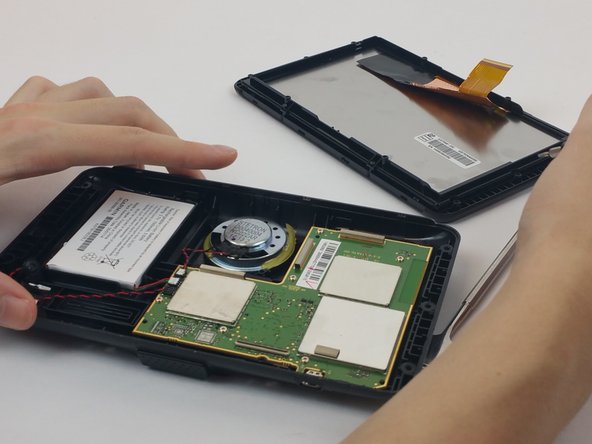
      • Turn the device over, laying it on its back with the screen facing upwards.

      • Lift the front panel away from the silver part of the back panel.

      • Make sure not to rip the ribbon cable that is connected to the screen and the motherboard.

      Спросите у FixBot

      Добавить комментарий

    1. Garmin Dezl 760LMT Screen Replacement, Screen Ribbon Cable: шаг 4, изображение 1 из 2 Garmin Dezl 760LMT Screen Replacement, Screen Ribbon Cable: шаг 4, изображение 2 из 2
      • Lift the screen opposite where the "GARMIN" logo is located. Remove the clear tape holding the ribbon cable to the motherboard.

      Спросите у FixBot

      Добавить комментарий

    2. Garmin Dezl 760LMT Screen Replacement: шаг 5, изображение 1 из 2 Garmin Dezl 760LMT Screen Replacement: шаг 5, изображение 2 из 2
      Инструмент, используемый на этом этапе:
      Anti-Static Wrist Strap
      $7.95
      • Find and lift the small grey hinge at the end of the ribbon cable.

      • When handling the motherboard, make sure to wear an anti-static wrist strap.

      Спросите у FixBot

      Добавить комментарий

    1. Garmin Dezl 760LMT Screen Replacement, Screen: шаг 6, изображение 1 из 2 Garmin Dezl 760LMT Screen Replacement, Screen: шаг 6, изображение 2 из 2
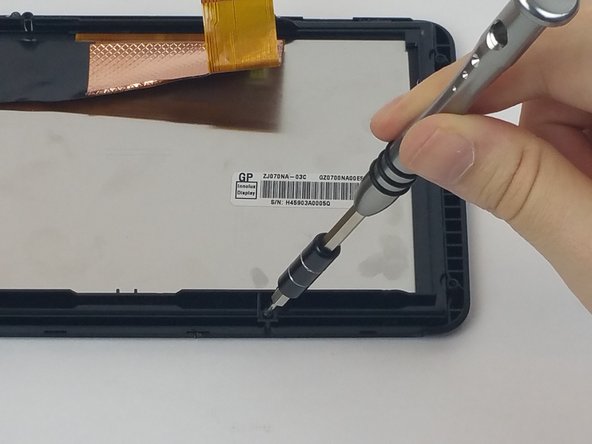
      • Using a Torx T5 screwdriver, unscrew the four 7mm screws from the back plate of the screen.

      Спросите у FixBot

      Добавить комментарий

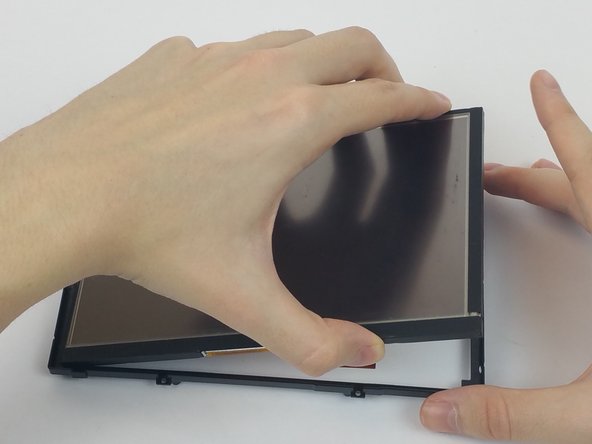
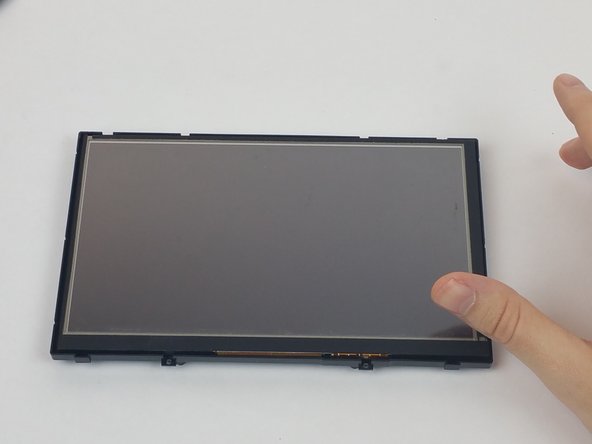
    2. Garmin Dezl 760LMT Screen Replacement: шаг 7, изображение 1 из 3 Garmin Dezl 760LMT Screen Replacement: шаг 7, изображение 2 из 3 Garmin Dezl 760LMT Screen Replacement: шаг 7, изображение 3 из 3
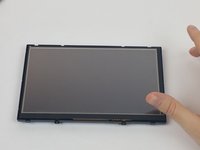
      • Turn the screen over so that it is facing upwards.

      • Remove the front plate of the screen.

      • Lift the screen from its back casing.

      Спросите у FixBot

      Добавить комментарий

Заключение

To reassemble your device, follow these instructions in reverse order.

Отменить: Я не выполнил это руководство.

Ryan Williams

Участник с: 09/28/16

763 Репутация

Автор 6 руководств

Команда

USF Tampa, Team 4-2, Passmore Fall 2016 Участник USF Tampa, Team 4-2, Passmore Fall 2016

USFT-PASSMORE-F16S4G2

4 членов

Автор 54 руководств

2 Комментарии к руководству

where can one by the replacement screen

tempestrogue - Ответить Поделиться

Ebay sells these screens replacement - search online for “ZD070NA-03K “ or on google, even amazon sometimes has them. Its a hard to find screen so you will probably only get it from hong kong or china.

neilneves - Ответить Поделиться

Добавить комментарий

Статистика просмотров:

За последние 24 часов: 1

За последние 7 дней: 10

За последние 30 дней: 33

За всё время: 2,972