Перейти к основному содержанию
Присоединяйся к сообществу ремонтников - Создай аккаунт

Gateway P-6831FX WiFi Card Replacement

Выберете то, что вам нужно

  1. Gateway P-6831FX WiFi Card Replacement, WiFi Card: шаг 1, изображение 1 из 2 Gateway P-6831FX WiFi Card Replacement, WiFi Card: шаг 1, изображение 2 из 2
    • Turn your laptop upside down and remove the five Philips #0 (5mm) screws for the cover of the WiFi Card.

    • Make sure to unplug your laptop charger, as removing the WiFi while the device is charging may damage the WiFi and or the charger.

    Спросите у FixBot
  2. Gateway P-6831FX WiFi Card Replacement: шаг 2, изображение 1 из 2 Gateway P-6831FX WiFi Card Replacement: шаг 2, изображение 2 из 2
    • Gently pull the cover away from the device.

    Спросите у FixBot
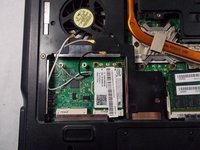
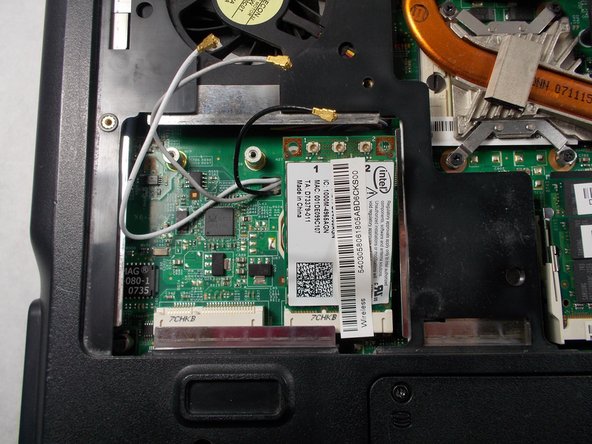
  3. Gateway P-6831FX WiFi Card Replacement: шаг 3, изображение 1 из 3 Gateway P-6831FX WiFi Card Replacement: шаг 3, изображение 2 из 3 Gateway P-6831FX WiFi Card Replacement: шаг 3, изображение 3 из 3
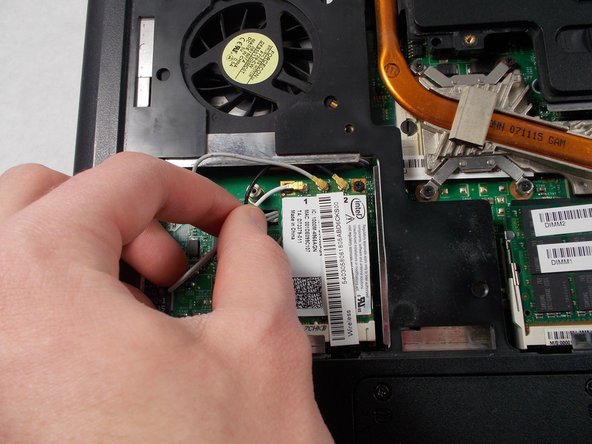
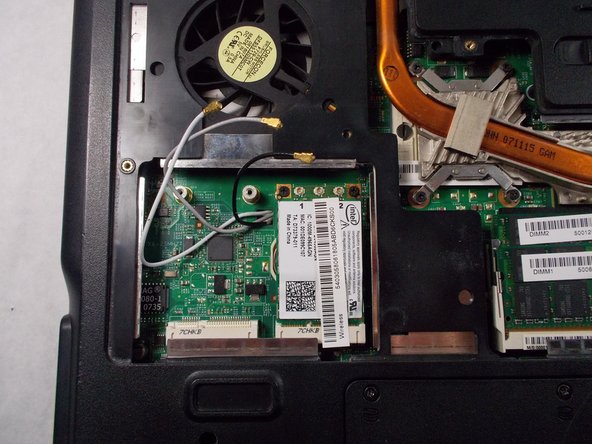
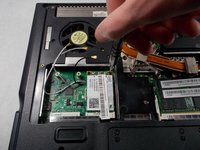
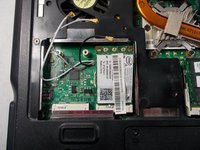
    • Remove the three wires above the WiFi Card.

    • Take note of the color for each wire and it's corresponding location.

    Спросите у FixBot
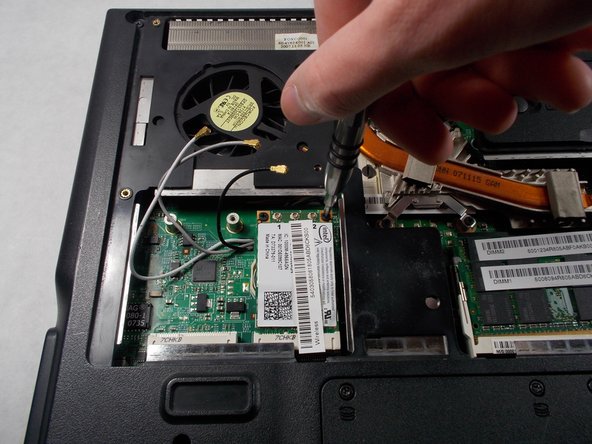
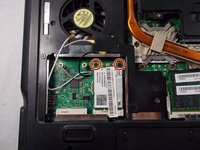
  4. Gateway P-6831FX WiFi Card Replacement: шаг 4, изображение 1 из 3 Gateway P-6831FX WiFi Card Replacement: шаг 4, изображение 2 из 3 Gateway P-6831FX WiFi Card Replacement: шаг 4, изображение 3 из 3
    • Remove the two Phillips #0 (2mm) screws above the WiFi card.

    • The WiFi Card will lift up once the screws are removed.

    Спросите у FixBot
  5. Gateway P-6831FX WiFi Card Replacement: шаг 5, изображение 1 из 2 Gateway P-6831FX WiFi Card Replacement: шаг 5, изображение 2 из 2
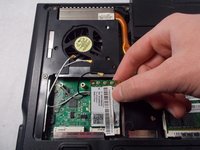
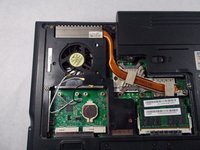
    • With the WiFi Card lifted up, gently pull the WiFi Card out of the socket and remove it from the device.

    Спросите у FixBot
Заключение

To reassemble your device, follow these instructions in reverse order.

Chandler Jardin

Участник с: 03/19/18

507 Репутация

Автор 4 руководств

Команда

UMass Dartmouth, Team S3-G5, Peak Spring 2018 Участник UMass Dartmouth, Team S3-G5, Peak Spring 2018

UMASSD-PEAK-S18S3G5

2 членов

Автор 12 руководств

0 Комментарии к руководству

Добавить комментарий

Статистика просмотров:

За последние 24 часов: 5

За последние 7 дней: 13

За последние 30 дней: 58

За всё время: 702