Перейти к основному содержанию
Присоединяйся к сообществу ремонтников - Создай аккаунт

GoPro HD Hero2 Front Case Replacement

Выберете то, что вам нужно

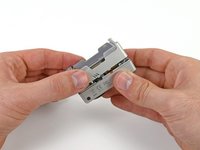
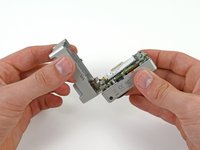
  1. GoPro HD Hero2 Front Case Replacement, Back Cover: шаг 1, изображение 1 из 2 GoPro HD Hero2 Front Case Replacement, Back Cover: шаг 1, изображение 2 из 2
    • Place your thumb on the indentation in the back case on the side of the GoPro.

    • Gently press down with your thumb and lift the back cover away from the case to remove it.

    Спросите у FixBot
  2. GoPro HD Hero2 Front Case Replacement, Battery: шаг 2, изображение 1 из 2 GoPro HD Hero2 Front Case Replacement, Battery: шаг 2, изображение 2 из 2
    • Slide a plastic opening tool between the battery and the rear case.

    • Gently pry the battery up and out of the rear case.

    Спросите у FixBot
  3. GoPro HD Hero2 Front Case Replacement: шаг 3, изображение 1 из 1
    • Remove the battery from the case.

    Спросите у FixBot
  4. GoPro HD Hero2 Front Case Replacement, Rear Case: шаг 4, изображение 1 из 1
    • Remove the four Phillips #00 screws securing the rear case to the rest of the device:

    • Two 5.5 mm coarse thread screws.

    • Two 4.4 mm fine thread screws.

    Спросите у FixBot
  5. GoPro HD Hero2 Front Case Replacement: шаг 5, изображение 1 из 2 GoPro HD Hero2 Front Case Replacement: шаг 5, изображение 2 из 2
    • Slide the edge of a plastic opening tool underneath the sticker on the rear cover and gently peel the sticker up.

    • Once you have enough of the sticker peeled up with the plastic opening tool, grab an edge of it with your fingers and pull it off completely.

    Спросите у FixBot
  6. GoPro HD Hero2 Front Case Replacement: шаг 6, изображение 1 из 2 GoPro HD Hero2 Front Case Replacement: шаг 6, изображение 2 из 2
    • Grasp the rear case and lift it off of the front case.

    • Do not try to completely remove the rear case yet, as it is still attached by the display port ribbon cable.

    Спросите у FixBot
  7. GoPro HD Hero2 Front Case Replacement: шаг 7, изображение 1 из 2 GoPro HD Hero2 Front Case Replacement: шаг 7, изображение 2 из 2
    Инструмент, используемый на этом этапе:
    Tweezers
    $4.99
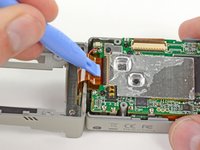
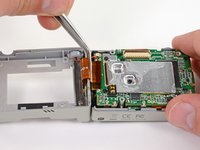
    • Using a plastic opening tool or your fingernail, flip up the locking tab on the SD board ribbon cable ZIF connector on the motherboard assembly.

    • Be careful that you are prying on the locking tab, and not the connector itself.

    • Use a pair of tweezers to remove the SD board ribbon cable from its connector on the motherboard.

    Спросите у FixBot
  8. GoPro HD Hero2 Front Case Replacement: шаг 8, изображение 1 из 3 GoPro HD Hero2 Front Case Replacement: шаг 8, изображение 2 из 3 GoPro HD Hero2 Front Case Replacement: шаг 8, изображение 3 из 3
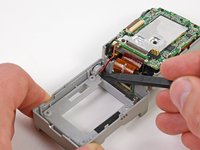
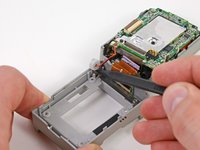
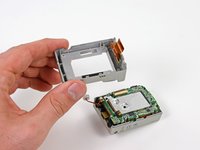
    • Lift the speaker out of the rear case with the tip of a spudger.

    • Remove the rear case.

    Спросите у FixBot
  9. GoPro HD Hero2 Front Case Replacement, Motherboard Assembly: шаг 9, изображение 1 из 1
    • Remove the three screws securing the motherboard assembly to the front case:

    • Two 10.8 mm Phillips #00 screws.

    • One 4.8 mm Phillips #00 screw.

    Спросите у FixBot
  10. GoPro HD Hero2 Front Case Replacement: шаг 10, изображение 1 из 2 GoPro HD Hero2 Front Case Replacement: шаг 10, изображение 2 из 2
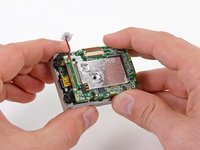
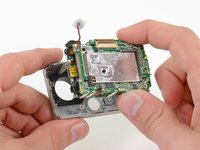
    • Gently grab the edges of the motherboard assembly and lift it out of the front case.

    Спросите у FixBot
  11. GoPro HD Hero2 Front Case Replacement, Front Case: шаг 11, изображение 1 из 1
    • The front case remains.

    Спросите у FixBot
Заключение

To reassemble your device, follow these instructions in reverse order.

5 человек успешно провели ремонт по этому руководству.

David Hodson

Участник с: 04/13/10

156 161 Репутация

Автор 127 руководств

0 Комментарии к руководству

Добавить комментарий

Статистика просмотров:

За последние 24 часов: 2

За последние 7 дней: 11

За последние 30 дней: 82

За всё время: 7,537