Введение
If your device is failing to have power and work without being plugged in, the battery may need to be replaced. Follow this guide to correctly remove it.
Выберете то, что вам нужно
-
-
-
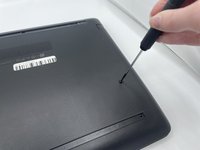
Peel off the two long rubber grips running lengthwise on the laptop.
-
-
-
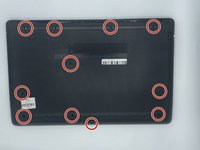
Using a Phillips #000 screwdriver, remove the eleven 10 mm screws located on the underside of the laptop, that are holding the back panel in place.
-
-
-
-
Use a plastic opening tool to separate the back panel from the laptop.
-
-
-
-
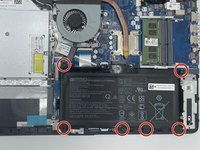
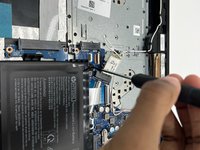
Using the Philips #000 screwdriver remove all of the six 5mm screws.
-
-
-
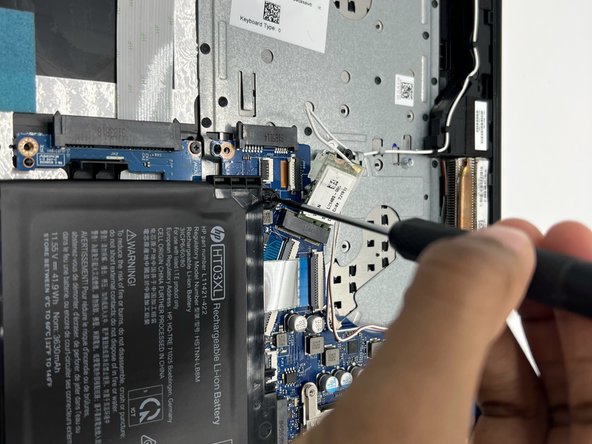
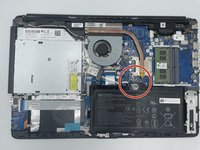
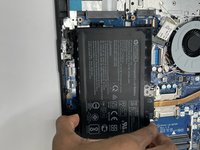
Disconnect the battery connector.
-
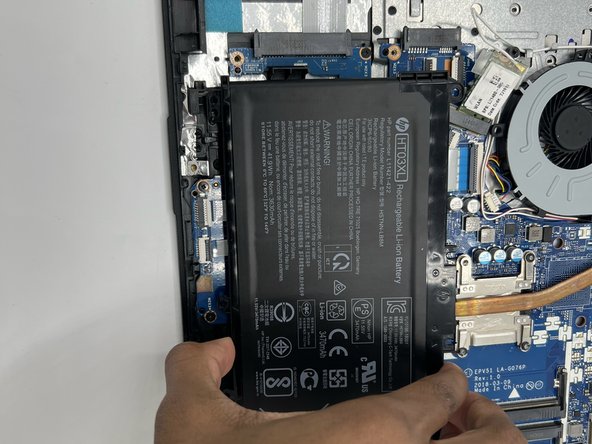
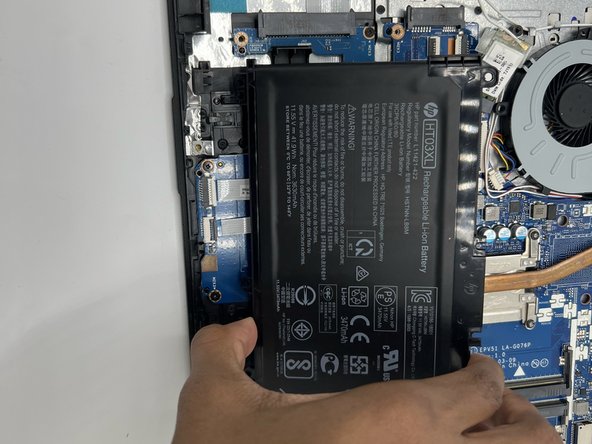
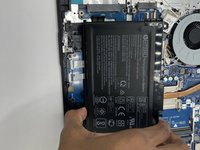
Slide the battery up and out.
-
-


 Спросите у FixBot





To reassemble your device, follow these instructions in reverse order.
Отменить: Я не выполнил это руководство.
2 человек успешно провели ремонт по этому руководству.

Команда

University of North Texas, Team 4-5, Saru Jimmy Fall 2022 Участник University of North Texas, Team 4-5, Saru Jimmy Fall 2022
UNT-SARU JIMMY-F22S4G5
3 членов
Автор 40 руководств
