Перейти к основному содержанию
Присоединяйся к сообществу ремонтников - Создай аккаунт

HP 7 1800 Display Replacement

Выберете то, что вам нужно

    1. HP 7 1800 Display Replacement, Remove the back panel: шаг 1, изображение 1 из 2 HP 7 1800 Display Replacement, Remove the back panel: шаг 1, изображение 2 из 2
      • Carefully insert a Spudger into one of the corners of the tablet.

      • Slide the Spudger along the edge popping the tabs out along the way.

      • Be careful not to break the tabs.

      Спросите у FixBot

      Добавить комментарий

    2. HP 7 1800 Display Replacement, Remove the battery: шаг 2, изображение 1 из 3 HP 7 1800 Display Replacement, Remove the battery: шаг 2, изображение 2 из 3 HP 7 1800 Display Replacement, Remove the battery: шаг 2, изображение 3 из 3
      Инструмент, используемый на этом этапе:
      Tweezers
      $4.99
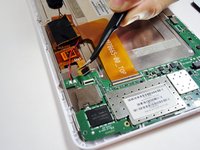
      • Slide the Spudger under the battery to lift it off the adhesive.

      • Gently pull the cable connection from the motherboard using tweezers.

      Спросите у FixBot

      Добавить комментарий

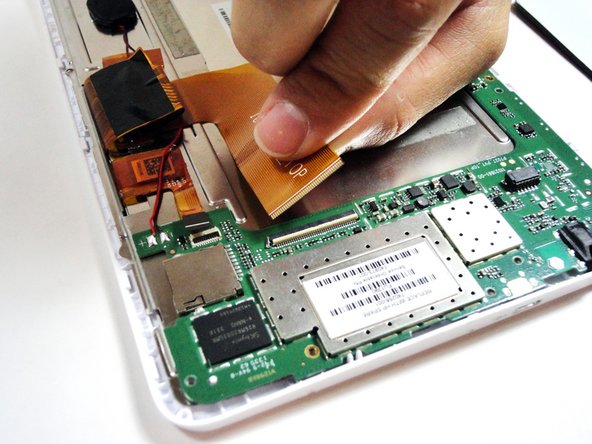
    1. HP 7 1800 Display Replacement, Remove the large ribbon cable: шаг 3, изображение 1 из 2 HP 7 1800 Display Replacement, Remove the large ribbon cable: шаг 3, изображение 2 из 2
      Инструмент, используемый на этом этапе:
      Tweezers
      $4.99
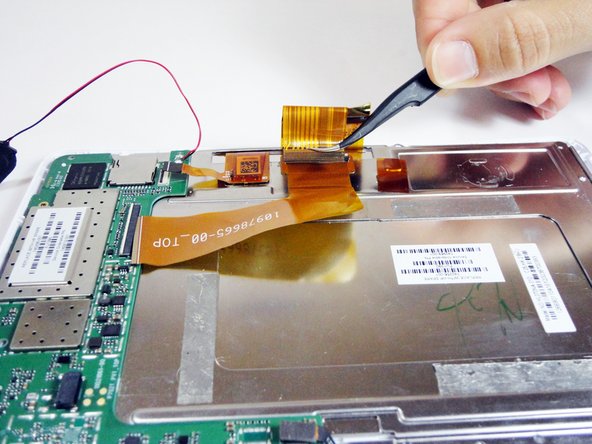
      • Remove the larger ribbon cable by gently flipping the beige latch and pulling it out with tweezers.

      Спросите у FixBot

      Добавить комментарий

    2. HP 7 1800 Display Replacement, Remove the smaller ribbon cable: шаг 4, изображение 1 из 2 HP 7 1800 Display Replacement, Remove the smaller ribbon cable: шаг 4, изображение 2 из 2
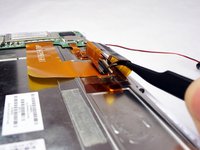
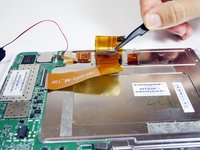
      • Remove the smaller ribbon cable by gently flipping the black latch and pulling it out with tweezers.

      Спросите у FixBot

      Добавить комментарий

    3. HP 7 1800 Display Replacement, Unscrew the 7 silver screws from the logic board: шаг 5, изображение 1 из 1
      • Remove the following 7 screws:

      • Six 4.17mm Phillips #00 around the motherboard.

      • One 2.67mm Phillips #00 next to the front facing camera.

      • The 2.67mm screw circled in yellow is notably shorter than the other 6 screws circled in red.

      Спросите у FixBot

      Добавить комментарий

    4. HP 7 1800 Display Replacement, Unplug the front facing camera from the logic board: шаг 6, изображение 1 из 1
      • Gently pry the front facing camera plug up and off of the motherboard.

      Спросите у FixBot

      Добавить комментарий

    5. HP 7 1800 Display Replacement, Remove the logic board: шаг 7, изображение 1 из 1
      • Carefully lift the motherboard directly up.

      Спросите у FixBot

      Добавить комментарий

    1. HP 7 1800 Display Replacement, Remove the ribbon cable attached to the metal plate: шаг 8, изображение 1 из 2 HP 7 1800 Display Replacement, Remove the ribbon cable attached to the metal plate: шаг 8, изображение 2 из 2
      • On the metal plate inside of the device, there is a ribbon cable in a loop. Flip the white tab and pull the cable out.

      Спросите у FixBot

      Добавить комментарий

    2. HP 7 1800 Display Replacement, Unscrew the 7 black screws on the metal plate: шаг 9, изображение 1 из 1
      • Unscrew the following black screws:

      • Seven 2.82mm Phillips #00 around the metal casing.

      Спросите у FixBot

      Добавить комментарий

    3. HP 7 1800 Display Replacement, Remove the metal plate: шаг 10, изображение 1 из 1
      • Gently lift the metal plate directly up.

      Спросите у FixBot

      Добавить комментарий

    4. HP 7 1800 Display Replacement, Remove the display: шаг 11, изображение 1 из 1
      • Gently lift the display directly up.

      Спросите у FixBot

      Добавить комментарий

Заключение

To reassemble your device, follow these instructions in reverse order.

Отменить: Я не выполнил это руководство.

5 человек успешно провели ремонт по этому руководству.

TMD

Участник с: 01/21/15

792 Репутация

Автор 5 руководств

Команда

USF Tampa, Team 4-1, Brown Winter 2015 Участник USF Tampa, Team 4-1, Brown Winter 2015

USFT-BROWN-W15S4G1

4 членов

Автор 14 руководств

2 Комментарии к руководству

I have this same tablet but I cannot find a replacement screen. Do you know where I could find one?

Karen Porter - Ответить Поделиться

I have the same problem

akiel panchan - Ответить Поделиться

Добавить комментарий

Статистика просмотров:

За последние 24 часов: 0

За последние 7 дней: 4

За последние 30 дней: 21

За всё время: 2,260