Перейти к основному содержанию
Присоединяйся к сообществу ремонтников - Создай аккаунт

HP Chromebook 11 G3 Camera Replacement

Выберете то, что вам нужно

    1. HP Chromebook 11 G3 Camera Replacement, Keyboard Mount: шаг 1, изображение 1 из 2 HP Chromebook 11 G3 Camera Replacement, Keyboard Mount: шаг 1, изображение 2 из 2
      • Flip the laptop upside down so that the lid lies flat on the table.

      • Remove the nine 6mm Phillips #00 screws that line the border.

      Спросите у FixBot

      Добавить комментарий

    2. HP Chromebook 11 G3 Camera Replacement: шаг 2, изображение 1 из 2 HP Chromebook 11 G3 Camera Replacement: шаг 2, изображение 2 из 2
      Инструмент, используемый на этом этапе:
      Tweezers
      $4.99
      • Remove the two rubber feet closest to the hinge using tweezers.

      • Remove the two 6mm Phillips #00 screws revealed under these rubber feet.

      • The rubber feet may tear while removal; preventing this can be difficult, but it won’t harm the laptop. If desired, replace these rubber feet during reassembly.

      Спросите у FixBot

      Добавить комментарий

    3. HP Chromebook 11 G3 Camera Replacement: шаг 3, изображение 1 из 1
      • Flip the laptop so it is in the upright position.

      • Open the lid.

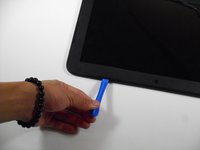
      • Unsnap the keyboard mount along the border of the laptop using a plastic opening tool.

      • This may require more force than expected. Hearing loud clicks as the plastic opening tool slides along the seam is normal.

      Спросите у FixBot

      Добавить комментарий

    4. HP Chromebook 11 G3 Camera Replacement: шаг 4, изображение 1 из 3 HP Chromebook 11 G3 Camera Replacement: шаг 4, изображение 2 из 3 HP Chromebook 11 G3 Camera Replacement: шаг 4, изображение 3 из 3
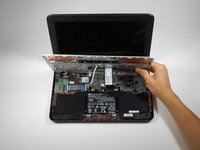
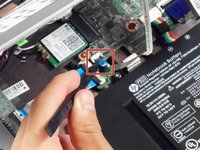
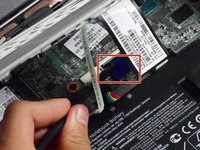
      • Tilt the keyboard mount up.

      • Use a spudger to flip up the two ZIF connector retaining flaps for the ribbon cables that connect the keyboard mount to the motherboard.

      • Gently remove both ribbon cables.

      Спросите у FixBot

      Добавить комментарий

    5. HP Chromebook 11 G3 Camera Replacement: шаг 5, изображение 1 из 1
      • Lift the keyboard mount out of the laptop.

      Спросите у FixBot

      Добавить комментарий

    1. HP Chromebook 11 G3 Camera Replacement, Display Assembly: шаг 6, изображение 1 из 1
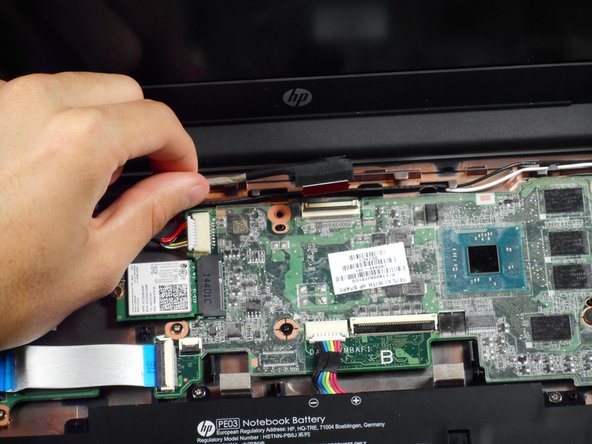
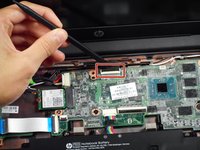
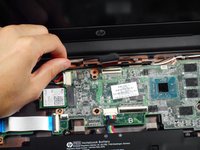
      • Gently tug on the black and white wires connected to the Wi-Fi module to disconnect them.

      Спросите у FixBot

      Добавить комментарий

    2. HP Chromebook 11 G3 Camera Replacement: шаг 7, изображение 1 из 2 HP Chromebook 11 G3 Camera Replacement: шаг 7, изображение 2 из 2
      • Using a spudger, lift the ZIF retaining flap that secures the display’s ribbon cable to the motherboard.

      • Gently pull the ribbon cable out of its socket.

      Спросите у FixBot

      Добавить комментарий

    3. HP Chromebook 11 G3 Camera Replacement: шаг 8, изображение 1 из 1
      • Free the wire from the casing.

      Спросите у FixBot

      Добавить комментарий

    4. HP Chromebook 11 G3 Camera Replacement: шаг 9, изображение 1 из 1
      • Remove the two 6mm Phillips #00 screws located near the upper left and right corners of the hinge mounts.

      • Hold the lid so that it is folded slightly inwards while removing the screws so that the lid doesn’t fall.

      Спросите у FixBot

      Добавить комментарий

    5. HP Chromebook 11 G3 Camera Replacement: шаг 10, изображение 1 из 1
      • Rotate the lid to a 90-degree angle with the table.

      • Shimmy the lid out of the laptop.

      Спросите у FixBot

      Добавить комментарий

    1. HP Chromebook 11 G3 Camera Replacement, Screen Bezel: шаг 11, изображение 1 из 3 HP Chromebook 11 G3 Camera Replacement, Screen Bezel: шаг 11, изображение 2 из 3 HP Chromebook 11 G3 Camera Replacement, Screen Bezel: шаг 11, изображение 3 из 3
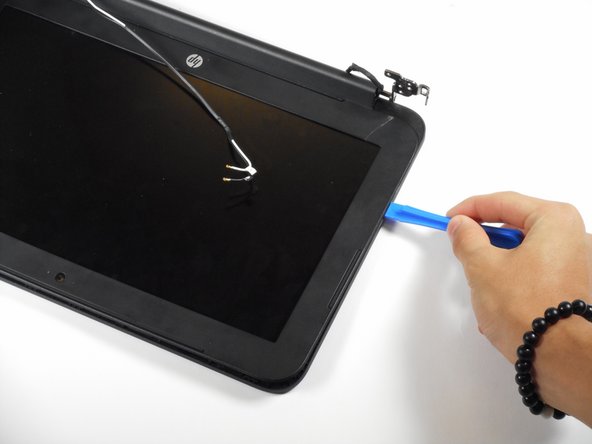
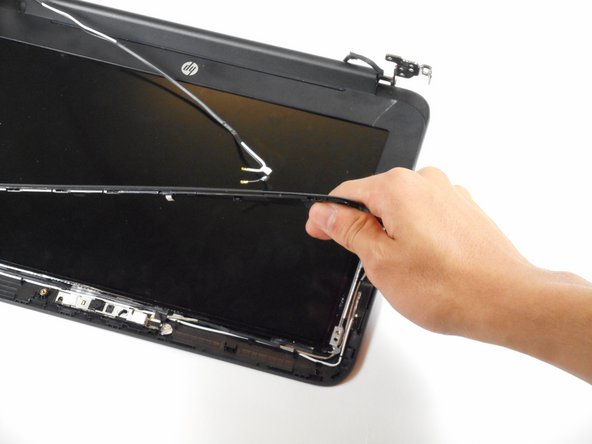
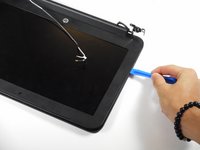
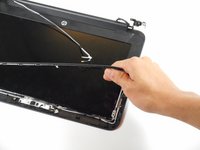
      • Use the plastic opening tool to pry the left and right side of the top of the lid, and proceed inwards from the sides.

      • Do not attempt to remove the entire frame; this isn't necessary for removing the camera.

      • Do not pry at the center of the lid; this may damage the camera inside.

      Спросите у FixBot

      Добавить комментарий

    1. HP Chromebook 11 G3 Camera Replacement, Camera: шаг 12, изображение 1 из 1
      • Gently remove the slide-out connector near the bottom left corner of the camera mount.

      Спросите у FixBot

      Добавить комментарий

    2. HP Chromebook 11 G3 Camera Replacement: шаг 13, изображение 1 из 1
      Инструмент, используемый на этом этапе:
      Tweezers
      $4.99
      • Locate the two silver strips of tape on each edge of the camera mount.

      • Use tweezers to peel off these strips.

      Спросите у FixBot

      Добавить комментарий

    3. HP Chromebook 11 G3 Camera Replacement: шаг 14, изображение 1 из 1
      • Use a plastic opening tool to pry the camera mount out of the lid.

      • Apply force evenly to prevent bending the mount.

      Спросите у FixBot

      Добавить комментарий

    4. HP Chromebook 11 G3 Camera Replacement: шаг 15, изображение 1 из 1
      • Lift the camera out of the lid.

      Спросите у FixBot

      Добавить комментарий

Заключение

To reassemble your device, follow these instructions in reverse order.

Отменить: Я не выполнил это руководство.

3 человек успешно провели ремонт по этому руководству.

Rahul Goyal

Участник с: 04/26/17

1 401 Репутация

Автор 10 руководств

Команда

Cal Poly, Team S23-G3, Livingston Spring 2017 Участник Cal Poly, Team S23-G3, Livingston Spring 2017

CPSU-LIVINGSTON-S17S23G3

4 членов

Автор 72 руководств

0 Комментарии к руководству

Добавить комментарий

Статистика просмотров:

За последние 24 часов: 0

За последние 7 дней: 3

За последние 30 дней: 23

За всё время: 1,474