Перейти к основному содержанию
Присоединяйся к сообществу ремонтников - Создай аккаунт

HP Compaq nc6400 Optical Drive Replacement

Выберете то, что вам нужно

    1. HP Compaq nc6400 Optical Drive Replacement, Battery: шаг 1, изображение 1 из 1
      • Turn off and unplug laptop.

      Спросите у FixBot

      Добавить комментарий

    2. HP Compaq nc6400 Optical Drive Replacement: шаг 2, изображение 1 из 1
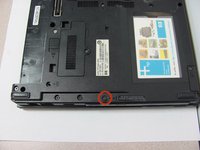
      • Locate the battery lock below the battery labeled one.

      • Slide the lock all the way to the left to release the left lock of the battery.

      Спросите у FixBot

      Добавить комментарий

    3. HP Compaq nc6400 Optical Drive Replacement: шаг 3, изображение 1 из 1
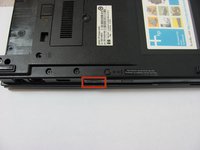
      • Locate the lock labeled two at the bottom right corner below the battery.

      • Slide and hold the lock to the left.

      Спросите у FixBot

      Добавить комментарий

    4. HP Compaq nc6400 Optical Drive Replacement: шаг 4, изображение 1 из 1
      • Once both the battery locks are unlocked, slide the battery out to remove.

      Спросите у FixBot

      Добавить комментарий

    1. HP Compaq nc6400 Optical Drive Replacement, Optical Drive: шаг 5, изображение 1 из 2 HP Compaq nc6400 Optical Drive Replacement, Optical Drive: шаг 5, изображение 2 из 2
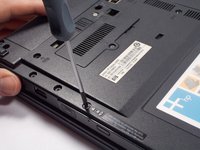
      • Remove the 4 mm P0 Phillips-head screw indicated by the icon of a lock and disk.

      Спросите у FixBot

      Добавить комментарий

    2. HP Compaq nc6400 Optical Drive Replacement: шаг 6, изображение 1 из 2 HP Compaq nc6400 Optical Drive Replacement: шаг 6, изображение 2 из 2
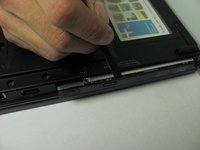
      • Press and release the eject icon to partially eject the optical drive.

      • Use of a spudger may be necessary to pry open the optical drive.

      Спросите у FixBot

      Добавить комментарий

    3. HP Compaq nc6400 Optical Drive Replacement: шаг 7, изображение 1 из 1
      • Grasp the sides and pull the optical drive out.

      Спросите у FixBot

      Добавить комментарий

Заключение

To reassemble your device, follow these instructions in reverse order.

Отменить: Я не выполнил это руководство.

2 человек успешно провели ремонт по этому руководству.

Chad Williams

Участник с: 09/30/13

252 Репутация

1 руководство автора

Команда

Cal Poly, Team 14-6, Forte Fall 2013 Участник Cal Poly, Team 14-6, Forte Fall 2013

CPSU-FORTE-F13S14G6

5 членов

Автор 15 руководств

0 Комментарии к руководству

Добавить комментарий

Статистика просмотров:

За последние 24 часов: 3

За последние 7 дней: 8

За последние 30 дней: 33

За всё время: 5,076