Перейти к основному содержанию
Присоединяйся к сообществу ремонтников - Создай аккаунт

HP Compaq nc8430 LCD Screen Replacement

Выберете то, что вам нужно

  1. HP Compaq nc8430 LCD Screen Replacement, Battery: шаг 1, изображение 1 из 1
    • Completely shut down the device and unplug any adapters and cords connected to the device.

    • Carefully flip the device over so that the bottom is facing up.

    • Slide both of the latches to the left.

    Спросите у FixBot

    Добавить комментарий

  2. HP Compaq nc8430 LCD Screen Replacement: шаг 2, изображение 1 из 1
    • Slide up against the three lines the battery has.

    Спросите у FixBot

    Добавить комментарий

  3. HP Compaq nc8430 LCD Screen Replacement: шаг 3, изображение 1 из 1
    • Slide the battery up and away from the laptop.

    • Slowly remove the battery to prevent any connectors from getting damaged.

    Спросите у FixBot

    Добавить комментарий

  4. HP Compaq nc8430 LCD Screen Replacement, LCD Screen: шаг 4, изображение 1 из 1
    • Remove the four 1.2mm Phillip #1 screws circled.

    • The laptop may have rubber covers over the screws,. Remove them using a pointed tool to pry them out.

    Спросите у FixBot

    Добавить комментарий

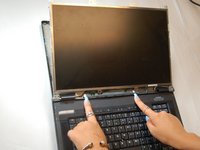
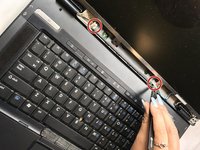
  5. HP Compaq nc8430 LCD Screen Replacement: шаг 5, изображение 1 из 2 HP Compaq nc8430 LCD Screen Replacement: шаг 5, изображение 2 из 2
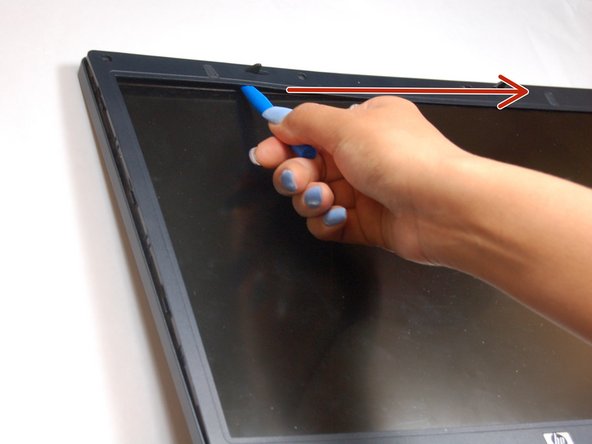
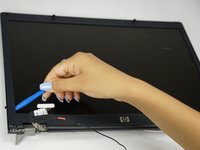
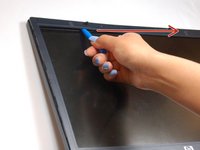
    • Pry up the plastic screen cover with the pry tool.

    • Once a corner of the plastic screen cover is lifted, slide the pry tool around the entire screen until the screen is completely lifted from the base.

    Спросите у FixBot

    Добавить комментарий

  6. HP Compaq nc8430 LCD Screen Replacement: шаг 6, изображение 1 из 1
    • Remove the 1.2 Phillips screws circled.

    Спросите у FixBot

    Добавить комментарий

  7. HP Compaq nc8430 LCD Screen Replacement: шаг 7, изображение 1 из 1
    • Remove the four 1.2mm Phillip screws circled.

    Спросите у FixBot

    Добавить комментарий

  8. HP Compaq nc8430 LCD Screen Replacement: шаг 8, изображение 1 из 1
    • Gently lift the monitor, from the base of the laptop.

    • The laptop will still be connected to the monitor wires located at the bottom of the screen.

    Спросите у FixBot

    Добавить комментарий

  9. HP Compaq nc8430 LCD Screen Replacement: шаг 9, изображение 1 из 2 HP Compaq nc8430 LCD Screen Replacement: шаг 9, изображение 2 из 2
    Инструмент, используемый на этом этапе:
    Tweezers
    $4.99
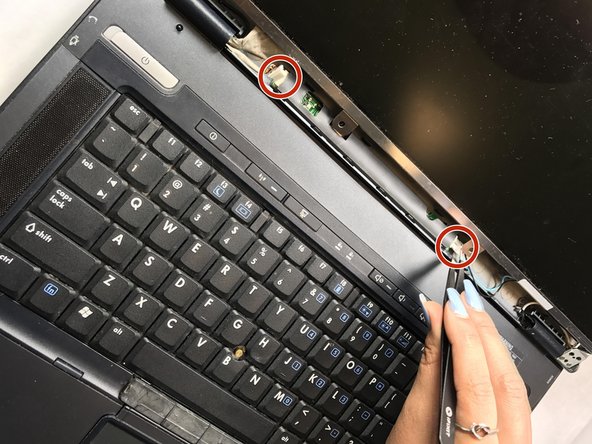
    • Locate the video cable wires.

    • Gently remove the video cables from the sensor board with tweezers.

    Спросите у FixBot

    Добавить комментарий

  10. HP Compaq nc8430 LCD Screen Replacement: шаг 10, изображение 1 из 1
    • All cables should be disconnected from the sensor board. Remove the eight 2mm Phillip screws attaching the bezel to the side of the monitor.

    • Attach the bezel to the new replacement screen.

    Спросите у FixBot

    Добавить комментарий

Заключение

To reassemble your device, follow these instructions in reverse order.

Отменить: Я не выполнил это руководство.

Еще один человек закончил это руководство.

Corey Nickerson II

Участник с: 03/20/17

135 Репутация

1 руководство автора

Команда

Texas Tech, Team S13-G4, Bennett Spring 2017 Участник Texas Tech, Team S13-G4, Bennett Spring 2017

TTU-BENNETT-S17S13G4

5 членов

Автор 5 руководств

1 Комментарий к руководству

Could you please charge it using USB.

Cato Nicolai Lund - Ответить Поделиться

Добавить комментарий

Статистика просмотров:

За последние 24 часов: 0

За последние 7 дней: 2

За последние 30 дней: 19

За всё время: 1,118