Введение
The paper rollers are the rubberized wheels over which the paper is drawn over prior to and during the printing operation. Worn rollers result in consistent paper jams or improper printing. This can be anything from alignment of the material on the page to "ghosted" text (see this troubleshooting guide for further details). User access to the rollers is designed to allow for the removal of jammed paper; no warranty will be voided by following this guide. While following the steps in this guide, ensure your printer is grounded (plugged into a wall socket rated for 15A, 120V) to ensure that static discharge does not damage your printer after the replacement.
Выберете то, что вам нужно
-
-
-
Open the printer by pushing upwards on the plastic tabs located on the sides of the printer.
-
Remove the opening assist from its purchase by pushing it toward the front of the printer with a nylon spudger.
-
Remove the spring-loaded clip attached to the top of the printer by pushing it off of the hook.
 Спросите у FixBot
-
-
-
Remove the last ten 12mm screws by placing the Torx 9 screwdriver in the screw slot and turning counterclockwise.
-
Remove the last two 12mm screws by placing the Torx 9 screwdriver in the screw slot and turning counterclockwise; the screen plate can now be separated from the printer by pushing out and to the right.
-
Take out the inner plastic frame (this piece is removeable after having removed the ten 12 mm screws outlined in the first bullet) by grasping the frame with both hands and carefully pulling the frame away from the printer body.
-
-
-
-
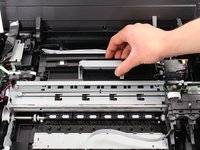
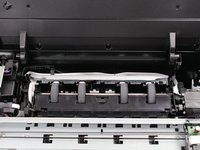
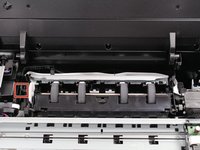
Grasp the gray lever of the black plastic cover of the rollers and gently pull the lever up and to the right.
-
-
-
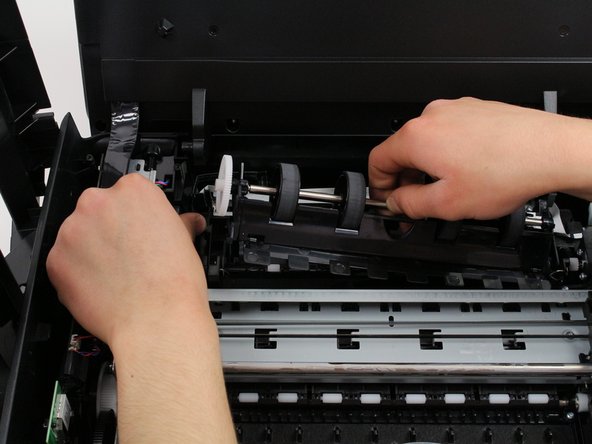
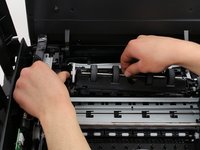
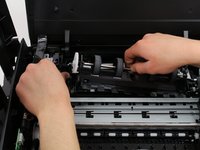
Press the lever outwards and away from the paper rollers with one hand.
-
Pull the paper rollers up and out of your HP printer with one hand while the other continues to depress the lever away from the paper rollers.
-
-




To reassemble your device, follow these instructions in reverse order.
Отменить: Я не выполнил это руководство.
3 человек успешно провели ремонт по этому руководству.

Команда

Cal Poly, Team S1-G2, Livingston Winter 2018 Участник Cal Poly, Team S1-G2, Livingston Winter 2018
CPSU-LIVINGSTON-W18S1G2
3 членов
Автор 10 руководств
2 Комментарии к руководству
is there a video
Thank you, steps provided easy to follow.
