Перейти к основному содержанию
Присоединяйся к сообществу ремонтников - Создай аккаунт

HP G60T-600 CTO Keyboard Replacement

Выберете то, что вам нужно

  1. HP G60T-600 CTO Keyboard Replacement, Battery: шаг 1, изображение 1 из 1
    • Failure to remove the battery before performing any replacement guide may result in electric shock.

    • Close your device, then turn it over.

    Спросите у FixBot
  2. HP G60T-600 CTO Keyboard Replacement: шаг 2, изображение 1 из 2 HP G60T-600 CTO Keyboard Replacement: шаг 2, изображение 2 из 2
    • Place your index finger on the ridged tab.

    Спросите у FixBot
  3. HP G60T-600 CTO Keyboard Replacement: шаг 3, изображение 1 из 1
    • Apply moderate pressure to the tab and slide it to the right.

    • While the tab is on the right, you should be able to gently slide your battery out of your device.

    Спросите у FixBot
  4. HP G60T-600 CTO Keyboard Replacement, Keyboard: шаг 4, изображение 1 из 2 HP G60T-600 CTO Keyboard Replacement, Keyboard: шаг 4, изображение 2 из 2
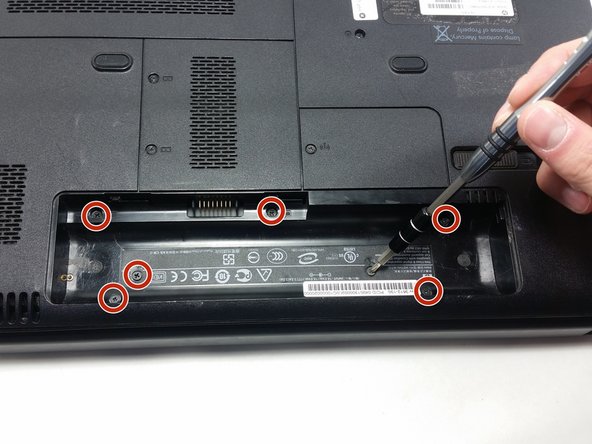
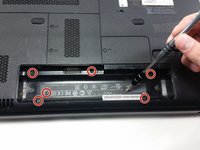
    • Unscrew the following 5mm screws with a #0 Phillips screwdriver.

    Спросите у FixBot
  5. HP G60T-600 CTO Keyboard Replacement: шаг 5, изображение 1 из 1
    • Turn your laptop over and open it up.

    • Grip your laptop firmly from both sides and use your thumbs to slide the keyboard towards the screen.

    Спросите у FixBot
  6. HP G60T-600 CTO Keyboard Replacement: шаг 6, изображение 1 из 1
    • Pull up on the top of your keyboard with medium force. It should start to pop out.

    • A plastic opening tool may facilitate this task.

    • Run your hands underneath the edges of the keyboard until it is free from the device.

    • Do not pull hard to take the keyboard out. There is a small connection that needs to be undone.

    Спросите у FixBot
  7. HP G60T-600 CTO Keyboard Replacement: шаг 7, изображение 1 из 2 HP G60T-600 CTO Keyboard Replacement: шаг 7, изображение 2 из 2
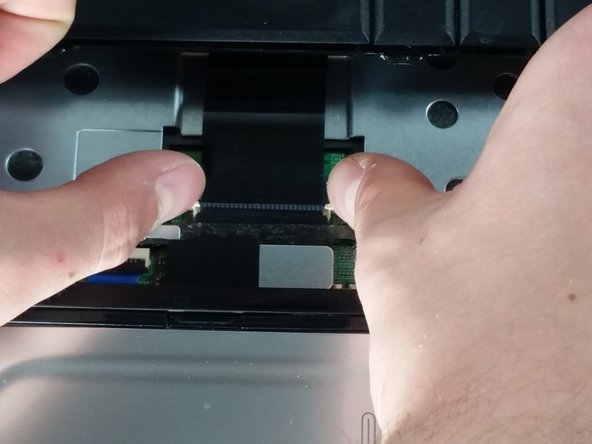
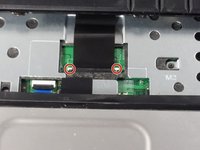
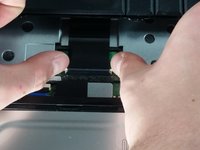
    • Place your thumbs on the two small, white tabs.

    • Push these tabs forward to release the connection and free the keyboard from the device.

    Спросите у FixBot
Заключение

To reassemble your device, follow these instructions in reverse order.

Еще один человек закончил это руководство.

Dominic DeSantis

Участник с: 10/19/16

772 Репутация

Автор 6 руководств

Команда

UMass Dartmouth, Team 4-5, Catania Fall 2016 Участник UMass Dartmouth, Team 4-5, Catania Fall 2016

UMASSD-CATANIA-F16S4G5

3 членов

Автор 6 руководств

0 Комментарии к руководству

Добавить комментарий

Статистика просмотров:

За последние 24 часов: 1

За последние 7 дней: 5

За последние 30 дней: 33

За всё время: 347