Перейти к основному содержанию
Присоединяйся к сообществу ремонтников - Создай аккаунт

HP Mini 110-3735dx Hard Drive Replacement

Выберете то, что вам нужно

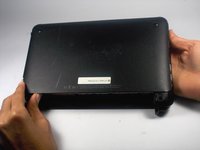
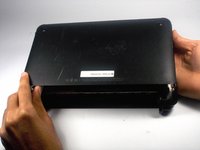
    1. HP Mini 110-3735dx Hard Drive Replacement, Battery: шаг 1, изображение 1 из 3 HP Mini 110-3735dx Hard Drive Replacement, Battery: шаг 1, изображение 2 из 3 HP Mini 110-3735dx Hard Drive Replacement, Battery: шаг 1, изображение 3 из 3
      • With the bottom of the HP Mini facing up, slide both switches inward towards each other.

      Спросите у FixBot

      Добавить комментарий

    2. HP Mini 110-3735dx Hard Drive Replacement: шаг 2, изображение 1 из 2 HP Mini 110-3735dx Hard Drive Replacement: шаг 2, изображение 2 из 2
      • With the left switch still pushed inward, pull the battery towards you to remove it from the computer.

      Спросите у FixBot

      Добавить комментарий

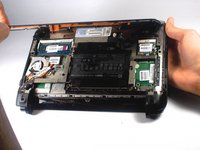
    1. HP Mini 110-3735dx Hard Drive Replacement, Backcover: шаг 3, изображение 1 из 3 HP Mini 110-3735dx Hard Drive Replacement, Backcover: шаг 3, изображение 2 из 3 HP Mini 110-3735dx Hard Drive Replacement, Backcover: шаг 3, изображение 3 из 3
      • Pull upward from under the back cover via the missing battery area.

      • Best to start from one of the corners.

      Спросите у FixBot

      Добавить комментарий

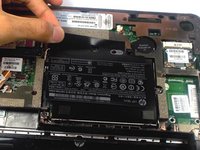
    1. HP Mini 110-3735dx Hard Drive Replacement, Hard Drive Cage: шаг 4, изображение 1 из 1
      • Remove the three 5.0 mm screws holding the hard drive cage in place using a Phillips #1 screw driver.

      Спросите у FixBot

      Добавить комментарий

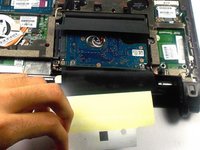
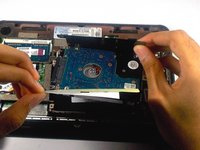
    2. HP Mini 110-3735dx Hard Drive Replacement: шаг 5, изображение 1 из 3 HP Mini 110-3735dx Hard Drive Replacement: шаг 5, изображение 2 из 3 HP Mini 110-3735dx Hard Drive Replacement: шаг 5, изображение 3 из 3
      • Lift the hard drive cage by pulling the tape upward.

      • Start by pulling the tape from the side with the keyboard symbol.

      Спросите у FixBot

      Добавить комментарий

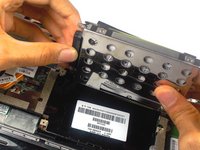
    3. HP Mini 110-3735dx Hard Drive Replacement: шаг 6, изображение 1 из 2 HP Mini 110-3735dx Hard Drive Replacement: шаг 6, изображение 2 из 2
      • Unplug the cable connecting to the hard drive.

      Спросите у FixBot

      Добавить комментарий

    1. HP Mini 110-3735dx Hard Drive Replacement, Hard Drive: шаг 7, изображение 1 из 3 HP Mini 110-3735dx Hard Drive Replacement, Hard Drive: шаг 7, изображение 2 из 3 HP Mini 110-3735dx Hard Drive Replacement, Hard Drive: шаг 7, изображение 3 из 3
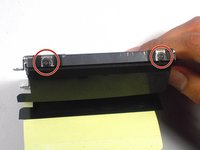
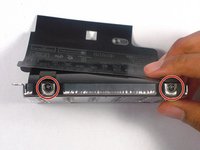
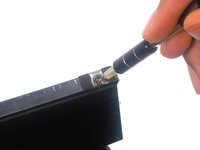
      • Remove the four 4.0 mm screws on both sides of the cage using a Phillips #1 screw driver.

      Спросите у FixBot

      Добавить комментарий

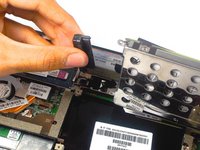
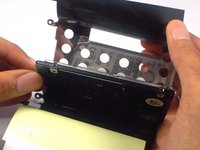
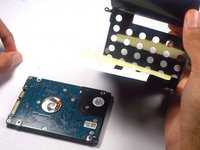
    2. HP Mini 110-3735dx Hard Drive Replacement: шаг 8, изображение 1 из 3 HP Mini 110-3735dx Hard Drive Replacement: шаг 8, изображение 2 из 3 HP Mini 110-3735dx Hard Drive Replacement: шаг 8, изображение 3 из 3
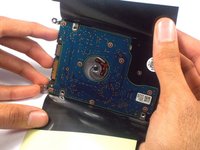
      • Gently remove the hard drive from it's cage.

      Спросите у FixBot

      Добавить комментарий

Заключение

To reassemble your device, follow these instructions in reverse order.

Отменить: Я не выполнил это руководство.

2 человек успешно провели ремонт по этому руководству.

Tyrone Williams

Участник с: 03/10/16

923 Репутация

Автор 7 руководств

Команда

UMass Dartmouth, Team 4-1, Catania Spring 2016 Участник UMass Dartmouth, Team 4-1, Catania Spring 2016

UMASSD-CATANIA-S16S4G1

4 членов

Автор 61 руководств

0 Комментарии к руководству

Добавить комментарий

Статистика просмотров:

За последние 24 часов: 1

За последние 7 дней: 7

За последние 30 дней: 27

За всё время: 974