Перейти к основному содержанию
Присоединяйся к сообществу ремонтников - Создай аккаунт

HP Officejet Pro 8620 Power Adapter Replacement

Выберете то, что вам нужно

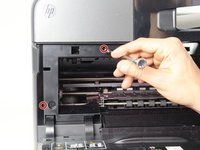
    1. HP Officejet Pro 8620 Power Adapter Replacement, Left Panel: шаг 1, изображение 1 из 3 HP Officejet Pro 8620 Power Adapter Replacement, Left Panel: шаг 1, изображение 2 из 3 HP Officejet Pro 8620 Power Adapter Replacement, Left Panel: шаг 1, изображение 3 из 3
      • Turn off the printer and remove the power cable.

      • Remove two 13mm T9 screws using a T9-Torx screwdriver. Turn counterclockwise until the screws are released.

      Спросите у FixBot

      Добавить комментарий

    2. HP Officejet Pro 8620 Power Adapter Replacement: шаг 2, изображение 1 из 2 HP Officejet Pro 8620 Power Adapter Replacement: шаг 2, изображение 2 из 2
      • Open the front door by placing your finger on the indented groove on the left side of the printer and pulling down

      • This will give you access to the two T9-TORX 13mm screws that need to be removed to release the panel.

      Спросите у FixBot

      Добавить комментарий

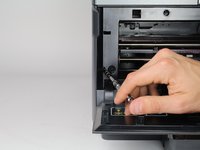
    3. HP Officejet Pro 8620 Power Adapter Replacement: шаг 3, изображение 1 из 2 HP Officejet Pro 8620 Power Adapter Replacement: шаг 3, изображение 2 из 2
      • Remove the two 13mm screws with a T9-TORX screwdriver by turning counter-clockwise (left).

      Спросите у FixBot

      Добавить комментарий

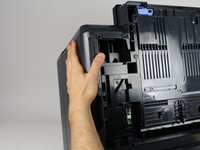
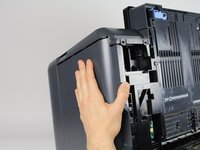
    4. HP Officejet Pro 8620 Power Adapter Replacement: шаг 4, изображение 1 из 3 HP Officejet Pro 8620 Power Adapter Replacement: шаг 4, изображение 2 из 3 HP Officejet Pro 8620 Power Adapter Replacement: шаг 4, изображение 3 из 3
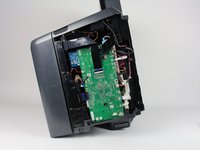
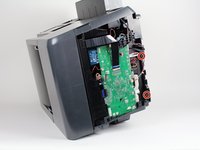
      • Gently remove the left side panel by placing your palm flat against the surface and pulling down.

      Спросите у FixBot

      Добавить комментарий

    1. HP Officejet Pro 8620 Power Adapter Replacement, Power Adapter: шаг 5, изображение 1 из 3 HP Officejet Pro 8620 Power Adapter Replacement, Power Adapter: шаг 5, изображение 2 из 3 HP Officejet Pro 8620 Power Adapter Replacement, Power Adapter: шаг 5, изображение 3 из 3
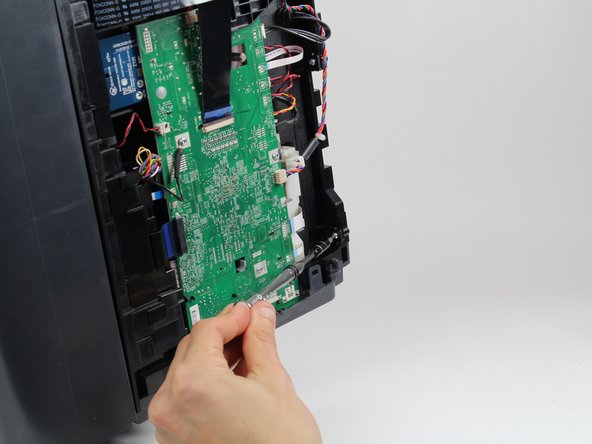
      • Remove two screws 13mm screws with a T9-Torx screwdriver by rotating them counterclockwise.

      Спросите у FixBot

      Добавить комментарий

    2. HP Officejet Pro 8620 Power Adapter Replacement: шаг 6, изображение 1 из 3 HP Officejet Pro 8620 Power Adapter Replacement: шаг 6, изображение 2 из 3 HP Officejet Pro 8620 Power Adapter Replacement: шаг 6, изображение 3 из 3
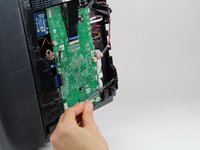
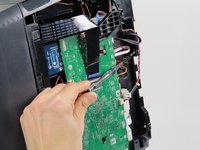
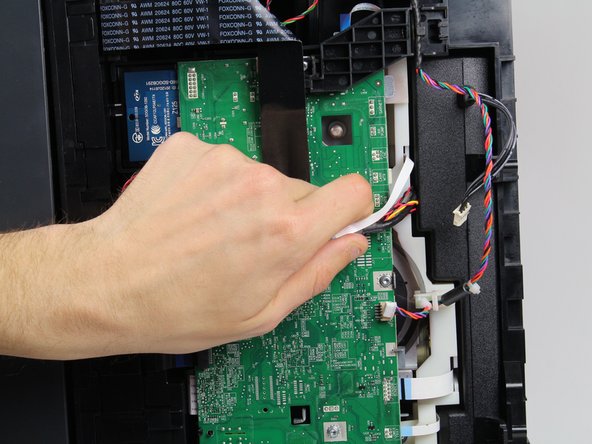
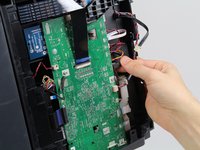
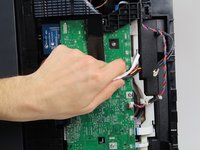
      • Unplug the black cable .

      • Move all the cables and wires to the top of the motherboard to allow the power adapter underneath to be removed freely.

      Спросите у FixBot

      Добавить комментарий

    3. HP Officejet Pro 8620 Power Adapter Replacement: шаг 7, изображение 1 из 1
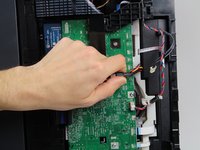
      • Gently bend the black ribbon cable.

      • Remove one 8mm T8 screw underneath the ribbon cable by rotating it counterclockwise with a T8 -Torx screwdriver.

      • Take out the black plastic cover and the colored wires connected to it.

      • Now you have cleared a passage for the power adapter to be taken out.

      Спросите у FixBot

      Добавить комментарий

    4. HP Officejet Pro 8620 Power Adapter Replacement: шаг 8, изображение 1 из 1
      • Gently pulling out the power adapter.

      • Be careful with all the wires when pulling out the adapter.

      Спросите у FixBot

      Добавить комментарий

Заключение

To reassemble your device, follow these instructions in reverse order.

Отменить: Я не выполнил это руководство.

Scott

Участник с: 01/24/18

656 Репутация

Автор 3 руководств

Команда

Cal Poly, Team S19-G2, Livingston Spring 2018 Участник Cal Poly, Team S19-G2, Livingston Spring 2018

CPSU-LIVINGSTON-S18S19G2

1 член

Автор 18 руководств

0 Комментарии к руководству

Добавить комментарий

Статистика просмотров:

За последние 24 часов: 1

За последние 7 дней: 7

За последние 30 дней: 22

За всё время: 2,777