Этот перевод был сделан машиной и пока не проверен человеком. Говорите на этом языке? Просмотрите его.
Введение
Если ваш жесткий диск не работает или вы хотите установить диск большего объема, воспользуйтесь этим руководством.
Выберете то, что вам нужно
-
-
-
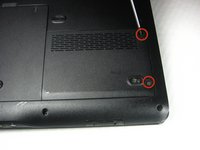
Открутите два винта крепления защитной пластины жесткого диска и снимите её, начиная с правой стороны. Винты останутся в пластине.
 Спросите у FixBot
-
-
-
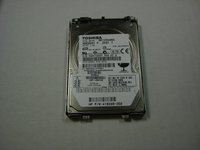
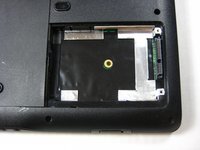
Потяните за пластиковый язычок, прикрепленный к жесткому диску. Жесткий диск легко извлекается. Тяните аккуратно, чтобы не повредить контакты.
-
-
-
-
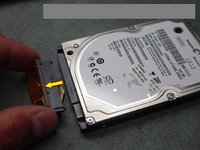
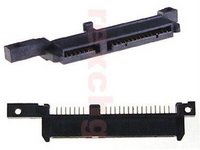
Аккуратно потяните адаптер HP вперед, отсоединяя его от верхней части жесткого диска.
-
Установите адаптер на новый жесткий диск SATA, который будет заменен в ноутбуке.
-
-






Для обратной сборки устройства выполните эти инструкции в обратном порядке.
Отменить: Я не выполнил это руководство.
20 человек успешно провели ремонт по этому руководству.

Команду

Cal Poly, Team 21-33, Regan Fall 2010 Участник Cal Poly, Team 21-33, Regan Fall 2010
CPSU-REGAN-F10S21G33
4 членов
Автор 117 руководств
2 Комментарии к руководству
thanks for your help
I was scratching my head when I recvd the new hd w/out the adapter... LOL! thanks
