Перейти к основному содержанию
Присоединяйся к сообществу ремонтников - Создай аккаунт

HP Slate 7 Plus 4200US Battery Replacement

Выберете то, что вам нужно

    1. HP Slate 7 Plus 4200US Battery Replacement, Tablet Cover: шаг 1, изображение 1 из 1
      • Turn off the tablet and disconnect the power and all external devices from the tablet.

      • Position the tablet with the display panel down and the right side toward you.

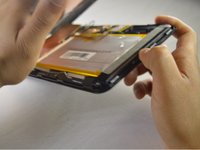
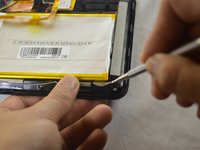
      • Carefully insert a plastic opening tool between the tablet cover and display panel assembly, separating the two components. The first insertion point should be between the power button and the volume buttons.

      Спросите у FixBot

      Добавить комментарий

    2. HP Slate 7 Plus 4200US Battery Replacement: шаг 2, изображение 1 из 2 HP Slate 7 Plus 4200US Battery Replacement: шаг 2, изображение 2 из 2
      • Slide the tool around the perimeter of the tablet until the edge of the cover is completely separated from the display panel assembly.

      Спросите у FixBot

      Добавить комментарий

    3. HP Slate 7 Plus 4200US Battery Replacement: шаг 3, изображение 1 из 3 HP Slate 7 Plus 4200US Battery Replacement: шаг 3, изображение 2 из 3 HP Slate 7 Plus 4200US Battery Replacement: шаг 3, изображение 3 из 3
      • Pry open the back cover to take it off.

      Спросите у FixBot

      Добавить комментарий

    1. HP Slate 7 Plus 4200US Battery Replacement, Battery: шаг 4, изображение 1 из 3 HP Slate 7 Plus 4200US Battery Replacement, Battery: шаг 4, изображение 2 из 3 HP Slate 7 Plus 4200US Battery Replacement, Battery: шаг 4, изображение 3 из 3
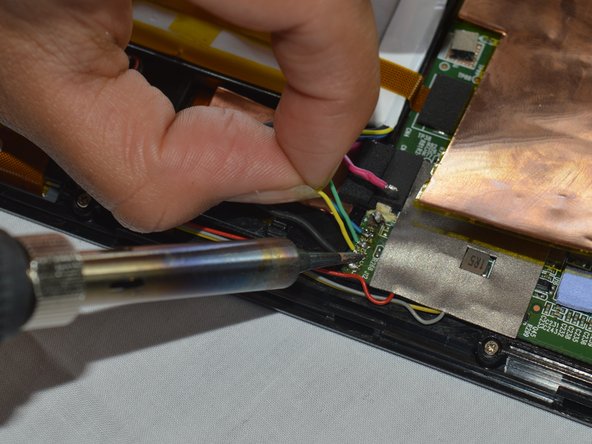
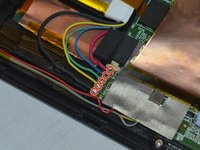
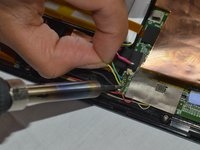
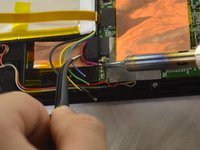
      • Disconnect the battery cables from the system board by desoldering them. See iFixit guide on how to solder.

      • The battery cables are soldered to the system in the following sequence, top to bottom: red, blue, green, yellow, black.

      Спросите у FixBot

      Добавить комментарий

    2. HP Slate 7 Plus 4200US Battery Replacement: шаг 5, изображение 1 из 3 HP Slate 7 Plus 4200US Battery Replacement: шаг 5, изображение 2 из 3 HP Slate 7 Plus 4200US Battery Replacement: шаг 5, изображение 3 из 3
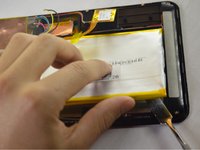
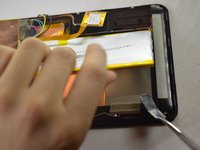
      • Insert a nylon spudger between the battery and the display panel assembly. Carefully pry the battery up and remove it from its place.

      • The battery is attached to the display panel assembly with double-sided adhesive. Make sure to firmly pull the battery.

      • The regular black nylon spudger should be used whenever possible, especially around batteries.

      Спросите у FixBot

      Добавить комментарий

Заключение

To reassemble your device, follow these instructions in reverse order.

Отменить: Я не выполнил это руководство.

2 человек успешно провели ремонт по этому руководству.

Jessica Andrade

Участник с: 10/04/16

884 Репутация

Автор 7 руководств

Команда

USF Tampa, Team 3-1, Sullivan Fall 2016 Участник USF Tampa, Team 3-1, Sullivan Fall 2016

USFT-SULLIVAN-F16S3G1

3 членов

Автор 56 руководств

1 Комментарий к руководству

Bonjour, où peut on trouver une batterie svp ?

C'est pour une tablette HP Slate7 Plus.

Merci pour votre aide.

Cordialement. Stéphane

dingo346 - Ответить Поделиться

Добавить комментарий

Статистика просмотров:

За последние 24 часов: 0

За последние 7 дней: 4

За последние 30 дней: 27

За всё время: 2,480