Перейти к основному содержанию
Присоединяйся к сообществу ремонтников - Создай аккаунт

HTC Excalibur Screen Replacement

Выберете то, что вам нужно

  1. HTC Excalibur Screen Replacement, Motherboard: шаг 1, изображение 1 из 1
    • Remove the rubber screw covers. If needed, use a thin object to help pry them off. There should be two of them on top of the phone. Skip this step if already removed.

    • Pry loose the metal cover near the camera lens.

    Спросите у FixBot

    Добавить комментарий

  2. HTC Excalibur Screen Replacement: шаг 2, изображение 1 из 1
    • Remove the battery cover.

    • Gripping the battery by the bottom, lift and remove it from the phone.

    Спросите у FixBot

    Добавить комментарий

  3. HTC Excalibur Screen Replacement: шаг 3, изображение 1 из 3 HTC Excalibur Screen Replacement: шаг 3, изображение 2 из 3 HTC Excalibur Screen Replacement: шаг 3, изображение 3 из 3
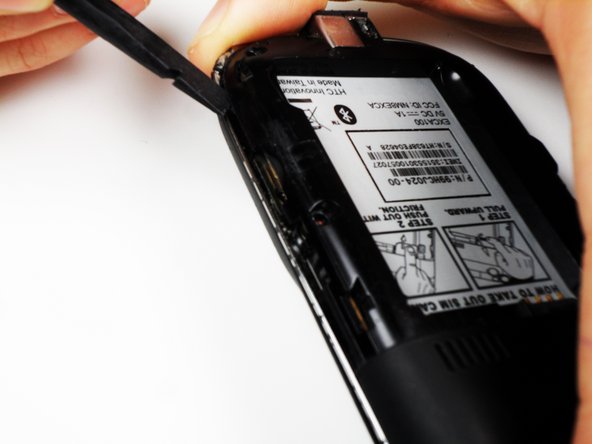
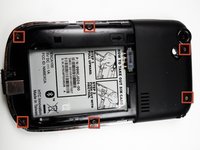
    • After removing the rubber stoppers on top, there should be six exposed screws. Remove these using the T6 screwdriver.

    • Next, use the spudger to loosen the case underneath the shiny metal edge. Go all the way around the phone until completely loosened.

    • The case is superglued on and will not permanently damage the phone when removed, but you should still use caution.

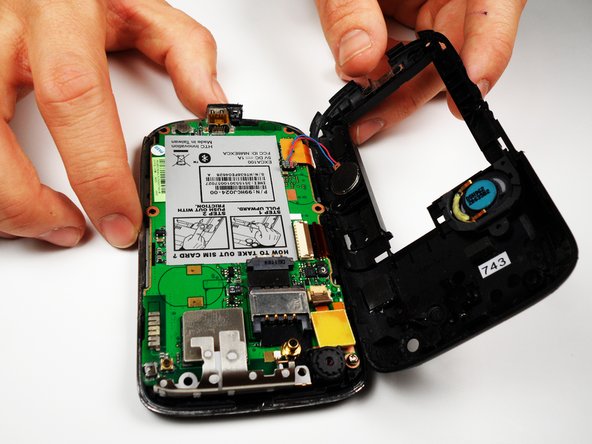
    • After loosening the case, remove it.

    • There is a wire that connects both the top and bottom of the case. If you are not careful when removing the case, you might snap the wire.

    Спросите у FixBot

    Добавить комментарий

  4. HTC Excalibur Screen Replacement: шаг 4, изображение 1 из 2 HTC Excalibur Screen Replacement: шаг 4, изображение 2 из 2
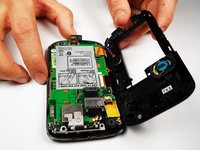
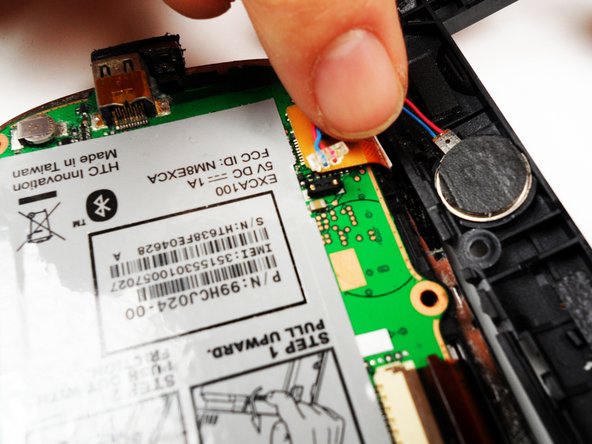
    • Remove the one remaining screw in the logic board.

    • Unclip the wire that connects the back of the case to the logic board.

    Спросите у FixBot

    Добавить комментарий

  5. HTC Excalibur Screen Replacement: шаг 5, изображение 1 из 3 HTC Excalibur Screen Replacement: шаг 5, изображение 2 из 3 HTC Excalibur Screen Replacement: шаг 5, изображение 3 из 3
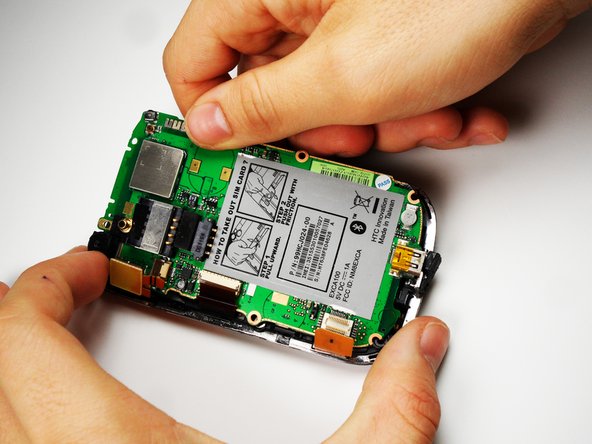
    • On the left side of the phone, there are three copper colored clips.

    • Unclip the bottom clip, thread the middle one through the logic board, and pull the top one out gently.

    • You can then lift the logic board out of the phone.

    • Do this at an angle, lifting the side to the right of the SIM card instructions.

    • One of the strips is attached to the front of the case, and goes through the logic board. Be careful not to break this piece.

    Спросите у FixBot

    Добавить комментарий

  6. HTC Excalibur Screen Replacement, Screen: шаг 6, изображение 1 из 1
    • Remove the metal frame. Slip out the copper clips still attached to the bottom frame from the frame carefully.

    Спросите у FixBot

    Добавить комментарий

  7. HTC Excalibur Screen Replacement: шаг 7, изображение 1 из 1
    • Grab the screen by the bottom edge, and lift it out at an angle.

    • Replace the screen, and reassemble the phone.

    Спросите у FixBot

    Добавить комментарий

Заключение

To reassemble your device, follow these instructions in reverse order.

Отменить: Я не выполнил это руководство.

Ian Mitchell

Участник с: 04/19/11

142 Репутация

Автор 5 руководств

Команда

Cal Poly, Team 25-27, Garner Spring 2011 Участник Cal Poly, Team 25-27, Garner Spring 2011

CPSU-GARNER-S11S25G27

4 членов

Автор 10 руководств

0 Комментарии к руководству

Добавить комментарий

Статистика просмотров:

За последние 24 часов: 0

За последние 7 дней: 4

За последние 30 дней: 34

За всё время: 2,120