Перейти к основному содержанию

HomePod Disassembly

Выберете то, что вам нужно

  1. HomePod Disassembly, Top Touch Cover: шаг 1, изображение 1 из 2 HomePod Disassembly, Top Touch Cover: шаг 1, изображение 2 из 2
    • Be sure to unplug your HomePod before disassembly.

    • Using a hairdryer on hot, heat up the top touch surface and remove.

    • The cover is not flexible. Special care must be taken to avoid cracking or snapping the top cover.

  2. HomePod Disassembly, Removing the Touch Surface: шаг 2, изображение 1 из 3 HomePod Disassembly, Removing the Touch Surface: шаг 2, изображение 2 из 3 HomePod Disassembly, Removing the Touch Surface: шаг 2, изображение 3 из 3
    • Remove four T6 screws.

    • Using a hair dryer on hot, soften the adhesive holding the touch pad assembly to the top frame.

    • Using a guitar pick, carefully pry up the touch pad.

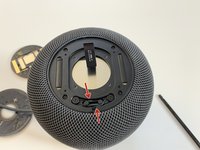
  3. HomePod Disassembly, Disconnecting the Touch Surface: шаг 3, изображение 1 из 3 HomePod Disassembly, Disconnecting the Touch Surface: шаг 3, изображение 2 из 3 HomePod Disassembly, Disconnecting the Touch Surface: шаг 3, изображение 3 из 3
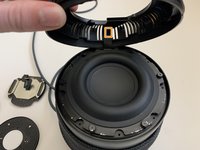
    • Maneuver the touch assembly board up from the top frame.

    • Flip the retaining lever upwards with a spudger to release the ribbon cable.

    • Remove the ribbon cable from the connector.

  4. HomePod Disassembly, 3D Mesh Draw Strings: шаг 4, изображение 1 из 3 HomePod Disassembly, 3D Mesh Draw Strings: шаг 4, изображение 2 из 3 HomePod Disassembly, 3D Mesh Draw Strings: шаг 4, изображение 3 из 3
    Инструмент, используемый на этом этапе:
    Tweezers
    $4.99
    • Using tweezers (or fingers) unwind the drawstrings from the moorings.

    • The drawstrings are wrapped/looped around each T6 screw post. Remove or loosen each and unwrap the drawstring.

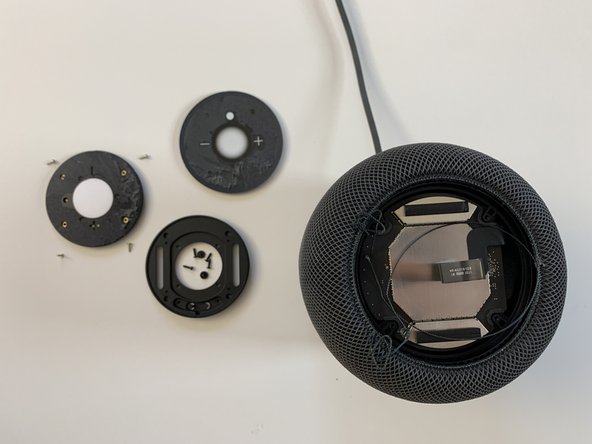
  5. HomePod Disassembly, Touch Surface Support Plate: шаг 5, изображение 1 из 2 HomePod Disassembly, Touch Surface Support Plate: шаг 5, изображение 2 из 2
    • Remove the four T6 screws securing the touch surface support disc to the lid and slide the 3D mesh fabric sleeve downwards.

    • Remove the touch surface support frame disk from the HomePod.

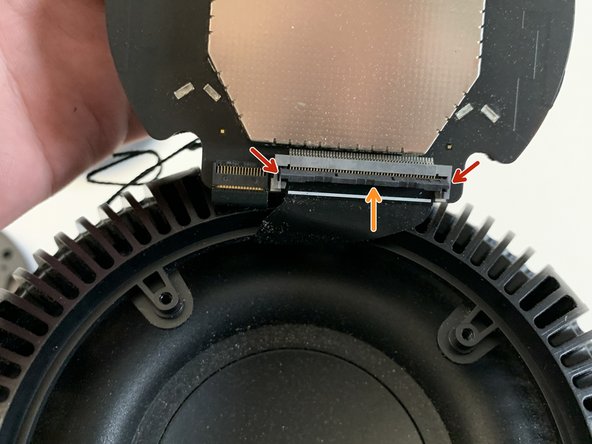
  6. HomePod Disassembly, Logic Board Removal: шаг 6, изображение 1 из 3 HomePod Disassembly, Logic Board Removal: шаг 6, изображение 2 из 3 HomePod Disassembly, Logic Board Removal: шаг 6, изображение 3 из 3
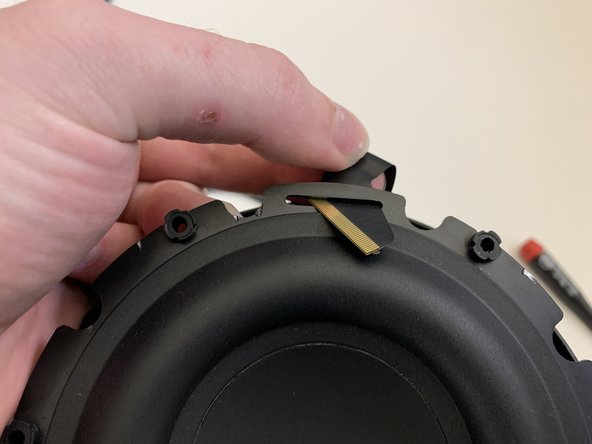
    • Flip the logic board up and using a spudger, carefully pry the retaining lever upwards.

    • Pop the ribbon cable straight upwards and out. This cable has "ears" on each side and doesn't not slide into the connector.

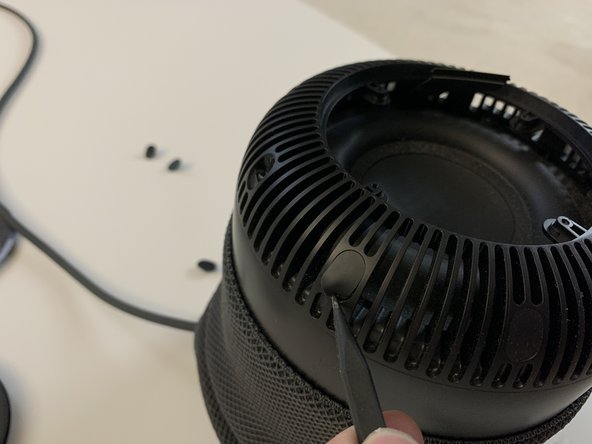
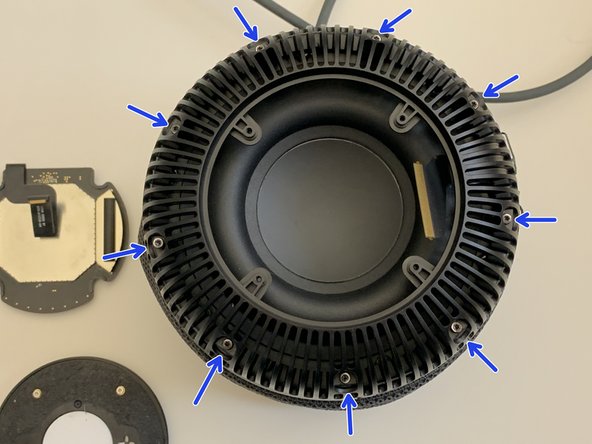
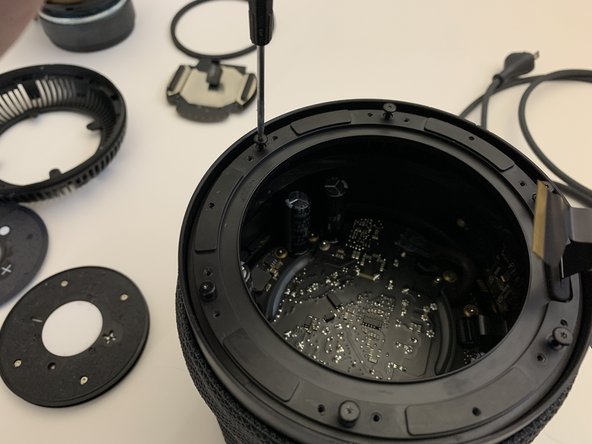
  7. HomePod Disassembly, Top Cover Removal (screws): шаг 7, изображение 1 из 3 HomePod Disassembly, Top Cover Removal (screws): шаг 7, изображение 2 из 3 HomePod Disassembly, Top Cover Removal (screws): шаг 7, изображение 3 из 3
    • Using a spudger, remove the nine rubber screw caps.

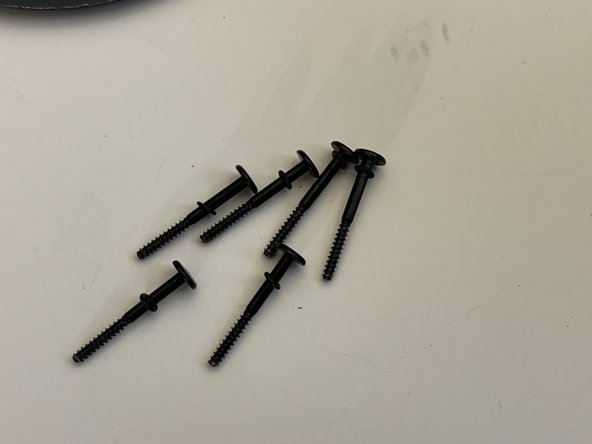
    • Using a Torx T6 screwdriver, remove the nine T6 screws securing the top to the main housing.

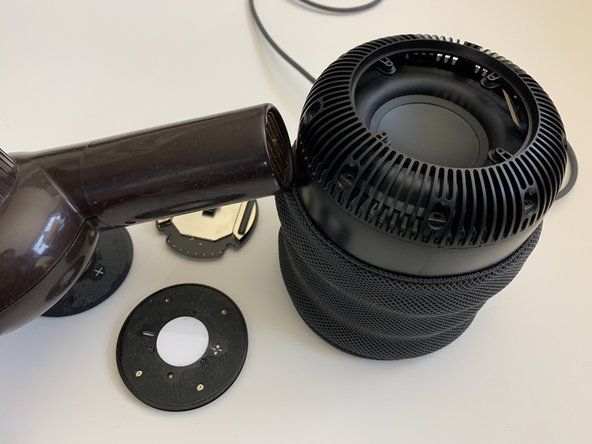
  8. HomePod Disassembly, Softening the Adhesive: шаг 8, изображение 1 из 3 HomePod Disassembly, Softening the Adhesive: шаг 8, изображение 2 из 3 HomePod Disassembly, Softening the Adhesive: шаг 8, изображение 3 из 3
    • Using a hairdryer on high heat, aim the hairdryer as shown and heat the perimeter just below the seam where the top meets the main housing.

    • This step is critical. If you have trouble with the next step, repeat the heating process in the trouble area.

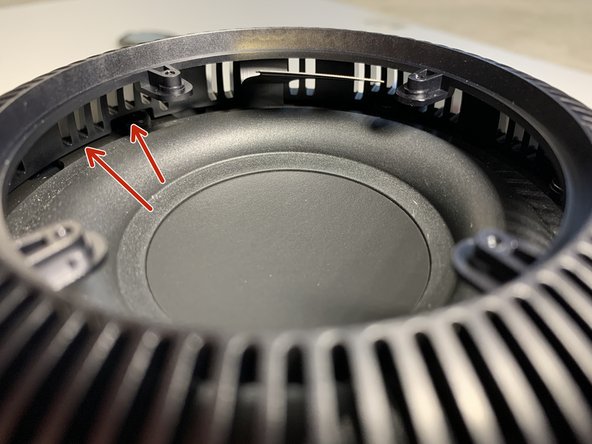
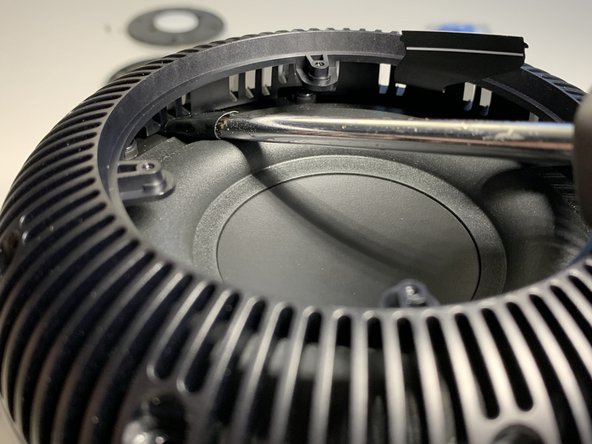
  9. HomePod Disassembly, Separating the Top: шаг 9, изображение 1 из 3 HomePod Disassembly, Separating the Top: шаг 9, изображение 2 из 3 HomePod Disassembly, Separating the Top: шаг 9, изображение 3 из 3
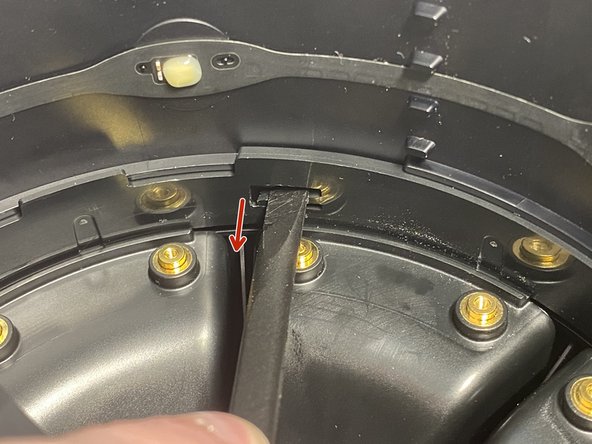
    • This step requires significant force even with plenty of heat applied in the previous step.

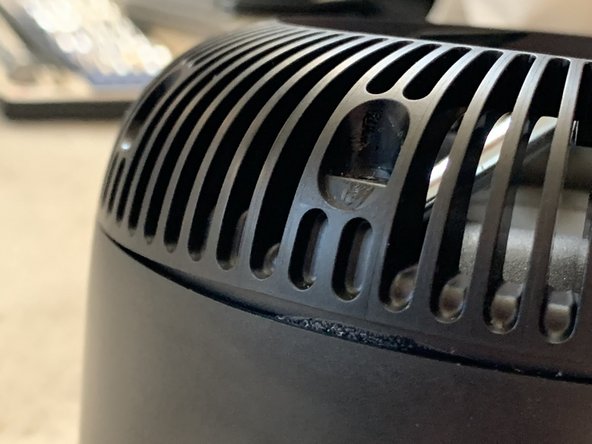
    • Insert a wide flat blade screwdriver wrapped in 1-2 layers of electrical tape.

    • You will need to apply a fair amount of pressure to wedge the screwdriver head in the small gap.

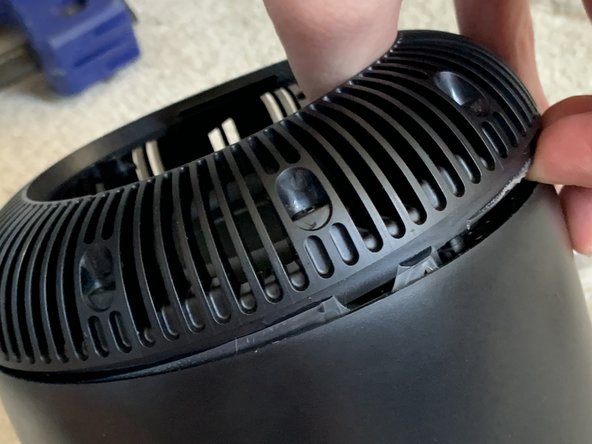
    • Pull the top cover straight up. This will need to be done in four sections.

  10. HomePod Disassembly, Top Removal (continued): шаг 10, изображение 1 из 3 HomePod Disassembly, Top Removal (continued): шаг 10, изображение 2 из 3 HomePod Disassembly, Top Removal (continued): шаг 10, изображение 3 из 3
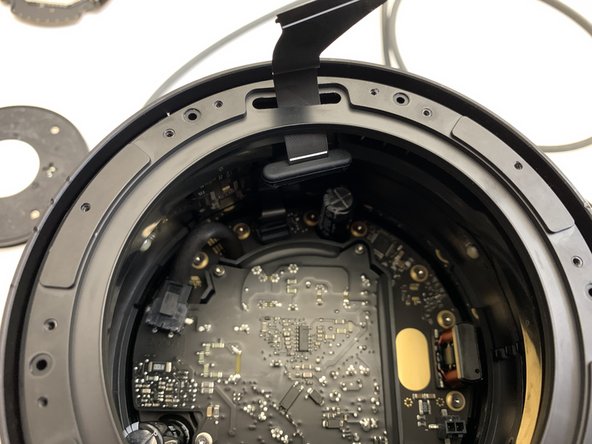
    • Be careful when freeing the top from the glue. The ribbon cable we disconnected in Step 7 is adhered to the top and can easily become torn.

  11. HomePod Disassembly, Top Removal (continued 2): шаг 11, изображение 1 из 2 HomePod Disassembly, Top Removal (continued 2): шаг 11, изображение 2 из 2
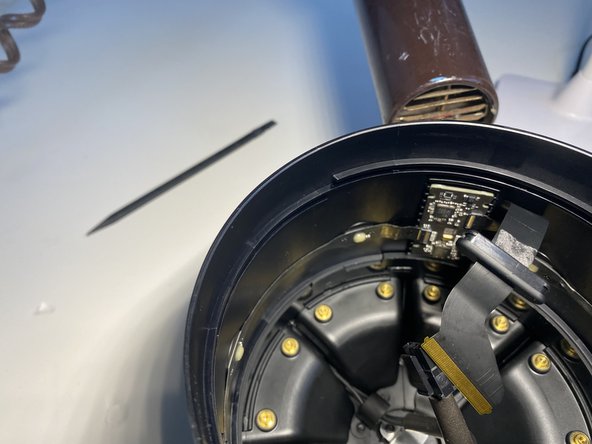
    • Careful peel the ribbon cable from the top.

    • Take your time as you don't want to tear this cable.

  12. HomePod Disassembly, Woofer Removal: шаг 12, изображение 1 из 3 HomePod Disassembly, Woofer Removal: шаг 12, изображение 2 из 3 HomePod Disassembly, Woofer Removal: шаг 12, изображение 3 из 3
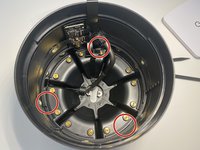
    • Remove the six Torx T6 screws securing the woofer.

    • Carefully lift the woofer out by it's edges and slip the logic board ribbon cable through.

  13. HomePod Disassembly, Disconnecting the Woofer: шаг 13, изображение 1 из 3 HomePod Disassembly, Disconnecting the Woofer: шаг 13, изображение 2 из 3 HomePod Disassembly, Disconnecting the Woofer: шаг 13, изображение 3 из 3
    • Support the woofer on the top edge of the HomePod with your hand.

    • With your other hand, reach inside and squeeze the tab on the connector and pull strait up to disconnect the woofer from the amplifier board.

    • Remove the woofer from the HomePod.

  14. HomePod Disassembly, Woofer Gasket: шаг 14, изображение 1 из 3 HomePod Disassembly, Woofer Gasket: шаг 14, изображение 2 из 3 HomePod Disassembly, Woofer Gasket: шаг 14, изображение 3 из 3
    • Remove the woofer's gasket.

    • This is a simple, yet critical part and sealing the enclosure with the driver installed. Failure to replace this gasket will result in degradation of sound and excessive air noise.

  15. HomePod Disassembly, Upper Ring Removal: шаг 15, изображение 1 из 3 HomePod Disassembly, Upper Ring Removal: шаг 15, изображение 2 из 3 HomePod Disassembly, Upper Ring Removal: шаг 15, изображение 3 из 3
    • Remove the six Torx T6 screws.

    • Note the small delicate rubber O rings that go with each screw. Replace any damaged or missing O rings.

  16. HomePod Disassembly, Upper Ring Removal (Continued): шаг 16, изображение 1 из 3 HomePod Disassembly, Upper Ring Removal (Continued): шаг 16, изображение 2 из 3 HomePod Disassembly, Upper Ring Removal (Continued): шаг 16, изображение 3 из 3
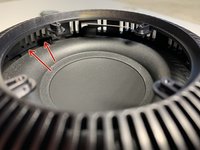
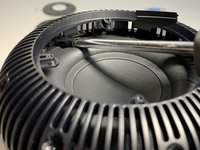
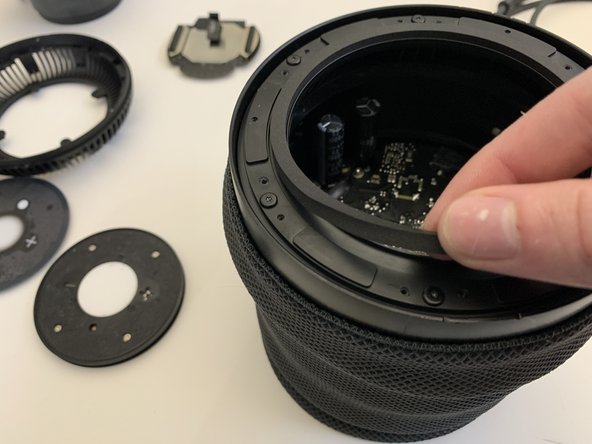
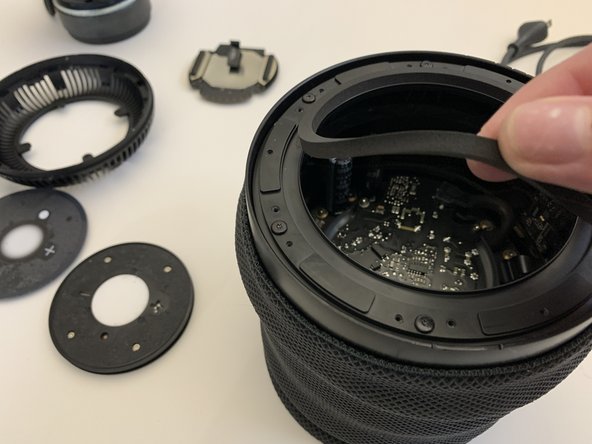
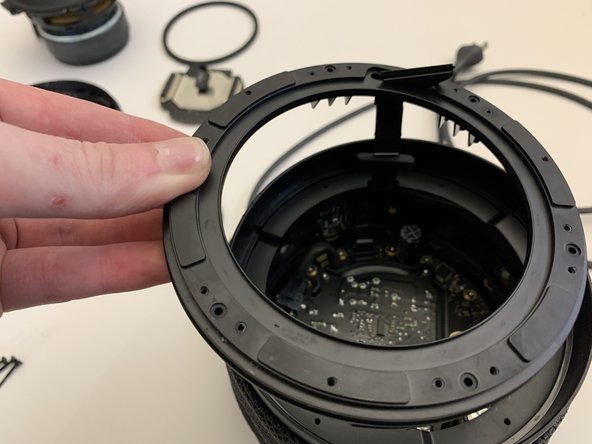
    • Using a spudger, push the silicone grommet through the upper ring.

    • Remove the upper ring from the HomePod.

  17. HomePod Disassembly, Middle Ring Removal: шаг 17, изображение 1 из 3 HomePod Disassembly, Middle Ring Removal: шаг 17, изображение 2 из 3 HomePod Disassembly, Middle Ring Removal: шаг 17, изображение 3 из 3
    • With the upper ring removed, remove the grommet from the ribbon cable.

    • Rotate the middle ring counter clockwise to unscrew it from the HomePod.

  18. HomePod Disassembly, Power Supply Removal: шаг 18, изображение 1 из 3 HomePod Disassembly, Power Supply Removal: шаг 18, изображение 2 из 3 HomePod Disassembly, Power Supply Removal: шаг 18, изображение 3 из 3
    • Push down on the locking tab and pull in the direction of the arrow.

    • Remove the four Torx T6 screws securing the power supply to the amplifier board.

  19. HomePod Disassembly, Power Supply Removal Tips: шаг 19, изображение 1 из 3 HomePod Disassembly, Power Supply Removal Tips: шаг 19, изображение 2 из 3 HomePod Disassembly, Power Supply Removal Tips: шаг 19, изображение 3 из 3
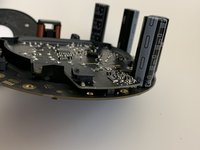
    • Be sure to pull straight up (orange arrow) when removing the power supply (after removing the screws). This connector is fragile and easily damaged during removal and installation!

    • The third photo shows how the power supply board properly mates with the amplifier board.

  20. HomePod Disassembly, Amplifier Board Removal: шаг 20, изображение 1 из 3 HomePod Disassembly, Amplifier Board Removal: шаг 20, изображение 2 из 3 HomePod Disassembly, Amplifier Board Removal: шаг 20, изображение 3 из 3
    • Disconnect the ribbon cable connecting the amplifier board to the logic board.

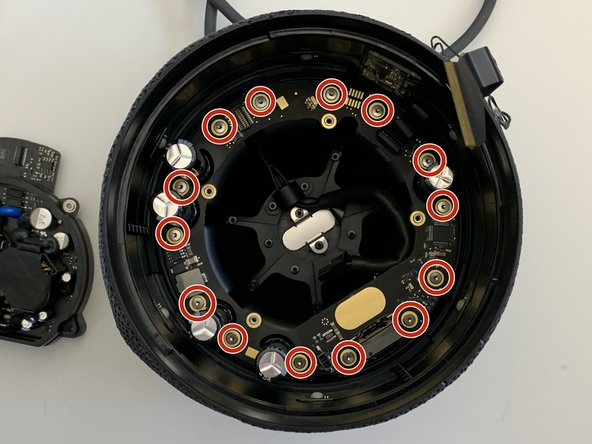
    • Remove the 14 Torx T6 screws securing the amplifier board to the 7 tweeters.

    • Carefully lift out and remove the amplifier board from the HomePod.

  21. HomePod Disassembly, Microphone Board Removal: шаг 21, изображение 1 из 3 HomePod Disassembly, Microphone Board Removal: шаг 21, изображение 2 из 3 HomePod Disassembly, Microphone Board Removal: шаг 21, изображение 3 из 3
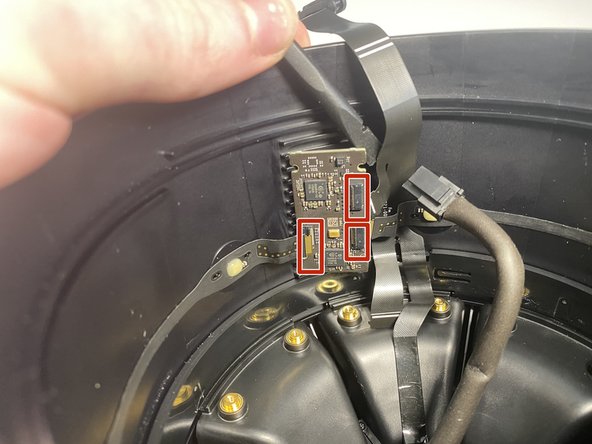
    • Disconnect the 3 ribbon cables from the Microphone board.

    • Using a hair dryer, heat the microphone board from the back side.

    • Using a plastic spudger, remove the PCB from the housing.

  22. HomePod Disassembly, Tweeter Retaining Ring: шаг 22, изображение 1 из 3 HomePod Disassembly, Tweeter Retaining Ring: шаг 22, изображение 2 из 3 HomePod Disassembly, Tweeter Retaining Ring: шаг 22, изображение 3 из 3
    • This is difficult to do, but with two spudgers and a finger nail, it's possible.

    • Using one hand to depress the 2 spiders and a finger nail to depress the 3rd clip, use your free hand to unscrew (counter clockwise) the tweeter retaining ring.

    • It is only necessary to rotate the tweeter retention ring several turns. It is not necessary to remove it entirely.

  23. HomePod Disassembly, Tweeter Removal: шаг 23, изображение 1 из 2 HomePod Disassembly, Tweeter Removal: шаг 23, изображение 2 из 2
    • Remove the three screws that secure the tweeter in place.

  24. HomePod Disassembly, Main Ribbon Cable Removal: шаг 24, изображение 1 из 3 HomePod Disassembly, Main Ribbon Cable Removal: шаг 24, изображение 2 из 3 HomePod Disassembly, Main Ribbon Cable Removal: шаг 24, изображение 3 из 3
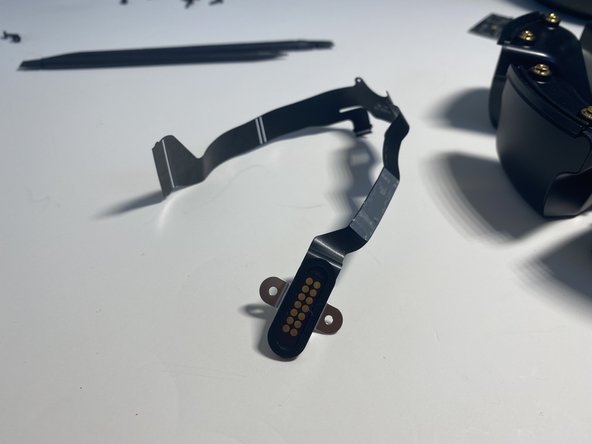
    • Remove the two T6 screws securing the diagnostic port to the bottom housing

    • Careful peel the ribbon cable from the wall of the HomePod. Take care not to tear this cable.

    • Remember it helps to heat the outside of the housing near the ribbon cable with a hair dryer to soften the adhesive securing this ribbon cable in place.

Заключение

To reassemble your device, follow these instructions in reverse order.

16 человек успешно провели ремонт по этому руководству.

Nicholas Ouimet

Участник с: 10/16/09

3 625 Репутация

Автор 11 руководств

8 Комментарии к руководству

Probably one of the hardest Apple product I've disassembled, took me almost an hour to remove the top.

Thank you for your guide!

Lulucmy - Ответить

My homepod was knocked off a table during a party and started buzzing like crazy with any bass. I was able to follow this, and remove the woofer with no problems. turns out the woofer cage had bent unsealing the woofer, i was able to hammer it straight, reassemble, and it works perfectly again. THANK YOU.

mn mongo - Ответить

What's the best way to test the PSU? My HomePod bricked, I disassembled it using this guide (Thank you!), the cable checks out, the next suspect is the PSU.

yarikos - Ответить

Thank you for the information, it is really very useful.

A family member gave me his first generation Homepod which is not working after a fall from a table. Due to its age it is out of warranty and was not repaired or replaced by the official Apple service. He tried unsuccessfully to repair it.

Today I opened it up and the flat cable that connects the motherboard to other components on the bottom of the device is broken very close to its connection to this motherboard.

I really don't think this is the original fault of the device but I would like to know if there is a possibility to repair or replace this cable.

Thank you very much.

Guiseppe - Ответить
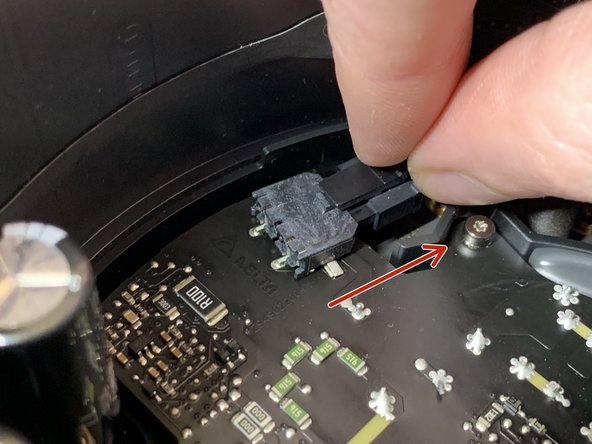
Someone in Mexico that repairs Homepod First version/Alguien en mexico que repare homepod primera version

Homero Amaro Lira - Ответить

Добавить комментарий

Статистика просмотров:

За последние 24 часов: 34

За последние 7 дней: 213

За последние 30 дней: 984

За всё время: 32,345