Перейти к основному содержанию
Присоединяйся к сообществу ремонтников - Создай аккаунт

Hot Tools HPK12 Control Assembly Replacement

Выберете то, что вам нужно

  1. Hot Tools HPK12 Control Assembly Replacement, Prerequisite Only: шаг 1, изображение 1 из 3 Hot Tools HPK12 Control Assembly Replacement, Prerequisite Only: шаг 1, изображение 2 из 3 Hot Tools HPK12 Control Assembly Replacement, Prerequisite Only: шаг 1, изображение 3 из 3
    • Remove round plastic cover near cord base by prying under the side with the metal spudger.

    • Flip the device and remove the other round plastic cover near the base of the cord.

    • Use the Phillips #1 screwdriver to remove the 5.5mm PH1 screw and washer under the plastic cover and set both aside.

    Спросите у FixBot

    Добавить комментарий

  2. Hot Tools HPK12 Control Assembly Replacement: шаг 2, изображение 1 из 1
    • Use the metal spudger to push the center pin through to the other side.

    Спросите у FixBot

    Добавить комментарий

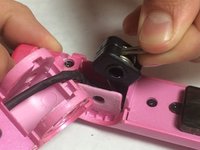
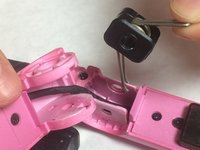
  3. Hot Tools HPK12 Control Assembly Replacement: шаг 3, изображение 1 из 2 Hot Tools HPK12 Control Assembly Replacement: шаг 3, изображение 2 из 2
    • Lift back plastic cover to expose spring assembly.

    • Be careful not to damage the power cord by bending or twisting it too much while performing this step.

    • Grip the exposed end of the spring assembly and remove it.

    • The side with the two ends of the spring goes into the recessed area of the iron

    Спросите у FixBot

    Добавить комментарий

  4. Hot Tools HPK12 Control Assembly Replacement: шаг 4, изображение 1 из 1
    • Use the JIS #0 screwdriver to remove the two 3.5mm “J0” screws that attach the control assembly cover to the flat iron base.

    Спросите у FixBot

    Добавить комментарий

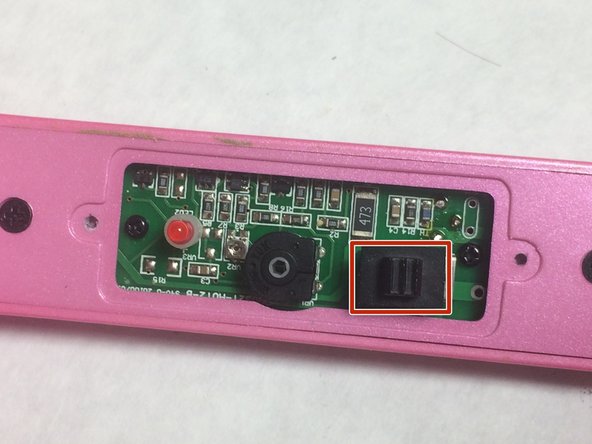
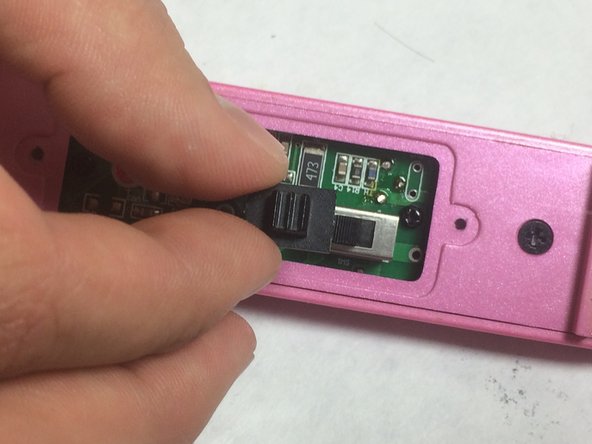
  5. Hot Tools HPK12 Control Assembly Replacement: шаг 5, изображение 1 из 3 Hot Tools HPK12 Control Assembly Replacement: шаг 5, изображение 2 из 3 Hot Tools HPK12 Control Assembly Replacement: шаг 5, изображение 3 из 3
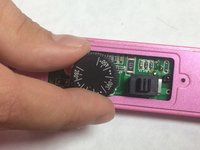
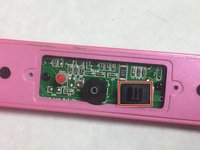
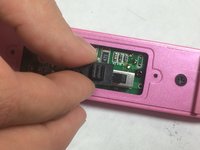
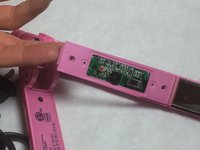
    • Lift upward on the control assembly cover to remove it from the flat iron base.

    • Remove dial and switch cover and set aside.

    Спросите у FixBot

    Добавить комментарий

  6. Hot Tools HPK12 Control Assembly Replacement: шаг 6, изображение 1 из 3 Hot Tools HPK12 Control Assembly Replacement: шаг 6, изображение 2 из 3 Hot Tools HPK12 Control Assembly Replacement: шаг 6, изображение 3 из 3
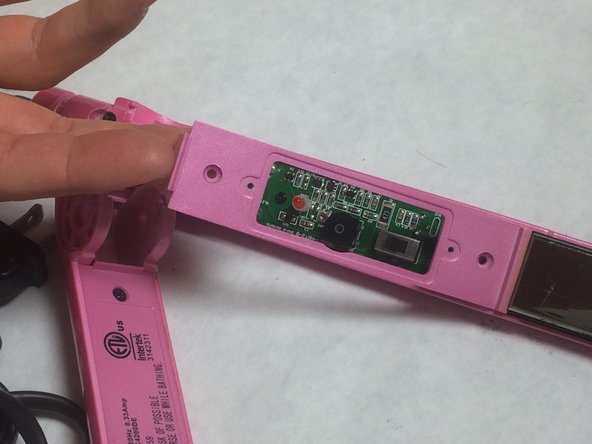
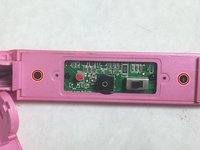
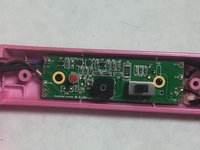
    • Use your JIS #0 screw driver to remove the two 6mm “J0” screws that are attached to the flat iron base and set them aside.

    • Lift the backing plate upwards to remove it from the flat iron.

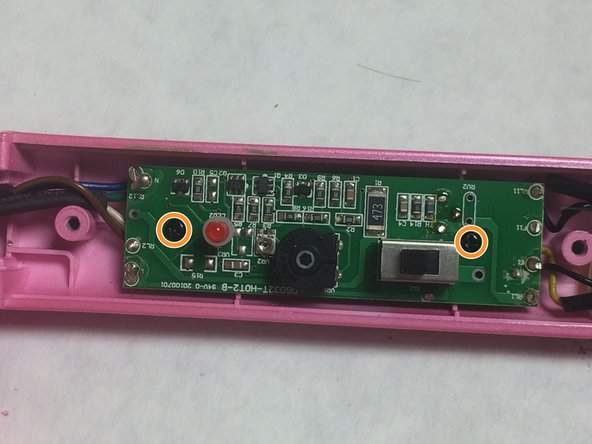
    • Use the Phillips #0 screwdriver to remove two 4mm “PH0” screws that attach the circuit assembly to the flat iron base.

    Спросите у FixBot

    Добавить комментарий

Заключение

To reassemble your device, follow these instructions in reverse order.

Отменить: Я не выполнил это руководство.

Еще один человек закончил это руководство.

Aaron Whitlock

Участник с: 10/24/16

249 Репутация

Автор 2 руководств

Команда

IUPUI, Team 3-4, Baechle Fall 2016 Участник IUPUI, Team 3-4, Baechle Fall 2016

IUPUI-BAECHLE-F16S3G4

4 членов

Автор 5 руководств

0 Комментарии к руководству

Добавить комментарий

Статистика просмотров:

За последние 24 часов: 2

За последние 7 дней: 10

За последние 30 дней: 41

За всё время: 3,153