Перейти к основному содержанию
Присоединяйся к сообществу ремонтников - Создай аккаунт

How to remove malware from an infected windows PC

Выберете то, что вам нужно

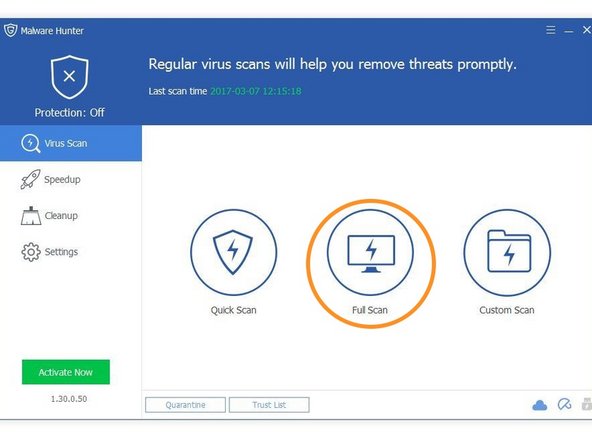
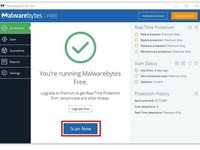
    1. How to remove malware from an infected windows PC, Install Anti-Malware software: шаг 1, изображение 1 из 2 How to remove malware from an infected windows PC, Install Anti-Malware software: шаг 1, изображение 2 из 2
      • On the PC you will be doing antivirus on, install the appropriate software. If the PC with malware does not turn on, install on a different one to do anti-virus.

      • Malwarebytes is great anti-virus software. Go to the website and install it for free.

      • Glarysoft Malware hunter is also good. Their website is here.

      • Other free anti-malware works too, but these are my favorites.

      Спросите у FixBot

      Добавить комментарий

    2. How to remove malware from an infected windows PC, Remove your SATA HDD/SDD from the PC: шаг 2, изображение 1 из 1
      • This step only applies to PCs that do not boot. If the PC with malware runs, then install the software directly onto it.

      • Because assembly of different laptops and PCs vary so much, you will have to figure out or find a guide to remove your drive.

      Спросите у FixBot

      Добавить комментарий

    3. How to remove malware from an infected windows PC, Connect the drive: шаг 3, изображение 1 из 1
      • This step also only applies to PCs that don't boot.

      • If your non-infected PC is a desktop, you may unplug the optical drive and plug the connections into the HDD or SSD. If it is a laptop, you will need a SATA to USB adapter.

      • Shut down your desktop before unplugging the DVD drive and attaching the HDD.

      Спросите у FixBot

      Добавить комментарий

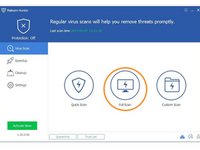
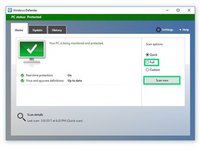
    4. How to remove malware from an infected windows PC, Disinfect your PC: шаг 4, изображение 1 из 3 How to remove malware from an infected windows PC, Disinfect your PC: шаг 4, изображение 2 из 3 How to remove malware from an infected windows PC, Disinfect your PC: шаг 4, изображение 3 из 3
      • Once you've installed the necessary programs and (if applicable) connected you're infected drive to you PC, you are ready to be the doctor.

      • Run Malwarebytes.

      • Run Glarysoft Malware Hunter.

      • Windows defender comes preinstalled with Windows. Use that also.

      Спросите у FixBot

      Добавить комментарий

    5. How to remove malware from an infected windows PC, Double checking another PCs drive.: шаг 5, изображение 1 из 1
      • This is the last step for checking another PCs drive

      • Go into file explorer, right click on the drive from the infected PC, and select each of the highlighted options.

      Спросите у FixBot

      Добавить комментарий

    6. How to remove malware from an infected windows PC, Finito!: шаг 6, изображение 1 из 1
      • All done! follow these instructions in reverse to put everything back.

      Спросите у FixBot

      Добавить комментарий

Финишная прямая

Отменить: Я не выполнил это руководство.

40 человек успешно провели ремонт по этому руководству.
George A.

Участник с: 12/07/16

22 563 Репутация

Автор 4 руководств

Команда

Community Protectors Участник Community Protectors

Community

21 членов

Автор 122 руководств

1 Комментарий к руководству

changed “boot” to “turn on” because it would make more sense to the people who read this article, as they could be the much less computer-savvy people

aaaaaaaaaaaaaaaaa - Ответить Поделиться

Добавить комментарий

Статистика просмотров:

За последние 24 часов: 17

За последние 7 дней: 52

За последние 30 дней: 216

За всё время: 12,479