Перейти к основному содержанию
Присоединяйся к сообществу ремонтников - Создай аккаунт

InFocus LP435Z Main Fan Replacement

Выберете то, что вам нужно

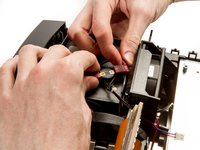
  1. InFocus LP435Z Main Fan Replacement, External Shell: шаг 1, изображение 1 из 2 InFocus LP435Z Main Fan Replacement, External Shell: шаг 1, изображение 2 из 2
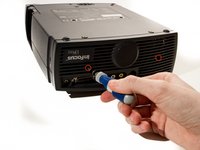
    • Place the projector on its back (buttons down) with the lens facing away from you.

    • Remove the two 84mm screws in the upper left and right corners of the projector using the Phillips #2 screwdriver.

    • Remove the remaining three 8.5mm screws using the Phillips #1 screwdriver.

    Спросите у FixBot

    Добавить комментарий

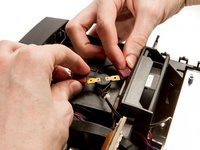
  2. InFocus LP435Z Main Fan Replacement: шаг 2, изображение 1 из 2 InFocus LP435Z Main Fan Replacement: шаг 2, изображение 2 из 2
    • Use the plastic opening tools to push down the clips holding the lamp cover in place, and remove it.

    • There is no lamp assembly in the projector used in this guide, yours may appear different.

    Спросите у FixBot

    Добавить комментарий

  3. InFocus LP435Z Main Fan Replacement: шаг 3, изображение 1 из 2 InFocus LP435Z Main Fan Replacement: шаг 3, изображение 2 из 2
    • Remove the two 8.5mm rear screws holding the rear case plate to the projector using the Phillips #1 screwdriver.

    • Pull the rear plate straight off and set it aside.

    Спросите у FixBot

    Добавить комментарий

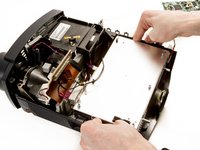
  4. InFocus LP435Z Main Fan Replacement: шаг 4, изображение 1 из 3 InFocus LP435Z Main Fan Replacement: шаг 4, изображение 2 из 3 InFocus LP435Z Main Fan Replacement: шаг 4, изображение 3 из 3
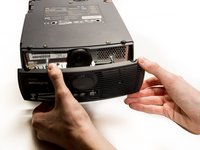
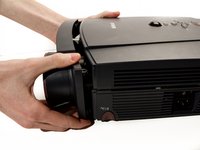
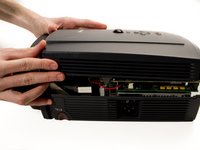
    • Flip the projector over and turn around so that the lens faces you.

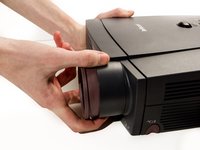
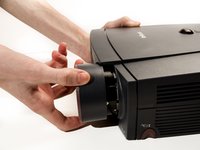
    • Twist the gray zoom adjustment ring clockwise and extend the lens all the way out, and then slide the zoom adjustment ring all the way towards the end of the lens as far as it will go.

    • Slide the front case plate towards the loosened zoom adjustment ring, until the top plate of the projector is freed from underneath the lip of the front case plate.

    • The front case plate will not come all the way off due to the zoom adjustment ring obstructing it. It will merely slide forward a bit.

    Спросите у FixBot

    Добавить комментарий

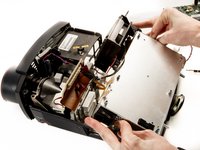
  5. InFocus LP435Z Main Fan Replacement: шаг 5, изображение 1 из 2 InFocus LP435Z Main Fan Replacement: шаг 5, изображение 2 из 2
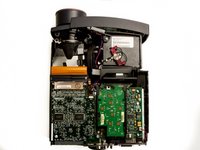
    • Lift away the top case plate and set it aside.

    Спросите у FixBot

    Добавить комментарий

  6. InFocus LP435Z Main Fan Replacement, Main Fan: шаг 6, изображение 1 из 1
    • Remove the four T10 Torx 8.5 mm screws holding the DLP board in place.

    Спросите у FixBot

    Добавить комментарий

  7. InFocus LP435Z Main Fan Replacement: шаг 7, изображение 1 из 1
    • Unplug the small ribbon cable attaching the DLP board to the motherboard.

    Спросите у FixBot

    Добавить комментарий

  8. InFocus LP435Z Main Fan Replacement: шаг 8, изображение 1 из 1
    • Remove Secondary Fan Cable

    Спросите у FixBot

    Добавить комментарий

  9. InFocus LP435Z Main Fan Replacement: шаг 9, изображение 1 из 2 InFocus LP435Z Main Fan Replacement: шаг 9, изображение 2 из 2
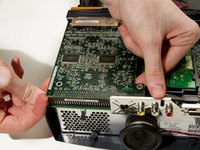
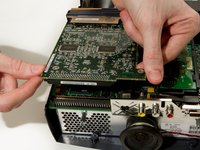
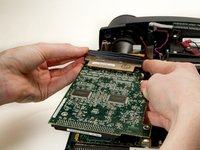
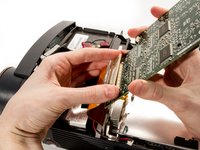
    • Detach the DLP board from where it is connected to the motherboard by a large 100 pin connector.

    • Pry up gently while wiggling from left to right if needed.

    • The ribbon cable on the other side of the board could break if pulled too hard.

    Спросите у FixBot

    Добавить комментарий

  10. InFocus LP435Z Main Fan Replacement: шаг 10, изображение 1 из 1
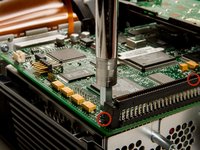
    • Remove the 2 remaining T10 Torx 8mm screws securing the motherboard to the power supply.

    Спросите у FixBot

    Добавить комментарий

  11. InFocus LP435Z Main Fan Replacement: шаг 11, изображение 1 из 1
    • Remove the speaker power cable.

    Спросите у FixBot

    Добавить комментарий

  12. InFocus LP435Z Main Fan Replacement: шаг 12, изображение 1 из 1
    • Remove DLP Power Cable.

    Спросите у FixBot

    Добавить комментарий

  13. InFocus LP435Z Main Fan Replacement: шаг 13, изображение 1 из 2 InFocus LP435Z Main Fan Replacement: шаг 13, изображение 2 из 2
    • Pry out the DLP support piece by gently wiggling it side to side while applying a steady pull. It will slide out.

    Спросите у FixBot

    Добавить комментарий

  14. InFocus LP435Z Main Fan Replacement: шаг 14, изображение 1 из 2 InFocus LP435Z Main Fan Replacement: шаг 14, изображение 2 из 2
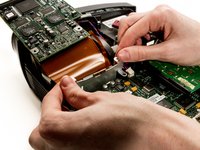
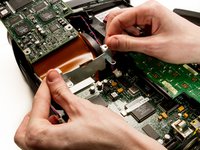
    • Remove the black plastic retaining clip reinforcing the large ribbon cable connector by prying it from the left edge.

    • Gently pry the large ribbon cable connector from the DLP board, and remove the board.

    • Using too much force could damage the connector.

    Спросите у FixBot

    Добавить комментарий

  15. InFocus LP435Z Main Fan Replacement: шаг 15, изображение 1 из 3 InFocus LP435Z Main Fan Replacement: шаг 15, изображение 2 из 3 InFocus LP435Z Main Fan Replacement: шаг 15, изображение 3 из 3
    • Remove the two 1/4" screws using the nut driver.

    • The second screw is located behind the right side of the 100 pin connector.

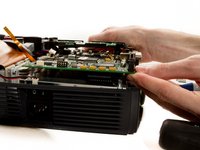
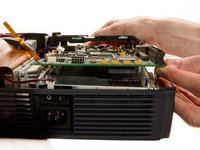
    • Gently pry up the motherboard from the connector on top of the power supply.

    Спросите у FixBot

    Добавить комментарий

  16. InFocus LP435Z Main Fan Replacement: шаг 16, изображение 1 из 2 InFocus LP435Z Main Fan Replacement: шаг 16, изображение 2 из 2
    • Disconnect the lamp power supply cables from the top of the lamp housing, by gently pulling the two wires in opposite directions.

    Спросите у FixBot

    Добавить комментарий

  17. InFocus LP435Z Main Fan Replacement: шаг 17, изображение 1 из 3 InFocus LP435Z Main Fan Replacement: шаг 17, изображение 2 из 3 InFocus LP435Z Main Fan Replacement: шаг 17, изображение 3 из 3
    • Use your thumbs to pry the sides of the external shell away from the power supply so it can be lifted out.

    Спросите у FixBot

    Добавить комментарий

  18. InFocus LP435Z Main Fan Replacement: шаг 18, изображение 1 из 1
    • Detach the main fan power cable from the power supply.

    Спросите у FixBot

    Добавить комментарий

  19. InFocus LP435Z Main Fan Replacement: шаг 19, изображение 1 из 3 InFocus LP435Z Main Fan Replacement: шаг 19, изображение 2 из 3 InFocus LP435Z Main Fan Replacement: шаг 19, изображение 3 из 3
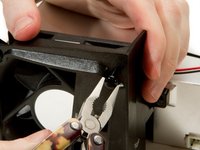
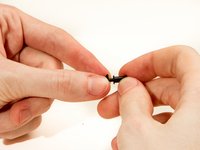
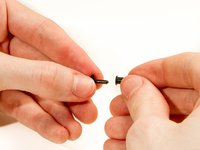
    • Use the needle nose pliers to pull out the grommets securing the main fan to its housing.

    • To replace grommets, pull the center pins from their housing, and slip the exteriors of the grommets back into their holes in the fan housing, then push the centers in to secure them in place.

    Спросите у FixBot

    Добавить комментарий

  20. InFocus LP435Z Main Fan Replacement: шаг 20, изображение 1 из 1
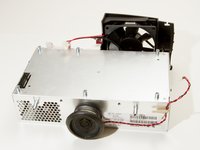
    • Remove the fan from its housing.

    Спросите у FixBot

    Добавить комментарий

Заключение

To reassemble your device, follow these instructions in reverse order.

Отменить: Я не выполнил это руководство.

2 человек успешно провели ремонт по этому руководству.

Andrew Kennedy

Участник с: 01/29/13

186 Репутация

Автор 6 руководств

Команда

Cal Poly, Team 20-3, Maness Winter 2013 Участник Cal Poly, Team 20-3, Maness Winter 2013

CPSU-MANESS-W13S20G3

4 членов

Автор 7 руководств

0 Комментарии к руководству

Добавить комментарий

Статистика просмотров:

За последние 24 часов: 3

За последние 7 дней: 9

За последние 30 дней: 35

За всё время: 2,732