Перейти к основному содержанию
Присоединяйся к сообществу ремонтников - Создай аккаунт

InFocus Remote Button Pad Replacement

Выберете то, что вам нужно

  1. InFocus Remote Button Pad Replacement, Front Cover: шаг 1, изображение 1 из 2 InFocus Remote Button Pad Replacement, Front Cover: шаг 1, изображение 2 из 2
    • Use your finger to press the tab on the battery cover.

    • Lift the cover up and out.

    Спросите у FixBot

    Добавить комментарий

  2. InFocus Remote Button Pad Replacement: шаг 2, изображение 1 из 2 InFocus Remote Button Pad Replacement: шаг 2, изображение 2 из 2
    • Use your finger to lift the two AA batteries up and out of the remote.

    Спросите у FixBot

    Добавить комментарий

  3. InFocus Remote Button Pad Replacement: шаг 3, изображение 1 из 1
    • Remove the three 9mm Phillips #00 screws located on the backside of the remote.

    Спросите у FixBot

    Добавить комментарий

  4. InFocus Remote Button Pad Replacement: шаг 4, изображение 1 из 2 InFocus Remote Button Pad Replacement: шаг 4, изображение 2 из 2
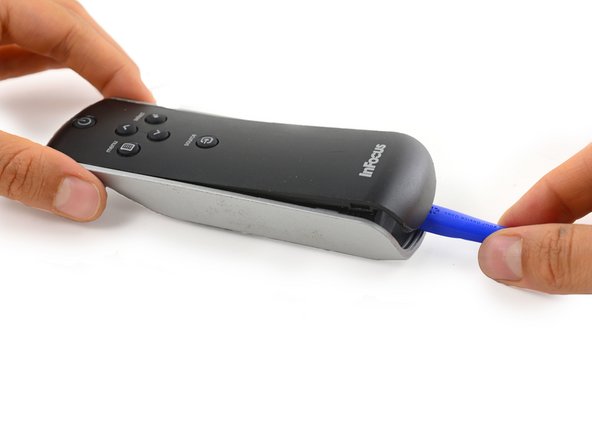
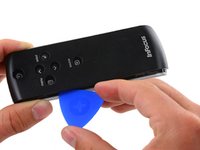
    • Insert a plastic opening tool into the seam between the black top cover and silver base at the bottom edge of the remote.

    • Carefully pry the top cover up and away from the base.

    Спросите у FixBot

    Добавить комментарий

  5. InFocus Remote Button Pad Replacement: шаг 5, изображение 1 из 3 InFocus Remote Button Pad Replacement: шаг 5, изображение 2 из 3 InFocus Remote Button Pad Replacement: шаг 5, изображение 3 из 3
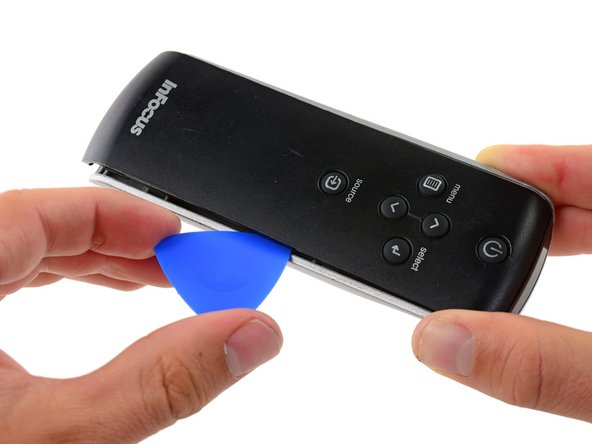
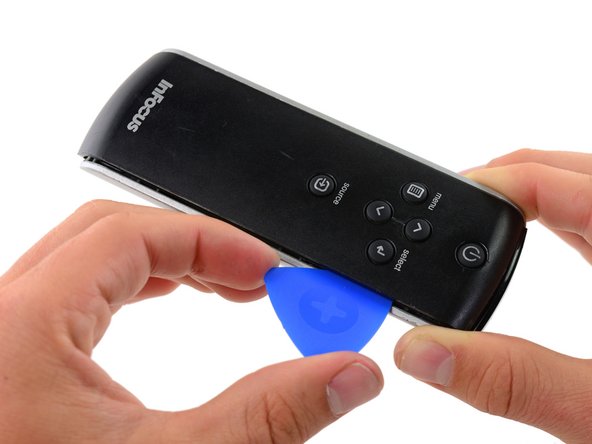
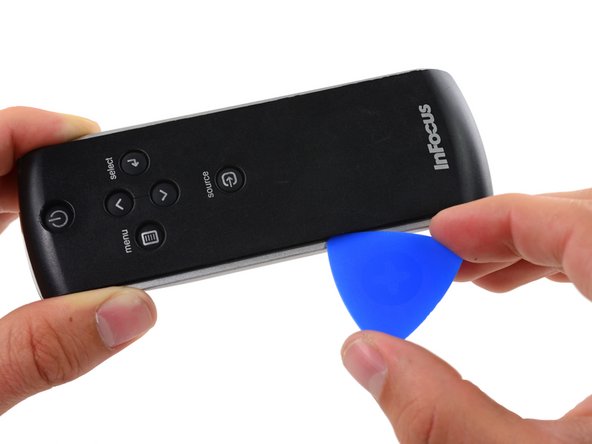
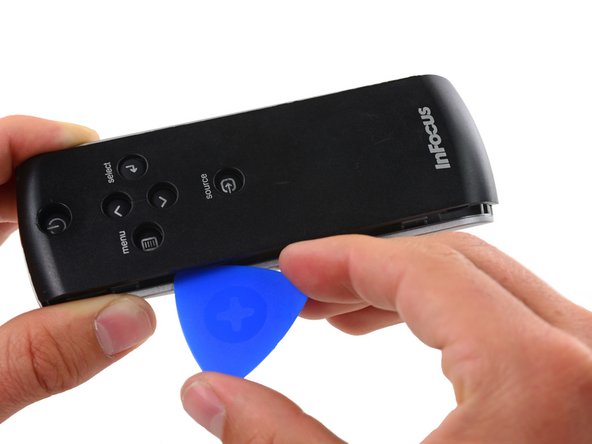
    • Insert an opening pick into the seam on side of the remote, even with the InFocus Label.

    • Slide the opening pick along the side of the remote, moving towards the buttons.

    • There is a plastic tab that holds the covers to the base, located even with the Source button. Push the pick through with a bit more force here to disconnect the cover.

    Спросите у FixBot

    Добавить комментарий

  6. InFocus Remote Button Pad Replacement: шаг 6, изображение 1 из 3 InFocus Remote Button Pad Replacement: шаг 6, изображение 2 из 3 InFocus Remote Button Pad Replacement: шаг 6, изображение 3 из 3
    • Repeat the previous step on the other side of the remote, working from the InFocus label towards the buttons until the entire cover is loose.

    Спросите у FixBot

    Добавить комментарий

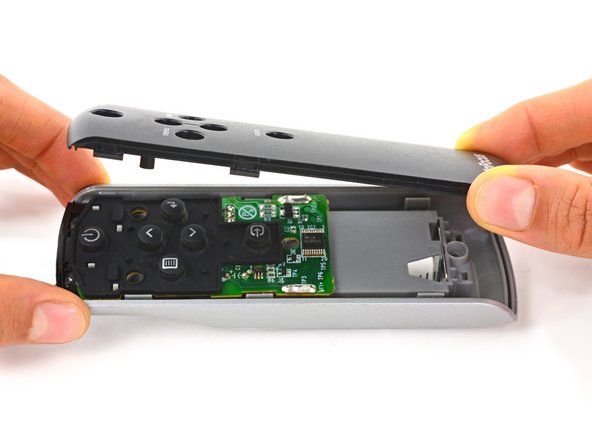
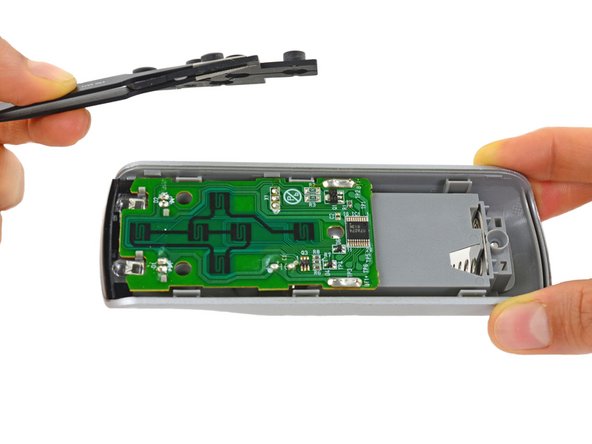
  7. InFocus Remote Button Pad Replacement: шаг 7, изображение 1 из 2 InFocus Remote Button Pad Replacement: шаг 7, изображение 2 из 2
    • Firmly grasp the cover and lift it away from the remote.

    Спросите у FixBot

    Добавить комментарий

  8. InFocus Remote Button Pad Replacement, Button Pad: шаг 8, изображение 1 из 2 InFocus Remote Button Pad Replacement, Button Pad: шаг 8, изображение 2 из 2
    • Lift the button pad up and out of the remote.

    Спросите у FixBot

    Добавить комментарий

Заключение

To reassemble your device, follow these instructions in reverse order.

Отменить: Я не выполнил это руководство.

Paige Reisman

Участник с: 04/07/14

24 170 Репутация

Автор 15 руководств

0 Комментарии к руководству

Добавить комментарий

Статистика просмотров:

За последние 24 часов: 1

За последние 7 дней: 8

За последние 30 дней: 39

За всё время: 680