Этот перевод был сделан машиной и пока не проверен человеком. Говорите на этом языке? Просмотрите его.

Разборка Intel NUC5i7RYH

Jasen Friedle и еще один участник
Последнее обновление 11 авг 2026 г.
Просмотров: 66 тыс.
Просмотр статистики:
- За последние 24 часа:
- 23
- За последние 7 дней:
- 154
- За последние 30 дней:
- 504
- За все время:
- 66 083
Комментарии: 24
9 комментариев к шагам, 15 комментариев к инструкции.
Перейти к комментариям инструкцииЗавершено: 21 22
21 пользователей отметили эту инстркукцию как "завершенное". Вы будете следующим?
22 пользователей отметили эту инструкцию как "завершенное". В том числе и Вы — отличная работа!
Избранные: 2 3
2 эта инструкция понравилась многим пользователям (и они подписались на нее). Вы будете следующим?
3 эта инструкция понравилось многим пользователям (и они подписались на нее), в том числе и Вам!
Введение
Перейти к шагу 1 ↓В этом руководстве представлена информация о том, как разобрать Intel NUC5i7RYH или аналогичное устройство.
Выберете то, что Вам нужно
Инструменты

-
-
-
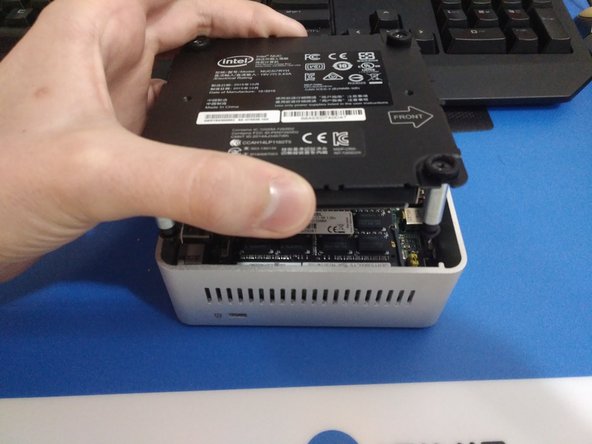
Переверните NUC вверх дном и начните с того, что открутите отверткой Phillips нижние винты на дверце корпуса.
-
Эти винты закреплены фиксаторами, поэтому они не выпадут, когда вы перевернете крышку.
 Спросите у FixBot
-
-
-
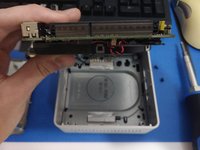
Приподнимите крышку, следя за кабелями, которые подключены к материнской плате NUC. Это кабели питания и передачи данных для отсека 2,5-дюймового жесткого диска.
-
Осторожно отсоедините кабели от материнской платы и отложите кронштейн в сторону.
-
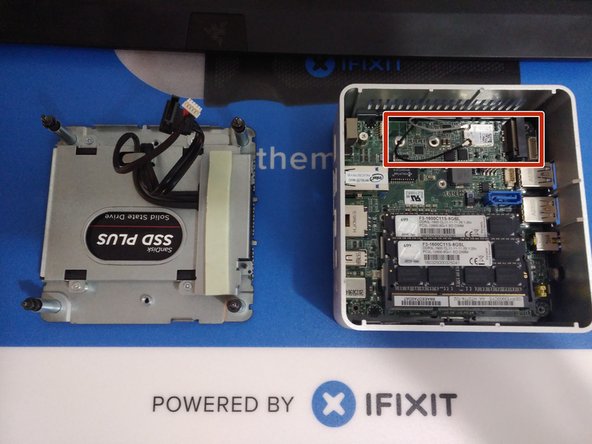
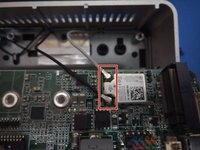
На последней фотографии отмечен разъем для SSD-накопителя формата M.2. Это место, куда следует установить SSD-накопитель и зафиксировать его винтом.
-
-
-
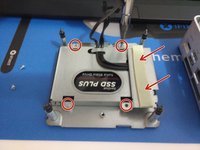
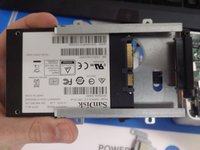
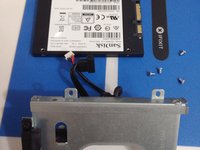
Открутите 4 серебристых винта, удерживающих жесткий диск в кронштейне. Металлический экран с термопрокладкой в красной рамке снимется: это пригодится, если у вас установлен SSD формата M.2, так как экран изолирует его от металла.
-
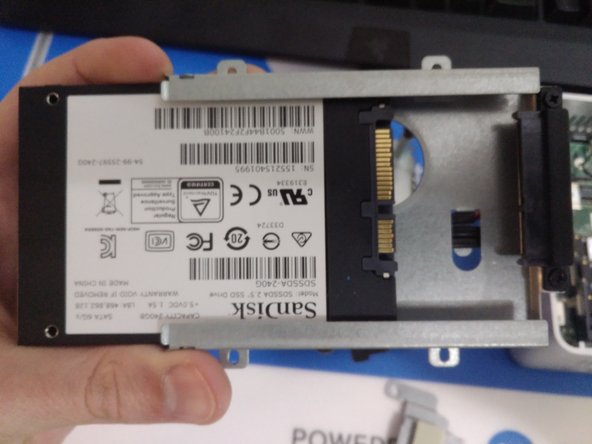
Аккуратно выдвиньте 2,5-дюймовый HDD или SSD из корпуса.
-
-
-
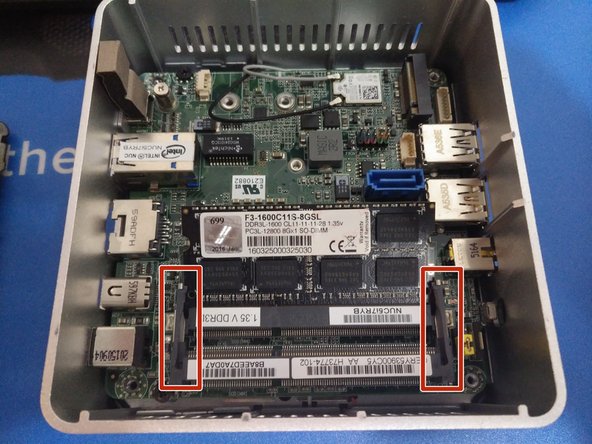
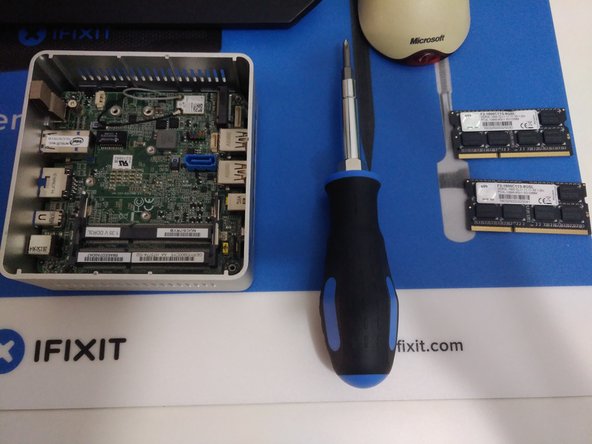
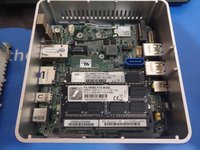
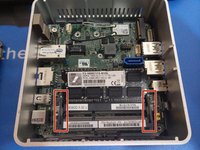
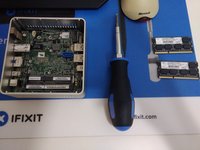
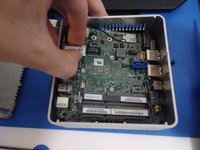
Извлечение оперативной памяти на этих устройствах выполняется так же, как и на обычном ноутбуке: слегка отогните фиксаторы с обеих сторон модуля, дайте ему приподняться, а затем вытяните его из разъема.
-
Если установлено два модуля оперативной памяти, повторите эту процедуру для нижнего модуля.
-
-
-
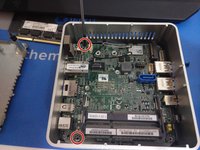
Материнская плата закреплена двумя черными винтами с крестообразным шлицем, расположенными с левой стороны.
-
Обязательно отсоедините антенные кабели от платы беспроводной связи перед снятием материнской платы.
-
Возьмитесь за порт Ethernet и извлеките плату из корпуса.
-
-
-
-
Материнская плата должна легко извлекаться из корпуса.
-
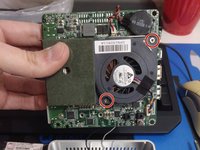
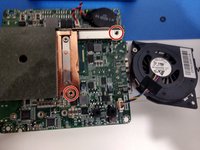
Чтобы снять вентилятор, открутите два винта с крестообразным шлицем, удерживающие его. После этого его можно отсоединить от материнской платы.
-
-
-
Это устройство относительно легко разобрать и собрать обратно. Удачи!
-
-












Для сборки устройства выполните эти действия в обратном порядке.
Отменить: Я не выполнил это руководство.
21 человек успешно провели ремонт по этому руководству.

15 Комментарии к руководству
Clear description, I used it for NUC7i7RYH, where my cpu was often 100 degrees.
I followed your instruction and cleaned the ventilator and removed dust in the ventilation channels.
Problem fixed, temp is now between 50 and 70 degrees.
Congrats! Thanks for letting me know, and I’m glad to hear your machine is running cooler!
Hello, I need an audio jack (port) fro this nuc, can’t find it anywhere, any suggestions?
model 5i5ryh
hello. I need a replacement audio jack (port) for this nuc, model 5i5ryh, can’t find it anywhere, any suggestions?
You can try looking on eBay for replacement audio jacks. From what I’m seeing, you could potentially use a universal one and solder a few jumper wires to their corresponding pins and make something work.
