Перейти к основному содержанию
Присоединяйся к сообществу ремонтников - Создай аккаунт

LG CU400 Hinge Replacement

Выберете то, что вам нужно

  1. LG CU400 Hinge  Replacement, Battery: шаг 1, изображение 1 из 2 LG CU400 Hinge  Replacement, Battery: шаг 1, изображение 2 из 2
    • Push the button labeled 'PUSH' on the rear cover.

    Спросите у FixBot
    Добавить комментарий

  2. LG CU400 Hinge  Replacement: шаг 2, изображение 1 из 3 LG CU400 Hinge  Replacement: шаг 2, изображение 2 из 3 LG CU400 Hinge  Replacement: шаг 2, изображение 3 из 3
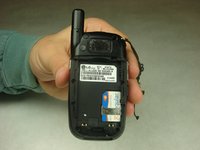
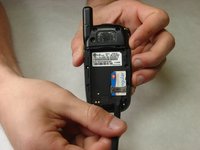
    • Slide the rear cover towards you.

    Спросите у FixBot

    Добавить комментарий

  3. LG CU400 Hinge  Replacement: шаг 3, изображение 1 из 2 LG CU400 Hinge  Replacement: шаг 3, изображение 2 из 2
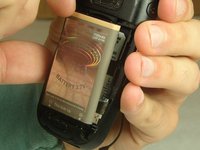
    • To remove the battery, grasp the top front edge of the battery and pull the battery away from the phone.

    • When installing the new battery, have the metal contacts of the phone match up with the metal contacts of the battery.

    Спросите у FixBot

    Добавить комментарий

  4. LG CU400 Hinge  Replacement, Bottom Half Assembly: шаг 4, изображение 1 из 2 LG CU400 Hinge  Replacement, Bottom Half Assembly: шаг 4, изображение 2 из 2
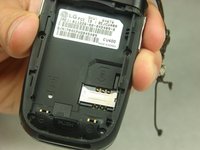
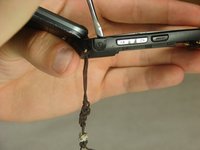
    • Remove the sim card by sliding the card out from under the retainer using either your fingers or a spudger.

    Спросите у FixBot
    Добавить комментарий

  5. LG CU400 Hinge  Replacement: шаг 5, изображение 1 из 2 LG CU400 Hinge  Replacement: шаг 5, изображение 2 из 2
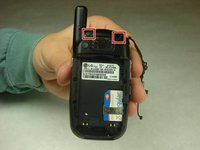
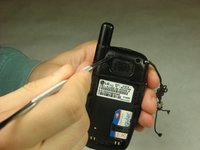
    • Remove the rubber covers in the highlighted locations using a metal spudger.

    Спросите у FixBot
    Добавить комментарий

  6. LG CU400 Hinge  Replacement: шаг 6, изображение 1 из 2 LG CU400 Hinge  Replacement: шаг 6, изображение 2 из 2
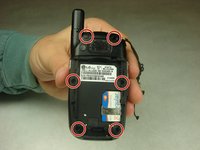
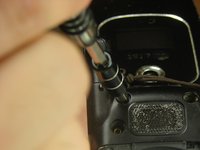
    • Remove the six 3mm #000 flat Phillips head screws from the back of the phone using a Phillips #000 Screwdriver.

    Спросите у FixBot

    Добавить комментарий

  7. LG CU400 Hinge  Replacement: шаг 7, изображение 1 из 2 LG CU400 Hinge  Replacement: шаг 7, изображение 2 из 2
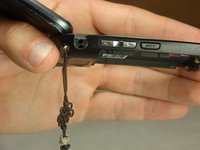
    • Remove the headphone jack cover with your finger or metal spudger.

    Спросите у FixBot
    Добавить комментарий

  8. LG CU400 Hinge  Replacement: шаг 8, изображение 1 из 3 LG CU400 Hinge  Replacement: шаг 8, изображение 2 из 3 LG CU400 Hinge  Replacement: шаг 8, изображение 3 из 3
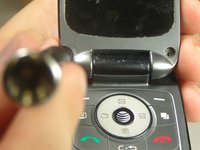
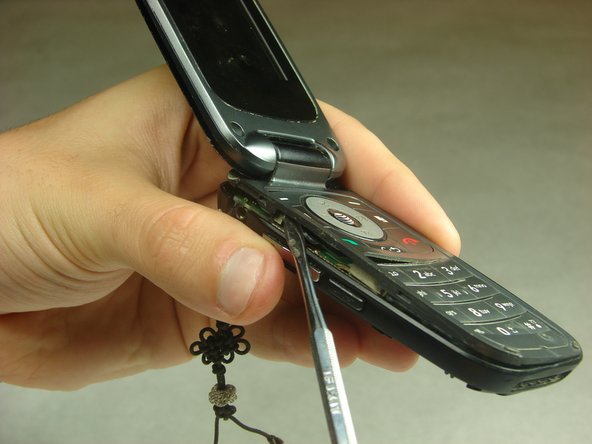
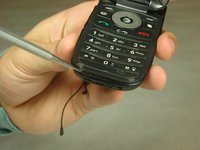
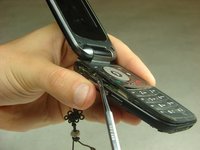
    • Insert the metal spudger between the keypad assembly and back cover assembly and pry the two assemblies apart.

    • Pry gently as to not break the plastic clips that hold the two assemblies together.

    • Work your way around the perimeter of the phone with the metal spudger to separate the two assemblies.

    Спросите у FixBot

    Добавить комментарий

  9. LG CU400 Hinge  Replacement: шаг 9, изображение 1 из 2 LG CU400 Hinge  Replacement: шаг 9, изображение 2 из 2
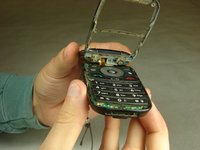
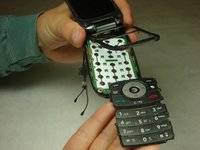
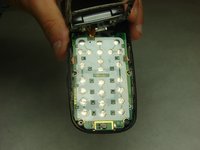
    • Once you have worked your way around the perimeter of the phone, you will have access to the components in the bottom half assembly.

    Спросите у FixBot
    Добавить комментарий

  10. LG CU400 Hinge  Replacement, Motherboard: шаг 10, изображение 1 из 3 LG CU400 Hinge  Replacement, Motherboard: шаг 10, изображение 2 из 3 LG CU400 Hinge  Replacement, Motherboard: шаг 10, изображение 3 из 3
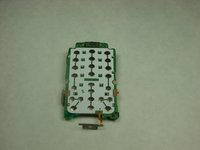
    • You should notice that the number pad is loose and can simply be taken out of the open phone casing.

    Спросите у FixBot
    Добавить комментарий

  11. LG CU400 Hinge  Replacement: шаг 11, изображение 1 из 2 LG CU400 Hinge  Replacement: шаг 11, изображение 2 из 2
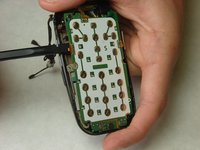
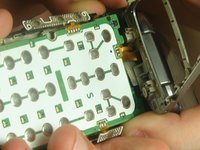
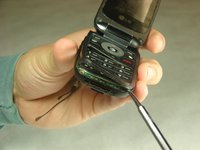
    • Using the spudger, start to gently pry the motherboard from the back of the phone and work your way around the perimeter of the motherboard.

    • There are copper ribbon cables connected to each side of the motherboard leading to the buttons for volume control and the camera that need slid out of the phone casing as the motherboard is being removed.

    • There are three in total, but do not remove the top one from the phone casing yet.

    Спросите у FixBot
    Добавить комментарий

  12. LG CU400 Hinge  Replacement: шаг 12, изображение 1 из 1
    Инструмент, используемый на этом этапе:
    Tweezers
    $4.99
    • Once the motherboard is not locked in place it will still be attached to the back phone casing by two wires, red and black, twisted together.

    • Use tweezers to grab the black piece that these wires are attached to and simply pull it off the motherboard.

    • You may need to flip the phone over so that the screen is facing down. Feel free to move the keypad assembly to the closed position for this step.

    Спросите у FixBot

    Добавить комментарий

  13. LG CU400 Hinge  Replacement: шаг 13, изображение 1 из 1
    • Remove the display ribbon cable from the back of the motherboard using tweezers.

    • Make sure to lift it so that you are pulling the entire thing off at once and not pulling off the flat piece at an angle.

    Спросите у FixBot

    Добавить комментарий

  14. LG CU400 Hinge  Replacement: шаг 14, изображение 1 из 1
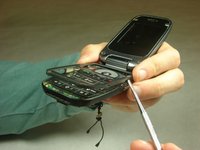
    • Use tweezers to remove the top ribbon cable, mentioned in step 11, from the hinge area.

    Спросите у FixBot
    Добавить комментарий

  15. LG CU400 Hinge  Replacement: шаг 15, изображение 1 из 3 LG CU400 Hinge  Replacement: шаг 15, изображение 2 из 3 LG CU400 Hinge  Replacement: шаг 15, изображение 3 из 3
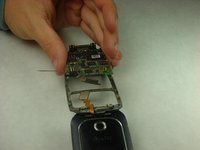
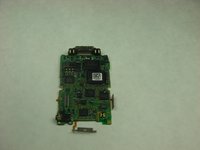
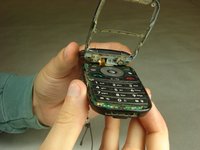
    • Grasp either side of the motherboard and gently lift it away from the phone casing.

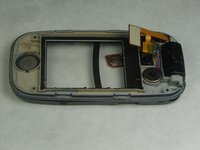
    • The motherboard should be completely free of the phone casing, and you should have what is shown in the pictures.

    Спросите у FixBot
    Добавить комментарий

  16. LG CU400 Hinge  Replacement, Top Half Assembly: шаг 16, изображение 1 из 1
    • Remove the four rubber covers from the front screen using a metal spudger.

    Спросите у FixBot

    Добавить комментарий

  17. LG CU400 Hinge  Replacement: шаг 17, изображение 1 из 2 LG CU400 Hinge  Replacement: шаг 17, изображение 2 из 2
    • Remove the four 3mm #000 flat Phillips head screws from the front screen using a Phillips #000 Screwdriver.

    Спросите у FixBot

    Добавить комментарий

  18. LG CU400 Hinge  Replacement: шаг 18, изображение 1 из 3 LG CU400 Hinge  Replacement: шаг 18, изображение 2 из 3 LG CU400 Hinge  Replacement: шаг 18, изображение 3 из 3
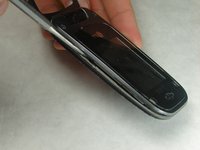
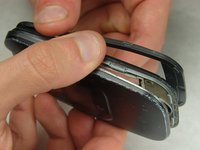
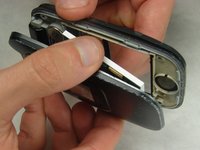
    • Insert the metal spudger in the seam on the top assembly. This will pry the two pieces apart from each other.

    • Continue to work around the perimeter of the phone with the metal spudger.

    • Once you have worked around the perimeter of the phone you should have two halves to the top assembly, the screen assembly and the cover.

    Спросите у FixBot

    Добавить комментарий

  19. LG CU400 Hinge  Replacement: шаг 19, изображение 1 из 3 LG CU400 Hinge  Replacement: шаг 19, изображение 2 из 3 LG CU400 Hinge  Replacement: шаг 19, изображение 3 из 3
    Инструмент, используемый на этом этапе:
    Tweezers
    $4.99
    • Set aside the cover half.

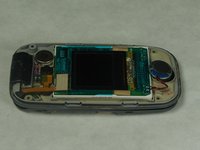
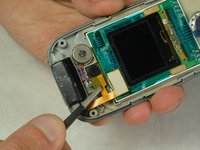
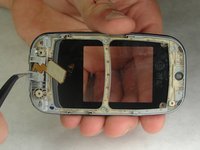
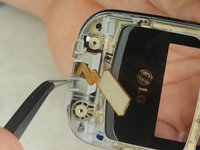
    • Using tweezers, carefully disconnect the display ribbon cable from the screen assembly and phone by lifting up on both connections.

    • The display ribbon cable will still be attached to the phone via the hinge. The disconnection of the display ribbon cable in this step is to remove the screen from the screen assembly.

    Спросите у FixBot

    Добавить комментарий

  20. LG CU400 Hinge  Replacement: шаг 20, изображение 1 из 2 LG CU400 Hinge  Replacement: шаг 20, изображение 2 из 2
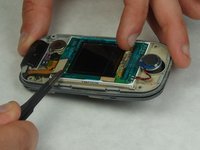
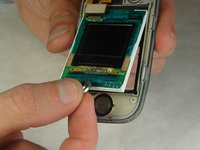
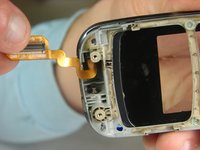
    • Grip the screen and ear speaker connected to the screen via red and black wires, and carefully pull the screen away from the screen assembly.

    Спросите у FixBot
    Добавить комментарий

  21. LG CU400 Hinge  Replacement, Hinge: шаг 21, изображение 1 из 2 LG CU400 Hinge  Replacement, Hinge: шаг 21, изображение 2 из 2
    Инструмент, используемый на этом этапе:
    Tweezers
    $4.99
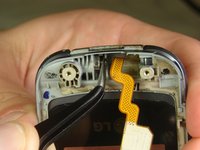
    • Using tweezers, pull the gray plastic piece that is going around the flex cable out of the hinge area.

    Спросите у FixBot
    Добавить комментарий

  22. LG CU400 Hinge  Replacement: шаг 22, изображение 1 из 2 LG CU400 Hinge  Replacement: шаг 22, изображение 2 из 2
    • Using the tweezers, slide the metal piece along the center line of the hinge until it clicks into place.

    • This piece will not be completely removed.

    Спросите у FixBot

    Добавить комментарий

  23. LG CU400 Hinge  Replacement: шаг 23, изображение 1 из 1
    • You can now carefully pull apart the phone casing at the hinge by separating them at the left side of the hinge.

    Спросите у FixBot

    Добавить комментарий

Заключение

To reassemble your device, follow these instructions in reverse order.

Отменить: Я не выполнил это руководство.

Ibrahim Momoh

Участник с: 10/03/16

107 Репутация

Автор 2 руководств

Команда

IUPUI, Team 1-3, Harley Fall 2016 Участник IUPUI, Team 1-3, Harley Fall 2016

IUPUI-HARLEY-F16S1G3

4 членов

Автор 14 руководств

0 Комментарии к руководству

Добавить комментарий

Статистика просмотров:

За последние 24 часов: 2

За последние 7 дней: 11

За последние 30 дней: 45

За всё время: 1,009