Введение
This guide will show you the steps to replace a damaged rear facing camera.
Выберете то, что вам нужно
-
-
While holding the battery release button, pull the bottom end of the phone out of the body.
 Спросите у FixBot
-
-
-
Insert the sim card eject tool (0.8mm sim card eject head) into the small hole on the sim card tray.
-
Press inward with some force to eject the tray.
-
Pull the sim card tray out of the phone.
-
-
-
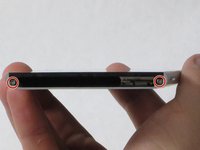
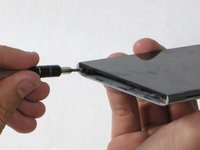
Remove the two 5.5mm Phillips #00 screws from the base of the phone.
-
-
-
-
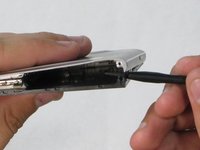
Insert the plastic opening tool into the seam between the glass screen and the metal body.
-
Pry the glass from the body only a slight amount.
-
-
-
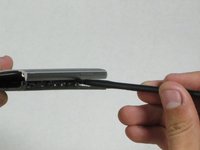
Insert the Spudger into the now open space between the body and screen.
-
Push inward to separate the screen even more.
-
Slowly slide the nylon spudger up the edge the phone till the screen pops out of the body.
-
-
-
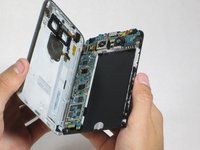
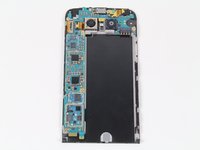
Peel the screen away from the body. The two parts should be completely separated.
-
-
-
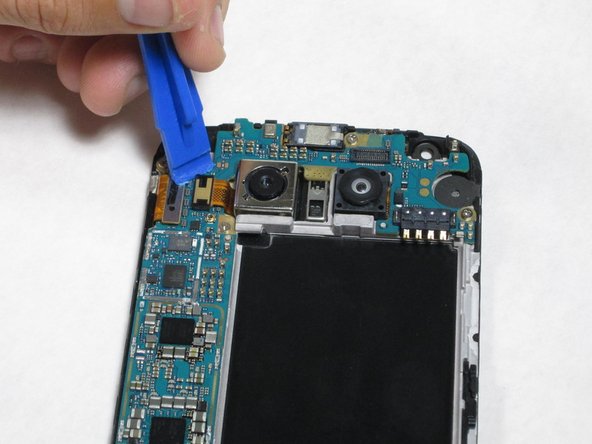
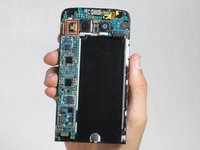
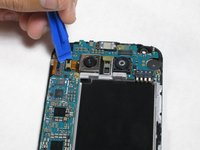
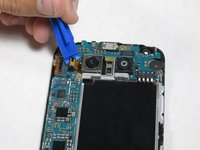
Insert the plastic opening tool between the camera-ribbon connector and the motherboard, then pull up. It should pop out easily.
-
-
Инструмент, используемый на этом этапе:Tweezers$4.99
-
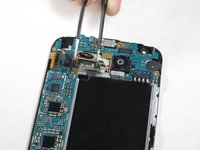
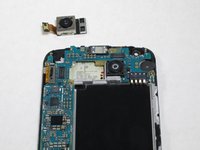
After detaching the ribbon, carefully remove the camera using tweezers
-










To reassemble your device, follow these instructions in reverse order.
Отменить: Я не выполнил это руководство.
34 человек успешно провели ремонт по этому руководству.

Команда

Cal Poly, Team 18-2, Forte Fall 2016 Участник Cal Poly, Team 18-2, Forte Fall 2016
CPSU-FORTE-F16S18G2
4 членов
Автор 27 руководств
6 Комментарии к руководству
This worked great and took me about 10 minutes!
Great instructions. This was my first time taking apart any phone. Everything went smoothly and my camera now works! thank you
the camera is held down with sticky tape and I wasn’t comfortable pulling hard under the processing board, so I pulled the six screws holding that down and removed it first. Unfortunately for me the new camera still doesn’t focus…
This worked great for me. I was a little nervous prying on my phone, especially when I heard the first POP. But after that, it was not hard at all. The new camera focuses great for me now and I can get back to taking great pictures with my G5!
Thanks for the detailed instructions, tools and affordable part!
You may want to mention that the original camera is glued in. It takes a bit of prying to pop it out.
