Перейти к основному содержанию
Присоединяйся к сообществу ремонтников - Создай аккаунт

LG G6 Charge Port Replacement

Выберете то, что вам нужно

  1. LG G6 Charge Port Replacement, iOpener Heating: шаг 1, изображение 1 из 2 LG G6 Charge Port Replacement, iOpener Heating: шаг 1, изображение 2 из 2
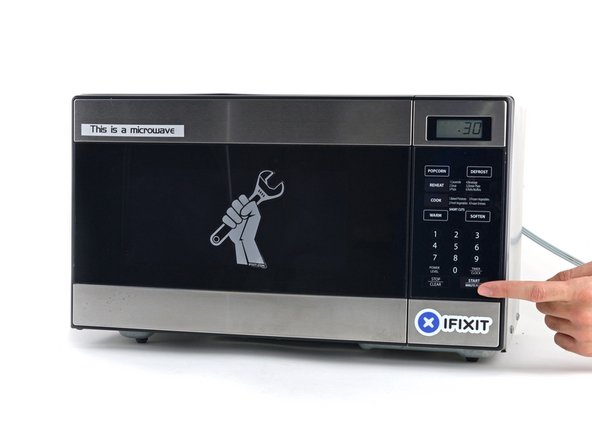
    • We recommend that you clean your microwave before proceeding, as any nasty gunk on the bottom may end up stuck to the iOpener.

    • Place the iOpener in the center of the microwave.

    • For carousel microwaves: Make sure the plate spins freely. If your iOpener gets stuck, it may overheat and burn.

    Спросите у FixBot

    Добавить комментарий

  2. LG G6 Charge Port Replacement: шаг 2, изображение 1 из 1
    • Heat the iOpener for thirty seconds.

    • Depending on the wattage of your microwave, more or less time may be required. The iOpener is sufficiently heated when it's barely too hot to touch.

    • Throughout the repair procedure, as the iOpener cools, reheat it in the microwave for an additional thirty seconds at a time.

    • Be careful not to overheat the iOpener during the repair. Overheating may cause the iOpener to burst. Do not attempt to heat over 100˚C (212˚F).

    • Never touch the iOpener if it appears swollen.

    • If the iOpener is still too hot in the middle to touch, continue using it while waiting for it to cool down some more before reheating. A properly heated iOpener should stay warm for up to 10 minutes.

    Спросите у FixBot

    Добавить комментарий

  3. LG G6 Charge Port Replacement: шаг 3, изображение 1 из 1
    • Remove the iOpener from the microwave, holding it by one of the two flat ends to avoid the hot center.

    • The iOpener will be very hot, so be careful when handling it. Use an oven mitt if necessary.

    Спросите у FixBot

    Добавить комментарий

  4. LG G6 Charge Port Replacement, Alternate iOpener heating method: шаг 4, изображение 1 из 2 LG G6 Charge Port Replacement, Alternate iOpener heating method: шаг 4, изображение 2 из 2
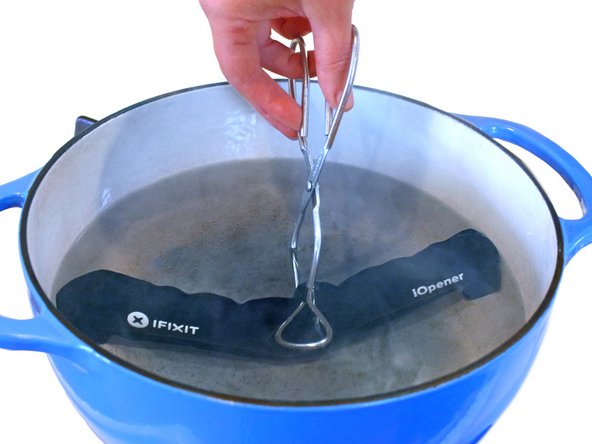
    • If you don't have a microwave, follow this step to heat your iOpener in boiling water.

    • Fill a pot or pan with enough water to fully submerge an iOpener.

    • Heat the water to a boil. Turn off the heat.

    • Place an iOpener into the hot water for 2-3 minutes. Make sure the iOpener is fully submerged in the water.

    • Use tongs to extract the heated iOpener from the hot water.

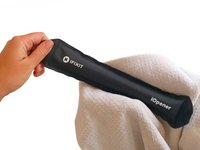
    • Thoroughly dry the iOpener with a towel.

    • The iOpener will be very hot, so be careful to hold it only by the end tabs.

    • Your iOpener is ready for use! If you need to reheat the iOpener, heat the water to a boil, turn off the heat, and place the iOpener in the water for 2-3 minutes.

    Спросите у FixBot

    Добавить комментарий

  5. LG G6 Charge Port Replacement, Fingerprint Sensor: шаг 5, изображение 1 из 1
    • Apply a heated iOpener to a long edge of the phone for about 2 minutes.

    • You may need to reheat and reapply the iOpener several times to get the phone warm enough. Follow the iOpener instructions to avoid overheating.

    Спросите у FixBot

    Добавить комментарий

  6. LG G6 Charge Port Replacement: шаг 6, изображение 1 из 2 LG G6 Charge Port Replacement: шаг 6, изображение 2 из 2
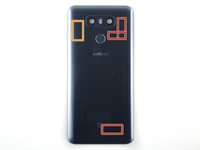
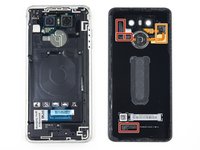
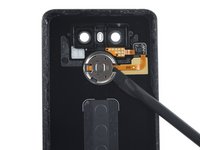
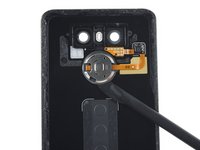
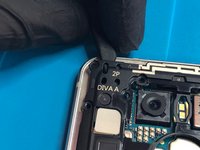
    • In the following steps you will be cutting through the adhesive on the rear glass panel.

    • Take note of the following areas:

    • In addition to cutting around the edge, there is extra adhesive here that should be cut.

    • Avoid sticking the spudger blade in too far here, to avoid damaging the rear button ribbon cable and chip.

    Спросите у FixBot

    Добавить комментарий

  7. LG G6 Charge Port Replacement: шаг 7, изображение 1 из 1
    Инструмент, используемый на этом этапе:
    Halberd Spudger
    $2.99
    • Once the back panel is warm to the touch, apply a suction cup as close to the heated edge of the phone as you can.

    • The suction cup will not make a good seal on the curved portion of the glass, so avoid putting it on the very edge.

    • Lift on the suction cup, and insert a halberd spudger or opening pick under the rear glass.

    Спросите у FixBot

    Добавить комментарий

  8. LG G6 Charge Port Replacement: шаг 8, изображение 1 из 1
    • Once you have the tool firmly inserted into the glass, reheat and reapply the iOpener to soften the adhesive.

    Спросите у FixBot

    Добавить комментарий

  9. LG G6 Charge Port Replacement: шаг 9, изображение 1 из 2 LG G6 Charge Port Replacement: шаг 9, изображение 2 из 2
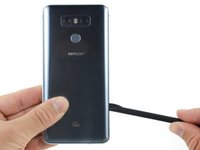
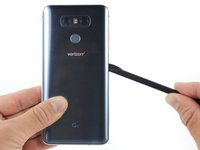
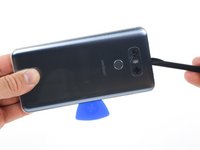
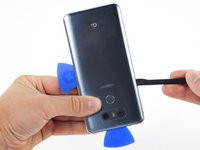
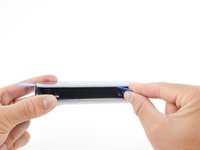
    • Slide the blade of a Halberd spudger along the side of the phone, separating the adhesive.

    Спросите у FixBot

    Добавить комментарий

  10. LG G6 Charge Port Replacement: шаг 10, изображение 1 из 3 LG G6 Charge Port Replacement: шаг 10, изображение 2 из 3 LG G6 Charge Port Replacement: шаг 10, изображение 3 из 3
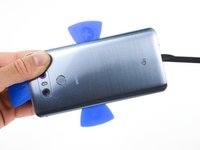
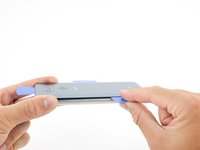
    • Repeat the previous heating and cutting procedure for the remaining three sides of the phone.

    • Leave an opening pick on each side as you continue to the next to prevent the adhesive from resealing.

    Спросите у FixBot

    Добавить комментарий

  11. LG G6 Charge Port Replacement: шаг 11, изображение 1 из 2 LG G6 Charge Port Replacement: шаг 11, изображение 2 из 2
    • Use the opening picks to slice through any remaining adhesive and open the phone.

    • Remove the glass from the phone.

    • During reassembly, apply new adhesive or high-bond tape if your replacement rear glass does not come with any.

    Спросите у FixBot

    Добавить комментарий

  12. LG G6 Charge Port Replacement: шаг 12, изображение 1 из 3 LG G6 Charge Port Replacement: шаг 12, изображение 2 из 3 LG G6 Charge Port Replacement: шаг 12, изображение 3 из 3
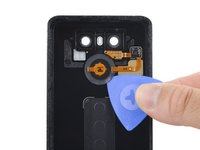
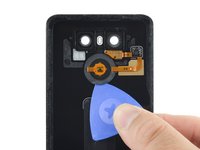
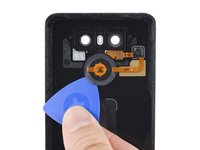
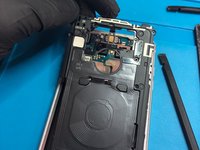
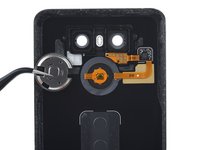
    • Slide the blade of a halberd spudger into the opening on the edge of the rear button bracket.

    • Careful not to push directly against the rear button ribbon cable, to avoid damaging it.

    • Do not push the spudger in too far, to avoid damaging the rear button.

    • Continue sliding the spudger blade around the bracket to cut all the adhesive holding the bracket to the rear case.

    • Remove the bracket.

    Спросите у FixBot

    Добавить комментарий

  13. LG G6 Charge Port Replacement: шаг 13, изображение 1 из 3 LG G6 Charge Port Replacement: шаг 13, изображение 2 из 3 LG G6 Charge Port Replacement: шаг 13, изображение 3 из 3
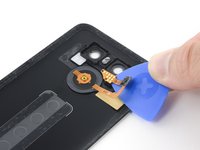
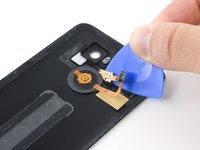
    • Slide an opening pick between the rear button membrane and the rear case.

    • Slide the pick around the edge of the membrane to separate it from the rear case.

    • This might take some force, as the adhesive holding the membrane to the case is tenacious. Pry slowly, to avoid puncturing or stretching the membrane.

    Спросите у FixBot

    Добавить комментарий

  14. LG G6 Charge Port Replacement: шаг 14, изображение 1 из 1
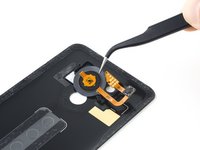
    • Use the blade of a halberd spudger to pry the rear button chip off of the rear case.

    Спросите у FixBot

    Добавить комментарий

  15. LG G6 Charge Port Replacement: шаг 15, изображение 1 из 3 LG G6 Charge Port Replacement: шаг 15, изображение 2 из 3 LG G6 Charge Port Replacement: шаг 15, изображение 3 из 3
    • Use an opening pick to pry the contact pad off of the rear case.

    • Remove the rear button assembly.

    Спросите у FixBot

    Добавить комментарий

  16. LG G6 Charge Port Replacement, Charging Coil and Loudspeaker Assembly: шаг 16, изображение 1 из 3 LG G6 Charge Port Replacement, Charging Coil and Loudspeaker Assembly: шаг 16, изображение 2 из 3 LG G6 Charge Port Replacement, Charging Coil and Loudspeaker Assembly: шаг 16, изображение 3 из 3
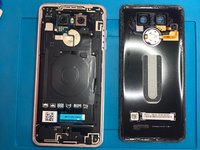
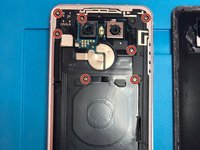
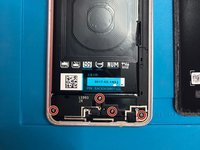
    • Separate the rear glass from the phone,

    • Remove eleven Philips #00 screws.

    Спросите у FixBot

    Добавить комментарий

  17. LG G6 Charge Port Replacement, Remove Charging Coil: шаг 17, изображение 1 из 2 LG G6 Charge Port Replacement, Remove Charging Coil: шаг 17, изображение 2 из 2
    • Use a spudger to remove the charging coil from the top left corner,

    Спросите у FixBot

    Добавить комментарий

  18. LG G6 Charge Port Replacement, Remove Loudspeaker Assembly: шаг 18, изображение 1 из 1
    • Remove loudspeaker assembly.

    Спросите у FixBot

    Добавить комментарий

  19. LG G6 Charge Port Replacement, Battery: шаг 19, изображение 1 из 1
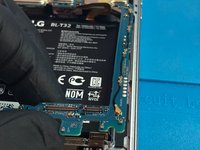
    • Use the flat end of a spudger to disconnect the battery connector.

    Спросите у FixBot

    Добавить комментарий

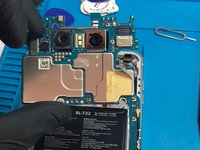
  20. LG G6 Charge Port Replacement, Motherboard: шаг 20, изображение 1 из 1
    • Use the flat end of a spudger to disconnect the LCD/Digitizer flex cable.

    • Use the flat end of a spudger to disconnect the charge port flex cable.

    Спросите у FixBot

    Добавить комментарий

  21. LG G6 Charge Port Replacement: шаг 21, изображение 1 из 1
    • Use the flat end of a spudger to disconnect the front camera.

    Спросите у FixBot

    Добавить комментарий

  22. LG G6 Charge Port Replacement, SIM Card Tray: шаг 22, изображение 1 из 1
    • Insert a SIM card opening tool into the small hole on the left side of the phone and remove the SIM card tray.

    Спросите у FixBot

    Добавить комментарий

  23. LG G6 Charge Port Replacement: шаг 23, изображение 1 из 3 LG G6 Charge Port Replacement: шаг 23, изображение 2 из 3 LG G6 Charge Port Replacement: шаг 23, изображение 3 из 3
    • Lift the motherboard out of the phone.

    • Be careful not to snag any of the connectors on the board.

    Спросите у FixBot

    Добавить комментарий

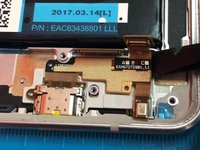
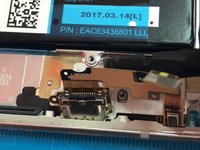
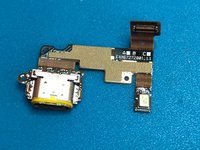
  24. LG G6 Charge Port Replacement, Charge Port: шаг 24, изображение 1 из 3 LG G6 Charge Port Replacement, Charge Port: шаг 24, изображение 2 из 3 LG G6 Charge Port Replacement, Charge Port: шаг 24, изображение 3 из 3
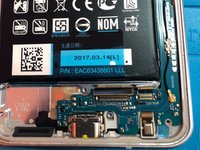
    • Use the flat end of a spudger to remove the adhesive securing the USB-C charge port to the frame.

    Спросите у FixBot

    Добавить комментарий

Заключение

To reassemble your device, follow these instructions in reverse order.

Отменить: Я не выполнил это руководство.

13 человек успешно провели ремонт по этому руководству.

Kevin Stuckey

Участник с: 01/11/15

1 217 Репутация

Автор 2 руководств

Команда

Anchor Technology Solutions Участник Anchor Technology Solutions

Business

1 член

Автор 3 руководств

6 Комментарии к руководству

Excellent AAAAAAAAA ++++

Jose G Ramirez - Ответить Поделиться
Awesome tutorial, I skipped the from step 11 to 15. No need to remove the button assembly. Just skipped that and reused the back glass panel with no problems. Thank you!

Ben Fischer - Ответить Поделиться

Thanks for your input. It has been a while!
Were you able to replace the port or the port assembly?

FrancisF - Ответить Поделиться

I can’t get the back off. I’ve tried so hard but it wont come off. I pulled so &&^&^$^ hard i cracked the back but couldnt get the &&^&^$^ back off wtf

Pengo The Penguino - Ответить Поделиться

Hi , I have replaced the port but usb comm still not working. QC3 not working because it also works with working usb comm. I have tried many original cords and chargers.

malikzee111 - Ответить Поделиться

Добавить комментарий

Статистика просмотров:

За последние 24 часов: 2

За последние 7 дней: 12

За последние 30 дней: 63

За всё время: 19,668