Перейти к основному содержанию
Присоединяйся к сообществу ремонтников - Создай аккаунт

LG K7 T-Mobile Rear Phone Camera Replacement

Выберете то, что вам нужно

    1. LG K7 T-Mobile Rear Phone  Camera Replacement, Battery: шаг 1, изображение 1 из 2 LG K7 T-Mobile Rear Phone  Camera Replacement, Battery: шаг 1, изображение 2 из 2
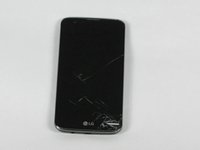
      • Flip the LG K7 over so that the back of the phone is facing up.

      • Locate the small notch on the bottom left side of the phone.

      Спросите у FixBot

      Добавить комментарий

    2. LG K7 T-Mobile Rear Phone  Camera Replacement: шаг 2, изображение 1 из 1
      • Insert a plastic opening tool into the notch and lift the back cover upward while holding the bottom portion of the phone down to remove it.

      Спросите у FixBot

      Добавить комментарий

    3. LG K7 T-Mobile Rear Phone  Camera Replacement: шаг 3, изображение 1 из 1
      • Remove the battery.

      Спросите у FixBot

      Добавить комментарий

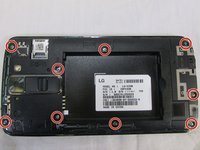
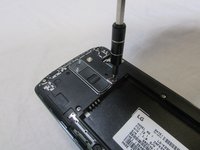
    1. LG K7 T-Mobile Rear Phone  Camera Replacement, Rear Phone  Camera: шаг 4, изображение 1 из 2 LG K7 T-Mobile Rear Phone  Camera Replacement, Rear Phone  Camera: шаг 4, изображение 2 из 2
      • Located to nine 3.4 mm screws that keep that keep the phones rear housing in tacked.

      • Using a Phillips 00 screwdriver remove all nine 3.4 mm screws.

      Спросите у FixBot

      Добавить комментарий

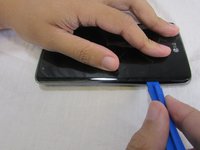
    2. LG K7 T-Mobile Rear Phone  Camera Replacement: шаг 5, изображение 1 из 3 LG K7 T-Mobile Rear Phone  Camera Replacement: шаг 5, изображение 2 из 3 LG K7 T-Mobile Rear Phone  Camera Replacement: шаг 5, изображение 3 из 3
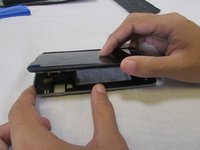
      • Turn the phone over so the screen is facing up

      • Insert your plastic opening tool between the midframe and front panel assembly on the side of the phone.

      • Slide the plastic opening tool down the seams carefully to separate the screen from the rest of the phone housing.

      Спросите у FixBot

      Добавить комментарий

    3. LG K7 T-Mobile Rear Phone  Camera Replacement: шаг 6, изображение 1 из 3 LG K7 T-Mobile Rear Phone  Camera Replacement: шаг 6, изображение 2 из 3 LG K7 T-Mobile Rear Phone  Camera Replacement: шаг 6, изображение 3 из 3
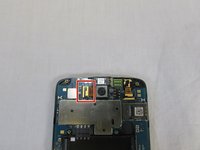
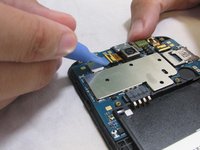
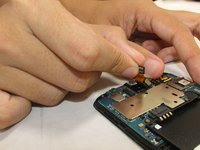
      • Locate the ribbon cable that holds the camera's ribbon cable in place.

      • Carefully remove the camera's ribbon cable from the motherboard using the plastic removal tool.

      • Holding the camera ribbon you just released pull upwards and the camera should release from the case.

      Спросите у FixBot

      Добавить комментарий

Заключение

To reassemble your device, follow these instructions in reverse order.

Отменить: Я не выполнил это руководство.

Еще один человек закончил это руководство.

Salem Jean

Участник с: 09/28/17

216 Репутация

1 руководство автора

Команда

USF Tampa, Team S2-G5, Nance Fall 2017 Участник USF Tampa, Team S2-G5, Nance Fall 2017

USFT-NANCE-F17S2G5

3 членов

Автор 28 руководств

0 Комментарии к руководству

Добавить комментарий

Статистика просмотров:

За последние 24 часов: 0

За последние 7 дней: 6

За последние 30 дней: 33

За всё время: 821