Перейти к основному содержанию
Присоединяйся к сообществу ремонтников - Создай аккаунт

LG Thrill 4G Phone Buttons Replacement

Выберете то, что вам нужно

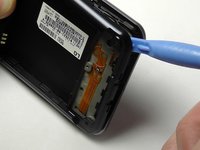
    1. LG Thrill 4G Phone Buttons Replacement, Back Cover Removal: шаг 1, изображение 1 из 2 LG Thrill 4G Phone Buttons Replacement, Back Cover Removal: шаг 1, изображение 2 из 2
      • Pry open the back cover by using a fingernail or a plastic opening tool.

      • There is a small notch at the bottom of the cover for easy removal.

      Спросите у FixBot

      Добавить комментарий

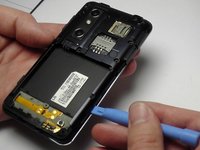
    2. LG Thrill 4G Phone Buttons Replacement, Battery Removal: шаг 2, изображение 1 из 2 LG Thrill 4G Phone Buttons Replacement, Battery Removal: шаг 2, изображение 2 из 2
      • Remove the battery from the phone.

      • There is a small ledge located at the bottom of the battery for easy removal.

      Спросите у FixBot

      Добавить комментарий

    1. LG Thrill 4G Phone Buttons Replacement, Screw Removal: шаг 3, изображение 1 из 1
      • Remove the three Philips #00 screws from the bottom of the phone.

      • Two 5.5 mm screws

      • One 4 mm screw

      Спросите у FixBot

      Добавить комментарий

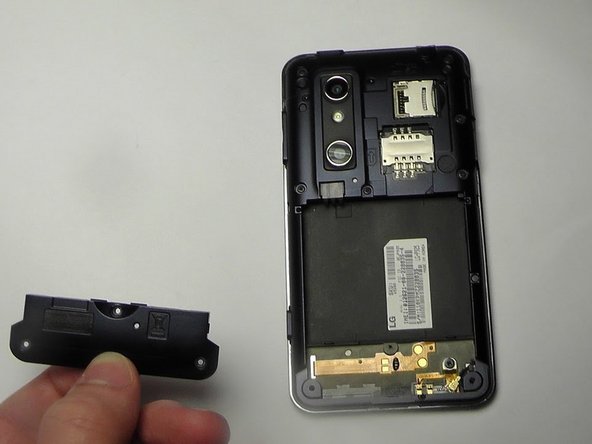
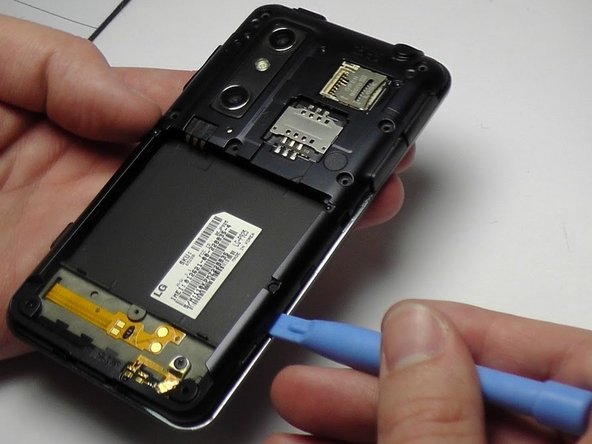
    2. LG Thrill 4G Phone Buttons Replacement, Speaker Removal: шаг 4, изображение 1 из 2 LG Thrill 4G Phone Buttons Replacement, Speaker Removal: шаг 4, изображение 2 из 2
      • Use your finger or opening tool to wedge the speaker out starting at the small notch at the bottom of the phone.

      Спросите у FixBot

      Добавить комментарий

    1. LG Thrill 4G Phone Buttons Replacement, Buttons: шаг 5, изображение 1 из 1
      • Remove the three buttons from the side and the top of the phone.

      • Power button

      • Volume button

      • 3D camera button

      Спросите у FixBot

      Добавить комментарий

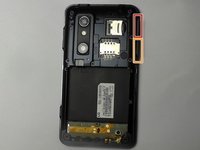
    2. LG Thrill 4G Phone Buttons Replacement: шаг 6, изображение 1 из 3 LG Thrill 4G Phone Buttons Replacement: шаг 6, изображение 2 из 3 LG Thrill 4G Phone Buttons Replacement: шаг 6, изображение 3 из 3
      • Place the plastic opening tool under the bezel at either bottom corner of the HDMI cover.

      • This loosens both the HDMI and USB covers for easy removal.

      • USB Cover

      • HDMI Cover

      Спросите у FixBot

      Добавить комментарий

    3. LG Thrill 4G Phone Buttons Replacement: шаг 7, изображение 1 из 1
      • Remove the six Phillips #00 screws within the mid-cover bezel.

      Спросите у FixBot

      Добавить комментарий

Заключение

To reassemble your device, follow these instructions in reverse order.

Отменить: Я не выполнил это руководство.

Kenny Richmond

Участник с: 01/20/15

260 Репутация

Автор 2 руководств

Команда

USF Tampa, Team 1-6, Blackwell Winter 2015 Участник USF Tampa, Team 1-6, Blackwell Winter 2015

USFT-BLACKWELL-W15S1G6

3 членов

Автор 35 руководств

0 Комментарии к руководству

Добавить комментарий

Статистика просмотров:

За последние 24 часов: 1

За последние 7 дней: 4

За последние 30 дней: 27

За всё время: 902