Перейти к основному содержанию
Присоединяйся к сообществу ремонтников - Создай аккаунт

LG Treasure Loudspeaker Replacement

Выберете то, что вам нужно

    1. LG Treasure Loudspeaker Replacement, Battery: шаг 1, изображение 1 из 2 LG Treasure Loudspeaker Replacement, Battery: шаг 1, изображение 2 из 2
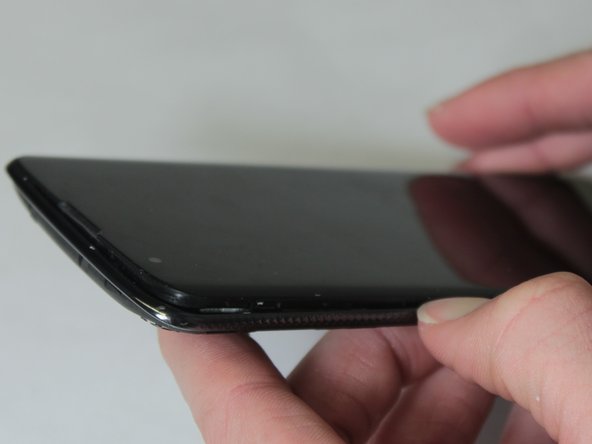
      • Make sure the LG Treasure is turned off.

      • Pull off the back cover from the phone using the groove on the bottom right side.

      Спросите у FixBot

      Добавить комментарий

    2. LG Treasure Loudspeaker Replacement: шаг 2, изображение 1 из 1
      • Remove the battery from the phone by lifting up on the bottom end of the battery.

      Спросите у FixBot

      Добавить комментарий

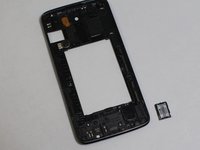
    1. LG Treasure Loudspeaker Replacement, Loudspeaker: шаг 3, изображение 1 из 2 LG Treasure Loudspeaker Replacement, Loudspeaker: шаг 3, изображение 2 из 2
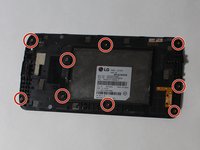
      • Remove all 9 of the 3mm Phillips #000 screws from the digitizer.

      • Remove the digitizer like you did the back cover by working your way around the edge peeling it up.

      Спросите у FixBot

      Добавить комментарий

    2. LG Treasure Loudspeaker Replacement: шаг 4, изображение 1 из 2 LG Treasure Loudspeaker Replacement: шаг 4, изображение 2 из 2
      Инструмент, используемый на этом этапе:
      Tweezers
      $4.99
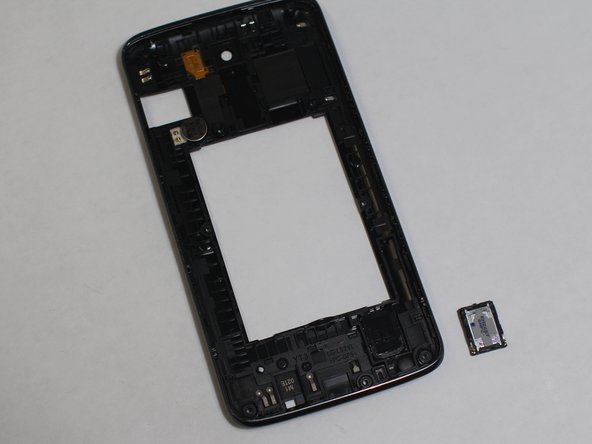
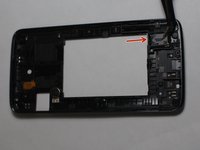
      • Use the tweezers to lift the loudspeaker out of place.

      Спросите у FixBot

      Добавить комментарий

Заключение

To reassemble your device, follow these instructions in reverse order.

Отменить: Я не выполнил это руководство.

david amirahmadi

Участник с: 02/15/18

594 Репутация

Автор 5 руководств

Команда

UW Stout, Team S8-G5, Ogden Spring 2018 Участник UW Stout, Team S8-G5, Ogden Spring 2018

UWSTOUT-OGDEN-S18S8G5

3 членов

Автор 35 руководств

0 Комментарии к руководству

Добавить комментарий

Статистика просмотров:

За последние 24 часов: 1

За последние 7 дней: 21

За последние 30 дней: 39

За всё время: 463