Перейти к основному содержанию
Присоединяйся к сообществу ремонтников - Создай аккаунт

LG VX5400 Logic Board Replacement

Выберете то, что вам нужно

    1. LG VX5400 Logic Board Replacement, Battery: шаг 1, изображение 1 из 1
      • Turn off the cell phone and turn it over on its back side

      Спросите у FixBot

      Добавить комментарий

    2. LG VX5400 Logic Board Replacement: шаг 2, изображение 1 из 1
      • Hold the phone case in your palm and slide the back cover towards yourself using your thumb

      Спросите у FixBot

      Добавить комментарий

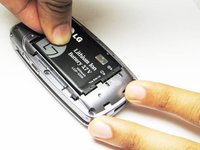
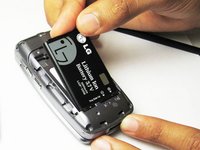
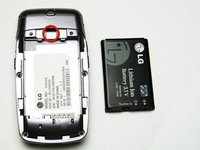
    3. LG VX5400 Logic Board Replacement: шаг 3, изображение 1 из 3 LG VX5400 Logic Board Replacement: шаг 3, изображение 2 из 3 LG VX5400 Logic Board Replacement: шаг 3, изображение 3 из 3
      • Slide a tool or finger into the notch at the top of the battery to carefully remove it.

      Спросите у FixBot

      Добавить комментарий

    1. LG VX5400 Logic Board Replacement, Outer Casing: шаг 4, изображение 1 из 1
      • Take the Philips screwdriver and unscrew the four visible screws on the backside of the phone indicated by the four red circles.

      Спросите у FixBot

      Добавить комментарий

    2. LG VX5400 Logic Board Replacement: шаг 5, изображение 1 из 1
      • Then, take the pointed end of a spudger and pry out the rubber stopper to reveal the last screw at the top indicated with the blue circle.

      Спросите у FixBot

      Добавить комментарий

    1. LG VX5400 Logic Board Replacement, Logic Board: шаг 6, изображение 1 из 2 LG VX5400 Logic Board Replacement, Logic Board: шаг 6, изображение 2 из 2
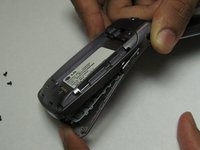
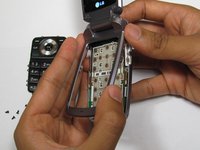
      • While the phone is open and faced up, carefully insert a tool into the middle to seperate the bottom half of the phone.

      Спросите у FixBot

      Добавить комментарий

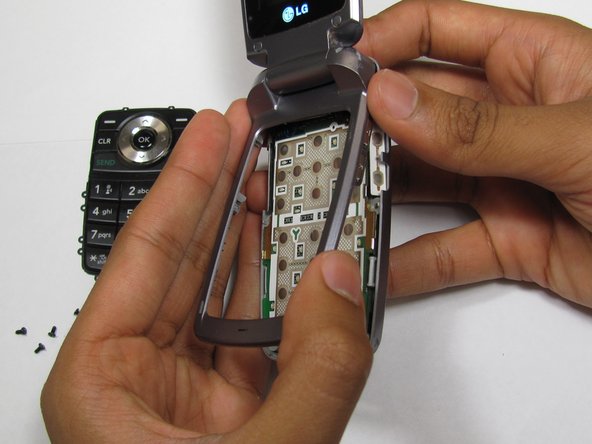
    2. LG VX5400 Logic Board Replacement: шаг 7, изображение 1 из 2 LG VX5400 Logic Board Replacement: шаг 7, изображение 2 из 2
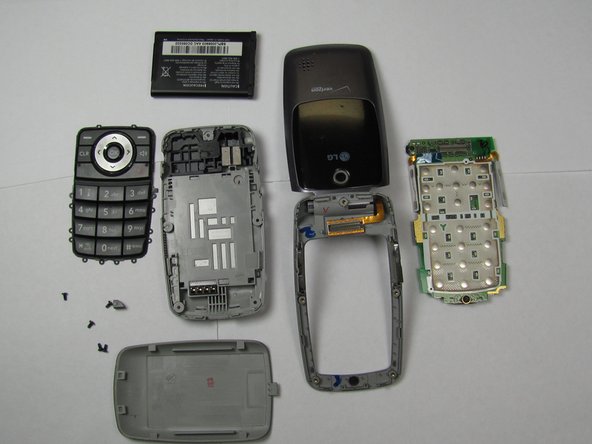
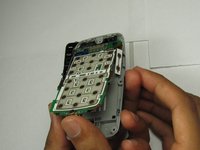
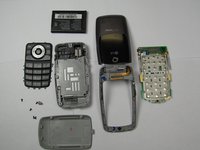
      • Carefully slide out the keypad and remove the logic board. Then insert new the logic board.

      Спросите у FixBot

      Добавить комментарий

Заключение

To reassemble your device, follow these instructions in reverse order.

Отменить: Я не выполнил это руководство.

2 человек успешно провели ремонт по этому руководству.

Sourabh

Участник с: 04/15/10

132 Репутация

Автор 3 руководств

Команда

Cal Poly, Team 26-26, Regan Spring 2010 Участник Cal Poly, Team 26-26, Regan Spring 2010

CPSU-REGAN-S10S26G26

4 членов

Автор 35 руководств

0 Комментарии к руководству

Добавить комментарий

Статистика просмотров:

За последние 24 часов: 1

За последние 7 дней: 6

За последние 30 дней: 22

За всё время: 2,844