Перейти к основному содержанию
Присоединяйся к сообществу ремонтников - Создай аккаунт

LG VX8700 Ear Piece Replacement

Выберете то, что вам нужно

    1. LG VX8700 Ear Piece Replacement, Battery: шаг 1, изображение 1 из 2 LG VX8700 Ear Piece Replacement, Battery: шаг 1, изображение 2 из 2
      • Power the phone off.

      • Slide the back cover off using the release latch with your fingers to expose the battery.

      Спросите у FixBot

      Добавить комментарий

    2. LG VX8700 Ear Piece Replacement: шаг 2, изображение 1 из 2 LG VX8700 Ear Piece Replacement: шаг 2, изображение 2 из 2
      • Lift one side of the battery using a plastic opening tool or your fingers.

      • Carefully remove the battery and set it aside.

      • When installing the new battery, align the metal pins with those of the phone.

      Спросите у FixBot

      Добавить комментарий

    1. LG VX8700 Ear Piece Replacement, Front Bezel: шаг 3, изображение 1 из 1
      • Turn your phone around and open the flip phone. The screen is now facing you.

      • Locate the two grey rubber plugs on the bottom corners of the screen. These plugs cover up two screws.

      • Remove the two grey screw-covers.

      Спросите у FixBot

      Добавить комментарий

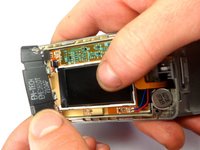
    2. LG VX8700 Ear Piece Replacement: шаг 4, изображение 1 из 2 LG VX8700 Ear Piece Replacement: шаг 4, изображение 2 из 2
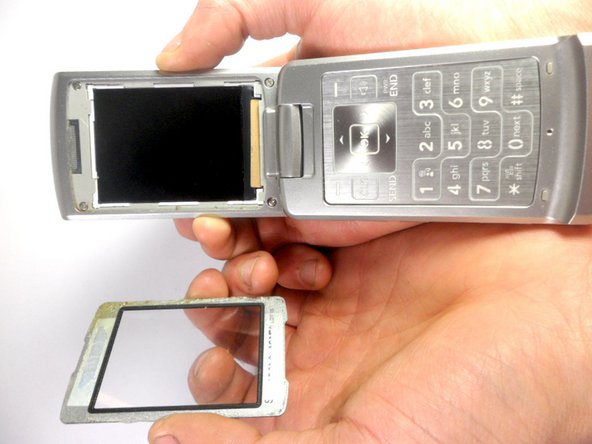
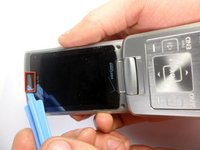
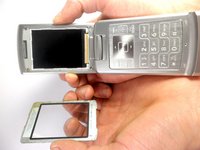
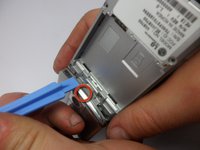
      • Use the ejection tab at the top to remove the screen.

      • There is a gap between the case and the screen near the ear piece.

      • Insert the plastic opening tool in the gap and pry up the screen.

      • The plastic screen cover is glued onto the phone. It may be difficult to pry off.

      Спросите у FixBot

      Добавить комментарий

    3. LG VX8700 Ear Piece Replacement: шаг 5, изображение 1 из 1
      • Unscrew the four corners of the screen using 3.21mm screws to separate the top cover of the phone.

      Спросите у FixBot

      Добавить комментарий

    4. LG VX8700 Ear Piece Replacement: шаг 6, изображение 1 из 2 LG VX8700 Ear Piece Replacement: шаг 6, изображение 2 из 2
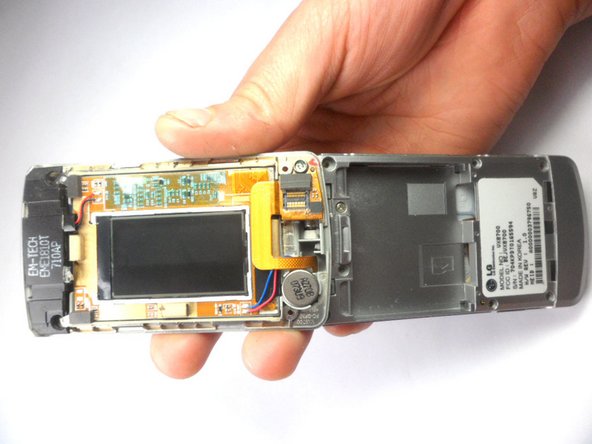
      • Turn your phone around. The battery side will be facing you.

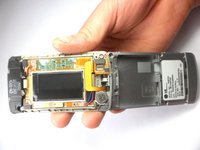
      • Insert the plastic opening tool into the groove to remove the top cover of the phone.

      • Carefully open the cover.

      Спросите у FixBot

      Добавить комментарий

    1. LG VX8700 Ear Piece Replacement, Ear Piece: шаг 7, изображение 1 из 1
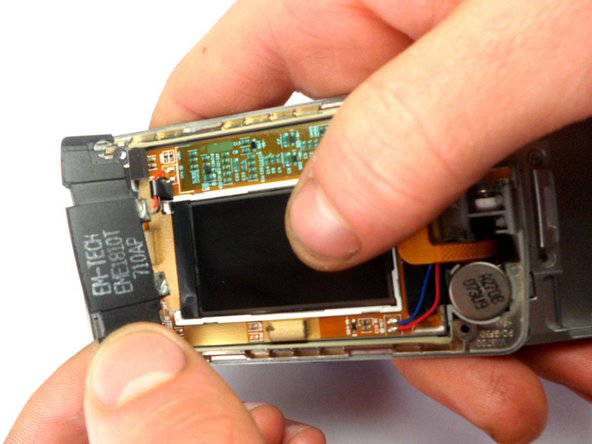
      • Locate the earpiece, which is the black component at the top with black and red wires.

      • Remove the component. Using a soldering iron, desolder the top ear piece.

      Спросите у FixBot

      Добавить комментарий

    2. LG VX8700 Ear Piece Replacement: шаг 8, изображение 1 из 2 LG VX8700 Ear Piece Replacement: шаг 8, изображение 2 из 2
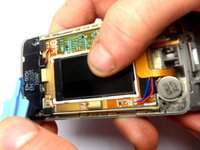
      • Using the plastic opening tool, lift the earpiece to remove it from the phone.

      Спросите у FixBot

      Добавить комментарий

Заключение

To reassemble your device, follow these instructions in reverse order.

Отменить: Я не выполнил это руководство.

Stanley Thomas

Участник с: 01/20/12

41 Репутация

Автор 4 руководств

Команда

Cal Poly, Team 8-16, Maness Winter 2012 Участник Cal Poly, Team 8-16, Maness Winter 2012

CPSU-MANESS-W12S8G16

4 членов

Автор 49 руководств

0 Комментарии к руководству

Добавить комментарий

Статистика просмотров:

За последние 24 часов: 0

За последние 7 дней: 3

За последние 30 дней: 19

За всё время: 1,371