Перейти к основному содержанию
Присоединяйся к сообществу ремонтников - Создай аккаунт

LG Xenon Front Case/Screen Replacement

Выберете то, что вам нужно

  1. LG Xenon Front Case/Screen Replacement, Back Case: шаг 1, изображение 1 из 1
    • Turn the phone so the back side is face up.

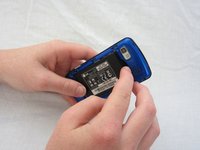
  2. LG Xenon Front Case/Screen Replacement: шаг 2, изображение 1 из 2 LG Xenon Front Case/Screen Replacement: шаг 2, изображение 2 из 2
    • Use your thumb to press on the small ridge at the bottom of the phone, then push upward to slide off the back casing.

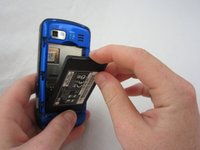
  3. LG Xenon Front Case/Screen Replacement, Battery: шаг 3, изображение 1 из 2 LG Xenon Front Case/Screen Replacement, Battery: шаг 3, изображение 2 из 2
    • Use your index finger to pull the top of the battery out from the top center divot. Then pull the battery towards yourself to remove it from the compartment.

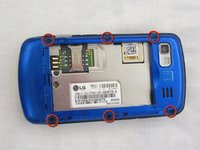
  4. LG Xenon Front Case/Screen Replacement, Motherboard: шаг 4, изображение 1 из 2 LG Xenon Front Case/Screen Replacement, Motherboard: шаг 4, изображение 2 из 2
    • Use a Phillips #00 screwdriver to remove the six 2.4mm screws, which secure the back panel.

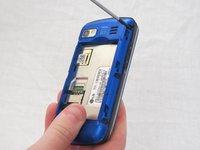
  5. LG Xenon Front Case/Screen Replacement: шаг 5, изображение 1 из 1
    • Push a spudger or small tool under the inner edge of the back panel and gently pry upward to separate it from the main body.

  6. LG Xenon Front Case/Screen Replacement: шаг 6, изображение 1 из 2 LG Xenon Front Case/Screen Replacement: шаг 6, изображение 2 из 2
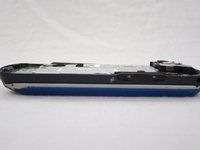
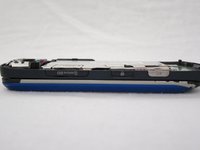
    • Pop off the camera, lock, and volume buttons from the side of the phone using tweezers.

  7. LG Xenon Front Case/Screen Replacement: шаг 7, изображение 1 из 2 LG Xenon Front Case/Screen Replacement: шаг 7, изображение 2 из 2
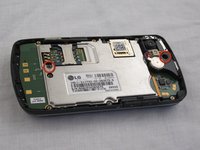
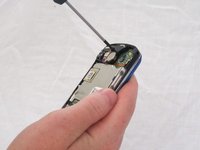
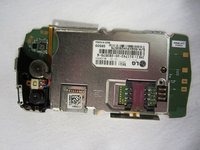
    • Use the Phillips #00 screwdriver to remove the two 3mm screws, which secure the motherboard.

  8. LG Xenon Front Case/Screen Replacement: шаг 8, изображение 1 из 2 LG Xenon Front Case/Screen Replacement: шаг 8, изображение 2 из 2
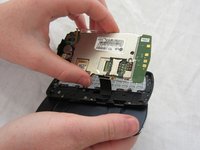
    • Carefully lift and remove the motherboard from the main body.

    • The connector cable will still be attached to the motherboard. Any damage to the connector cable may permanently disable the phone.

  9. LG Xenon Front Case/Screen Replacement: шаг 9, изображение 1 из 2 LG Xenon Front Case/Screen Replacement: шаг 9, изображение 2 из 2
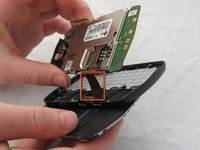
    • Carefully unclip the metal tab to separate the connector cable from the motherboard.

  10. LG Xenon Front Case/Screen Replacement: шаг 10, изображение 1 из 2 LG Xenon Front Case/Screen Replacement: шаг 10, изображение 2 из 2
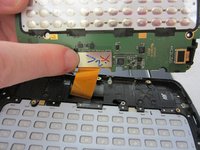
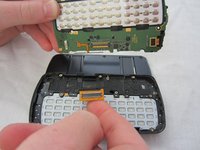
    • Once the connector cable is detached from the motherboard, you have successfully removed the motherboard from the phone.

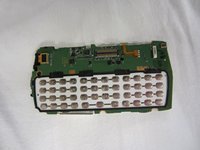
  11. LG Xenon Front Case/Screen Replacement, Keyboard: шаг 11, изображение 1 из 1
    • Turn the motherboard over and carefully remove the keypad from the motherboard.

    • The keyboard may be sitting loosely in the case (not attached to the motherboard). Carefully remove keyboard from case.

  12. LG Xenon Front Case/Screen Replacement, LCD: шаг 12, изображение 1 из 1
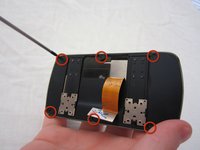
    • After removing the motherboard and keyboard, unscrew eight 1.6mm Phillips #00 screws in the middle of the phone.

  13. LG Xenon Front Case/Screen Replacement: шаг 13, изображение 1 из 1
    • Remove slider piece.

    • Pay close attention that you don’t lose the spring.

    • Carefully remove the spring.

  14. LG Xenon Front Case/Screen Replacement: шаг 14, изображение 1 из 2 LG Xenon Front Case/Screen Replacement: шаг 14, изображение 2 из 2
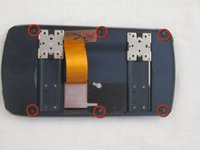
    • Remove six 2.25mm Phillips #00 screws along the outside of the case.

  15. LG Xenon Front Case/Screen Replacement: шаг 15, изображение 1 из 2 LG Xenon Front Case/Screen Replacement: шаг 15, изображение 2 из 2
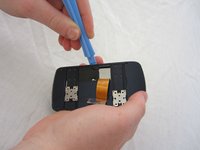
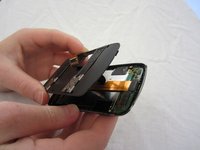
    • Using the plastic opening tool, carefully open and remove the case. Slide the tool along the edge and pry upwards to open.

  16. LG Xenon Front Case/Screen Replacement: шаг 16, изображение 1 из 1
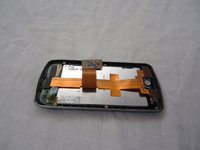
    • Remove the black electrical tape holding the LCD to the screen.

  17. LG Xenon Front Case/Screen Replacement: шаг 17, изображение 1 из 1
    • Un-clasp the small tab in the top right corner.

  18. LG Xenon Front Case/Screen Replacement: шаг 18, изображение 1 из 3 LG Xenon Front Case/Screen Replacement: шаг 18, изображение 2 из 3 LG Xenon Front Case/Screen Replacement: шаг 18, изображение 3 из 3
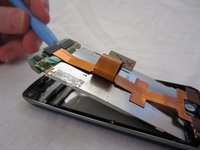
    • Unhook the LCD from tabs on the bottom using the plastic opening tool.

    • Remove the LCD. Be careful, the LCD screen is fragile.

  19. LG Xenon Front Case/Screen Replacement, Front Case/Screen: шаг 19, изображение 1 из 2 LG Xenon Front Case/Screen Replacement, Front Case/Screen: шаг 19, изображение 2 из 2
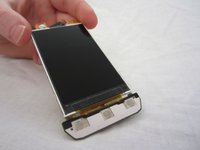
    • Once you have removed the LCD, the front case/screen will be left.

    • If necessary, you may remove the call/mute/hang up button.

Заключение

To reassemble your device, follow these instructions in reverse order.

Еще один человек закончил это руководство.

Micaela Saqui

Участник с: 04/19/12

78 Репутация

Автор 7 руководств

Команда

Cal Poly, Team 9-41, Regan Spring 2012 Участник Cal Poly, Team 9-41, Regan Spring 2012

CPSU-REGAN-S12S9G41

5 членов

Автор 19 руководств

0 Комментарии к руководству

Добавить комментарий

Статистика просмотров:

За последние 24 часов: 0

За последние 7 дней: 2

За последние 30 дней: 7

За всё время: 1,242