Этот перевод был сделан машиной и пока не проверен человеком. Говорите на этом языке? Просмотрите его.
Введение
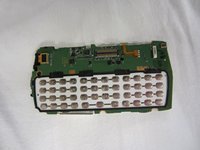
Клавиатура расположена на материнской плате, но ничем не закреплена. Этот шаг прост, так как вам не понадобятся никакие инструменты. Это легкая и простая процедура, которая также позволит вам почистить клавиатуру.
Выберете то, что вам нужно
-
-
-
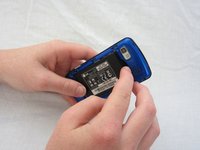
Надавите большим пальцем на небольшой выступ в нижней части телефона, затем сдвиньте заднюю крышку вверх, чтобы снять её.
-
-
-
-
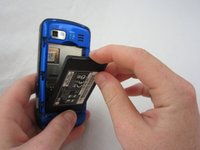
Указательным пальцем потяните верхнюю часть аккумулятора вверх за выемку по центру. Затем потяните аккумулятор на себя, чтобы извлечь его из отсека.
-
-
-
-
-
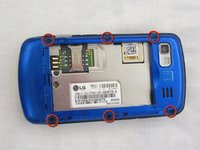
С помощью отвертки Phillips #00 выкрутите шесть винтов длиной 2,4 мм, которые крепят заднюю панель.
-
-
-
-
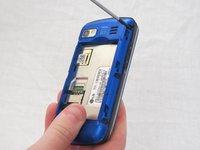
Вставьте лопатку или небольшой инструмент под внутренний край задней панели и аккуратно подденьте её вверх, чтобы отделить от основного корпуса.
-
-
-
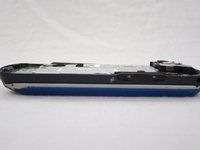
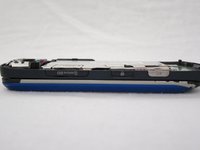
С помощью пинцета извлеките кнопки камеры, блокировки и регулировки громкости с боковой стороны телефона.
-
-
-
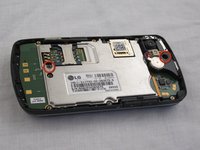
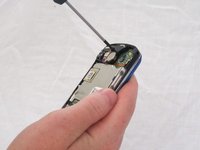
С помощью отвертки Phillips #00 открутите два винта длиной 3 мм, удерживающие материнскую плату.
-
-
-
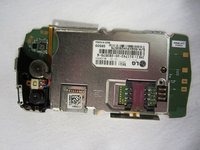
Осторожно приподнимите и извлеките материнскую плату из корпуса.
-
-
-
Аккуратно отсоедините металлическую защелку, чтобы отделить шлейф разъема от материнской платы.
-
-
-
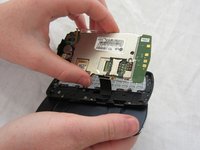
После того как кабель разъема отсоединен от материнской платы, материнская плата считается успешно извлеченной из телефона.
-
-
-
-
-
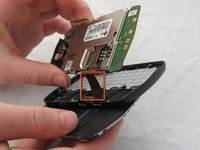
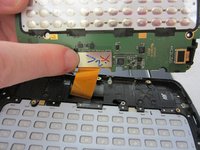
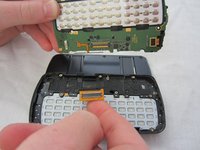
Переверните материнскую плату и осторожно снимите клавиатуру с материнской платы.
-
Клавиатура может свободно лежать в корпусе (не будучи прикрепленной к материнской плате). Осторожно извлеките клавиатуру из корпуса.
-
-

 Спросите у FixBot















Для сборки устройства выполните эти инструкции в обратном порядке.
Отменить: Я не выполнил это руководство.
Еще один человек закончил это руководство.

Команда

Cal Poly, Team 9-41, Regan Spring 2012 Участник Cal Poly, Team 9-41, Regan Spring 2012
CPSU-REGAN-S12S9G41
5 членов
Автор 96 руководств
