Введение
If your LG Xenon GR500 is not turning on from water exposure or drop impact, the issue may be resolved by replacing the motherboard. Handling the motherboard is considered a risky repair that can cause further damage to the device if not operated correctly, so proceed cautiously. This guide will show you how to remove and replace the motherboard carefully.
Выберете то, что вам нужно
-
-
-
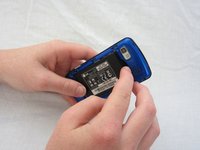
Use your thumb to press on the small ridge at the bottom of the phone, then push upward to slide off the back casing.
-
-
-
-
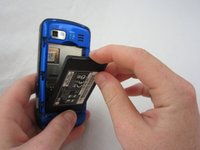
Use your index finger to pull the top of the battery out from the top center divot. Then pull the battery towards yourself to remove it from the compartment.
-
-
-
-
-
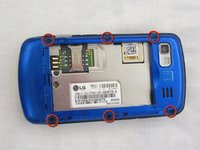
Use a Phillips #00 screwdriver to remove the six 2.4mm screws, which secure the back panel.
-
-
-
-
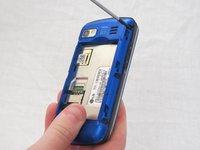
Push a spudger or small tool under the inner edge of the back panel and gently pry upward to separate it from the main body.
-
-
-
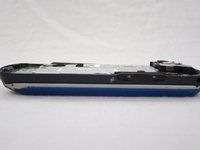
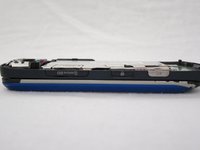
Pop off the camera, lock, and volume buttons from the side of the phone using tweezers.
-
-
-
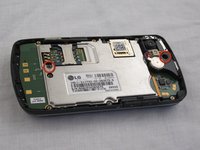
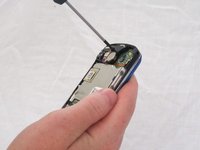
Use the Phillips #00 screwdriver to remove the two 3mm screws, which secure the motherboard.
-
-
-
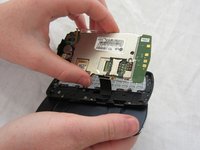
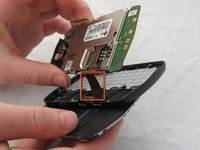
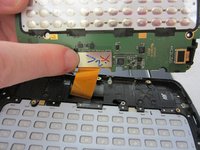
Carefully unclip the metal tab to separate the connector cable from the motherboard.
-
-
-
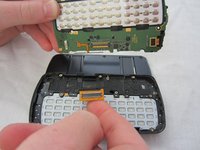
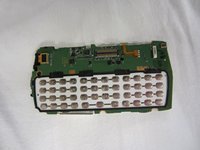
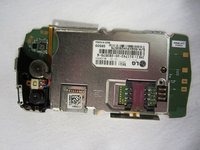
Once the connector cable is detached from the motherboard, you have successfully removed the motherboard from the phone.
-
-

 Спросите у FixBot














To reassemble your device, follow these instructions in reverse order.
Отменить: Я не выполнил это руководство.
2 человек успешно провели ремонт по этому руководству.

Команда

Cal Poly, Team 9-41, Regan Spring 2012 Участник Cal Poly, Team 9-41, Regan Spring 2012
CPSU-REGAN-S12S9G41
5 членов
Автор 56 руководств
