Перейти к основному содержанию
Присоединяйся к сообществу ремонтников - Создай аккаунт

Leapfrog LeapPad 3 Front Facing Camera Replacement

Выберете то, что вам нужно

    1. Leapfrog LeapPad 3 Front Facing Camera Replacement, Battery: шаг 1, изображение 1 из 3 Leapfrog LeapPad 3 Front Facing Camera Replacement, Battery: шаг 1, изображение 2 из 3 Leapfrog LeapPad 3 Front Facing Camera Replacement, Battery: шаг 1, изображение 3 из 3
      Инструмент, используемый на этом этапе:
      Anti-Static Wrist Strap
      $7.95
      • Before taking apart your device, ensure that it is turned off and that your anti-static wrist strap is secured to a ground.

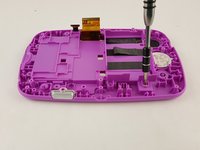
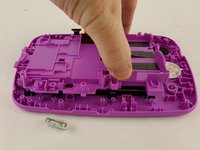
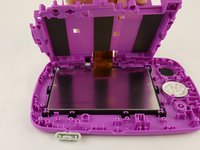
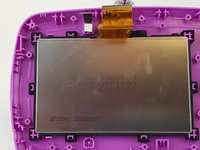
      • Remove the six 10.0 mm Phillips #0 screws from the outer case and remove the cover with your hands.

      • You will not need to pry the case off.

      Спросите у FixBot

      Добавить комментарий

    2. Leapfrog LeapPad 3 Front Facing Camera Replacement: шаг 2, изображение 1 из 3 Leapfrog LeapPad 3 Front Facing Camera Replacement: шаг 2, изображение 2 из 3 Leapfrog LeapPad 3 Front Facing Camera Replacement: шаг 2, изображение 3 из 3
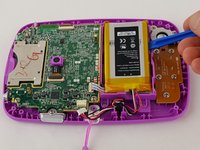
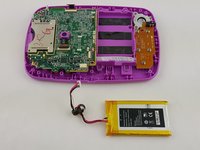
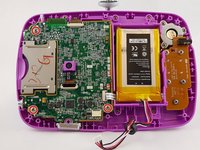
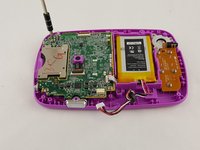
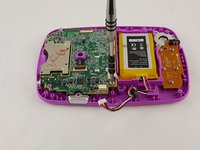
      • Unplug the battery from the motherboard with your hands.

      • The battery sits to the right of the motherboard.

      Спросите у FixBot

      Добавить комментарий

    3. Leapfrog LeapPad 3 Front Facing Camera Replacement: шаг 3, изображение 1 из 2 Leapfrog LeapPad 3 Front Facing Camera Replacement: шаг 3, изображение 2 из 2
      • Pry the battery gently off of the plastic platform with an opening tool.

      • Do not to puncture the battery, as the material inside can be dangerous.

      Спросите у FixBot

      Добавить комментарий

    1. Leapfrog LeapPad 3 Front Facing Camera Replacement, Speaker: шаг 4, изображение 1 из 2 Leapfrog LeapPad 3 Front Facing Camera Replacement, Speaker: шаг 4, изображение 2 из 2
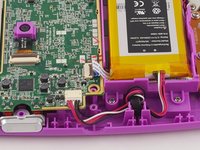
      • Disconnect the audio cord from the motherboard using a plastic opening tool.

      • When re-plugging this cord be sure it is flush with the slot, otherwise the speaker and directional pad will malfunction.

      • Use caution when unplugging, and re-plugging the ribbon cord as they are fragile.

      Спросите у FixBot

      Добавить комментарий

    2. Leapfrog LeapPad 3 Front Facing Camera Replacement: шаг 5, изображение 1 из 3 Leapfrog LeapPad 3 Front Facing Camera Replacement: шаг 5, изображение 2 из 3 Leapfrog LeapPad 3 Front Facing Camera Replacement: шаг 5, изображение 3 из 3
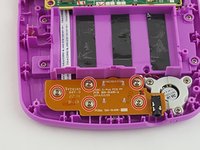
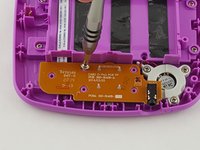
      • Unscrew the five 6.0 mm phillips head screws from the board containing the audio jack and directional pad.

      Спросите у FixBot

      Добавить комментарий

    3. Leapfrog LeapPad 3 Front Facing Camera Replacement: шаг 6, изображение 1 из 3 Leapfrog LeapPad 3 Front Facing Camera Replacement: шаг 6, изображение 2 из 3 Leapfrog LeapPad 3 Front Facing Camera Replacement: шаг 6, изображение 3 из 3
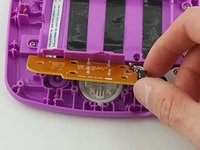
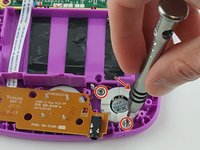
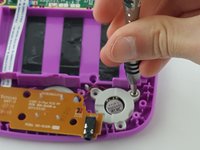
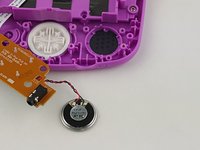
      • Unscrew the three 6.5 mm phillips head screws holding down the speaker to the right of the audio jack.

      • Remove the board and speaker from the device.

      Спросите у FixBot

      Добавить комментарий

    1. Leapfrog LeapPad 3 Front Facing Camera Replacement, Motherboard: шаг 7, изображение 1 из 2 Leapfrog LeapPad 3 Front Facing Camera Replacement, Motherboard: шаг 7, изображение 2 из 2
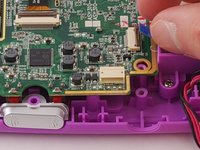
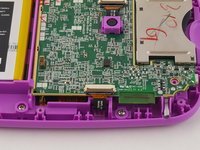
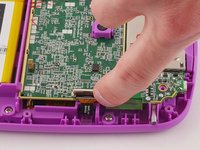
      • Unplug the front facing camera cord with an opening tool to free the top of the motherboard.

      Спросите у FixBot

      Добавить комментарий

    2. Leapfrog LeapPad 3 Front Facing Camera Replacement: шаг 8, изображение 1 из 3 Leapfrog LeapPad 3 Front Facing Camera Replacement: шаг 8, изображение 2 из 3 Leapfrog LeapPad 3 Front Facing Camera Replacement: шаг 8, изображение 3 из 3
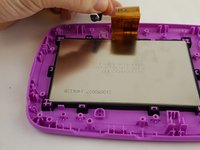
      • Remove the three 6 mm phillips head screws holding the motherboard to the display assembly.

      Спросите у FixBot

      Добавить комментарий

    3. Leapfrog LeapPad 3 Front Facing Camera Replacement: шаг 9, изображение 1 из 3 Leapfrog LeapPad 3 Front Facing Camera Replacement: шаг 9, изображение 2 из 3 Leapfrog LeapPad 3 Front Facing Camera Replacement: шаг 9, изображение 3 из 3
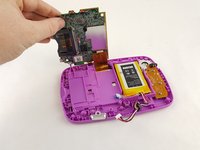
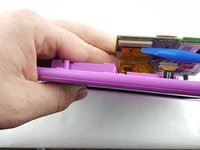
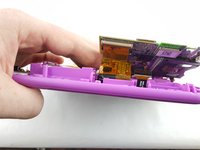
      • Carefully lift the motherboard out of the case, exposing the last remaining cord on the underside of the motherboard.

      • Disconnect the gold display assembly cord with an opening tool to fully disconnect the motherboard.

      • The device was rotated 180 degrees in order to unplug the display assembly cord.

      Спросите у FixBot

      Добавить комментарий

    1. Leapfrog LeapPad 3 Front Facing Camera Replacement, Front Facing Camera: шаг 10, изображение 1 из 2 Leapfrog LeapPad 3 Front Facing Camera Replacement, Front Facing Camera: шаг 10, изображение 2 из 2
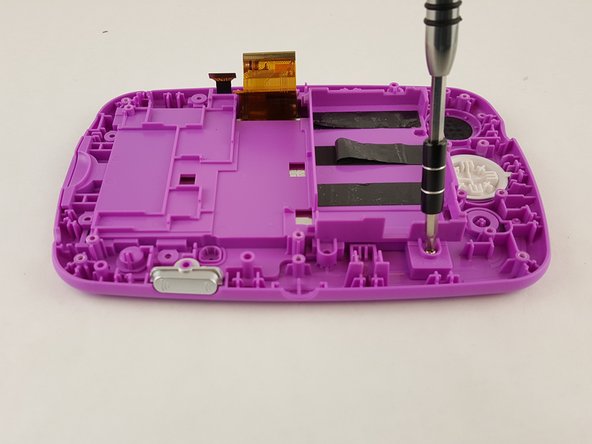
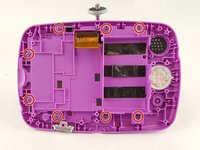
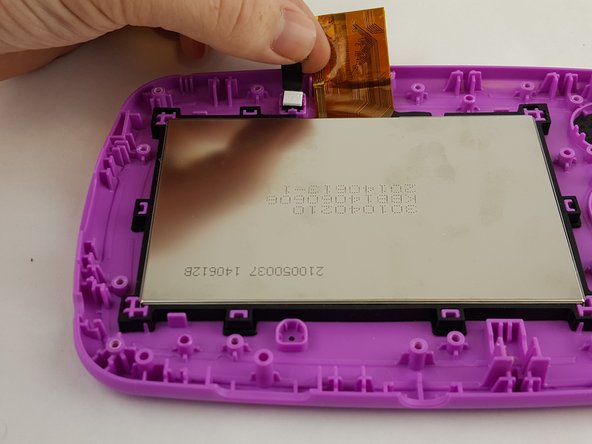
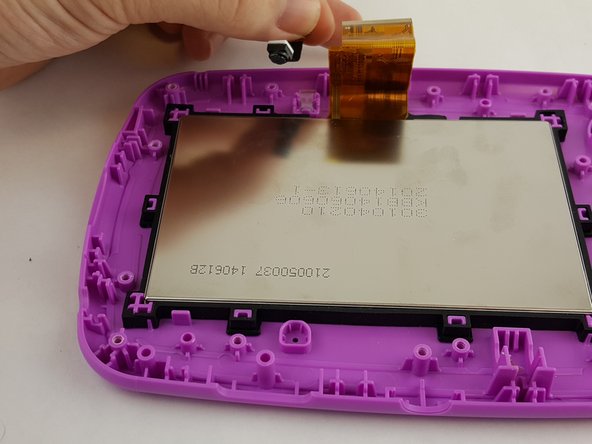
      • Unscrew the eight 6.5 mm phillips screws from the plastic casing.

      Спросите у FixBot

      Добавить комментарий

    2. Leapfrog LeapPad 3 Front Facing Camera Replacement: шаг 11, изображение 1 из 3 Leapfrog LeapPad 3 Front Facing Camera Replacement: шаг 11, изображение 2 из 3 Leapfrog LeapPad 3 Front Facing Camera Replacement: шаг 11, изображение 3 из 3
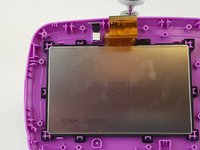
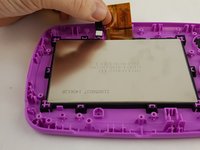
      • Remove the covering with your hand to expose the front facing camera.

      Спросите у FixBot

      Добавить комментарий

    3. Leapfrog LeapPad 3 Front Facing Camera Replacement: шаг 12, изображение 1 из 3 Leapfrog LeapPad 3 Front Facing Camera Replacement: шаг 12, изображение 2 из 3 Leapfrog LeapPad 3 Front Facing Camera Replacement: шаг 12, изображение 3 из 3
      • Remove the front facing camera from the outer case.

      Спросите у FixBot

      Добавить комментарий

Заключение

To reassemble your device, follow these instructions in reverse order.

Отменить: Я не выполнил это руководство.

2 человек успешно провели ремонт по этому руководству.

Matt Irvine

Участник с: 02/04/16

952 Репутация

Автор 6 руководств

Команда

USF Tampa, Team 16-2, Blackwell Winter 2016 Участник USF Tampa, Team 16-2, Blackwell Winter 2016

USFT-BLACKWELL-W16S16G2

3 членов

Автор 12 руководств

0 Комментарии к руководству

Добавить комментарий

Статистика просмотров:

За последние 24 часов: 0

За последние 7 дней: 9

За последние 30 дней: 30

За всё время: 577