Введение
This guide will teach you to replace the LCD screen of your laptop computer.
Выберете то, что вам нужно
-
-
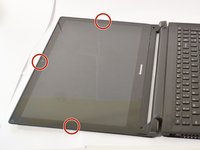
Remove the black plastic or rubber screw caps covering screws, located at the bottom of the screen
 Спросите у FixBot
-
-
-
Remove the (2) M2.5 × 2.5 mm, Black Phillips Nylok coated screws with the Phillips #1 screwdriver, located on either side of the bottom of the screen.
-
-
-
Pry apart plastic cover at the bottom of the screen from plastic hinge cover.
-
-
-
-
Remove the (1) M2.5 x 2.5mm Black Phillips, Nylok coated screw located near the bottom center of the screen with the Phillips #1 screwdriver.
-
-
-
Slide LCD screen around the edges while pulling upwards so that it pops off.
-
Turn the screen over so the touch board is visible, and start working from the back of the screen.
-
-
-
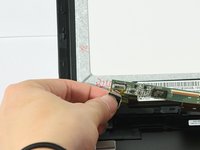
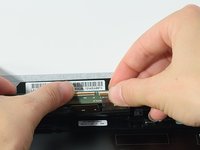
Unplug the sensor from the sensor board near the bottom left of behind the screen.
-
-
-
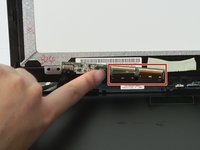
Disconnect the two ribbons from connectors from the same board from the previous step, near the bottom left of the behind the screen.
-
The ribbon connectors unlatch by pulling up on the very small brown plastic bar near the end of the ribbon.
-
-
-
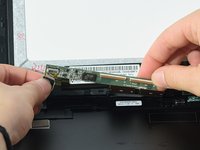
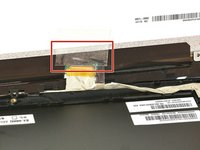
Remove the tape covering a ribbon connector near the bottom of the screen.
-
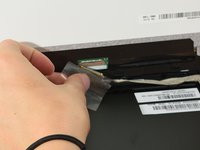
Disconnect the ribbon by pulling back the small grey latch on the connector and gently pulling the ribbon away.
-
-
-
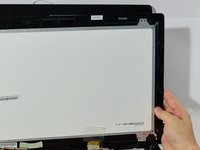
Remove LCD screen by gently pulling screen away from the rest of the laptop.
-













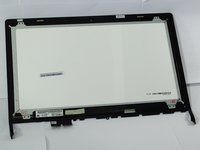
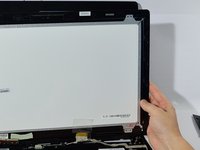
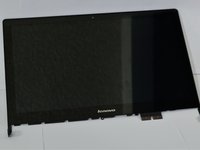
To reassemble your device, follow these instructions in reverse order.
Отменить: Я не выполнил это руководство.
7 человек успешно провели ремонт по этому руководству.

Команда

Cal Poly, Team S8-G1, Banghart Fall 2017 Участник Cal Poly, Team S8-G1, Banghart Fall 2017
CPSU-BANGHART-F17S8G1
5 членов
Автор 7 руководств
5 Комментарии к руководству
Does the lcd separate from the digitizer screen or do both need to be replaced if the digitizer is cracked?
Typically one can separate the LCD from the glass, but it is a difficult and painful process, and it almost always cracks the LCD. If the cost is not prohibitively expensive, I would just replace them together as one unit.
I need that exact bottom frame strip piece replaced that they are showing in the first picture. Does anyone know where I can order one?
looking to replace the whole screen, if possible even the hinge.
nasty bent screen I have for over 2+ years and I want to change that. Any advice welcomed.
frame is bent, Glass is broken in corner, touch screen gone.
Wouldnt care to install digitizer back but if I can see how to install screen components that be good.
Carry on.
que tal joven talvez usted consiguió la pantalla y en que precio por que también tengo el mismo problema quiero cambiar toda la pantalla.
