Перейти к основному содержанию
Присоединяйся к сообществу ремонтников - Создай аккаунт

Levoit Core 300-RAC Control Board Replacement

Выберете то, что вам нужно

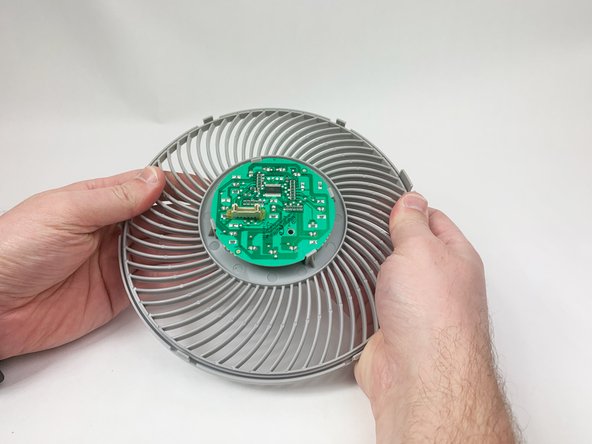
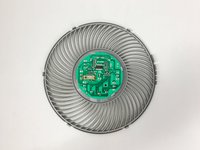
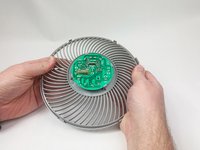
    1. Levoit Core 300-RAC Control Board Replacement, Control Board: шаг 1, изображение 1 из 3 Levoit Core 300-RAC Control Board Replacement, Control Board: шаг 1, изображение 2 из 3 Levoit Core 300-RAC Control Board Replacement, Control Board: шаг 1, изображение 3 из 3
      • Make sure the device is turned off and unplugged before disassembling it.

      • Insert the Jimmy between the gray grille cover and the top of the device.

      • Work your way around the grille cover with the Jimmy to release the clips holding it in place.

      • Take note of the placement of the clips, as they are keyed and need to go back in the exact way they came out.

      • Remove the grille cover gently as it is connected by a ribbon cable.

      • Be careful not to put too much strain on the ribbon cable as it may break.

      Спросите у FixBot

      Добавить комментарий

    2. Levoit Core 300-RAC Control Board Replacement: шаг 2, изображение 1 из 3 Levoit Core 300-RAC Control Board Replacement: шаг 2, изображение 2 из 3 Levoit Core 300-RAC Control Board Replacement: шаг 2, изображение 3 из 3
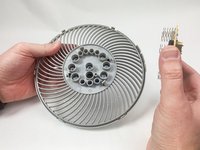
      • Squeeze the tab on the connector to release the bundled cable from the control board.

      • The connector should come out fairly easily, so do not force it. Pulling too hard could damage the connector.

      Спросите у FixBot

      Добавить комментарий

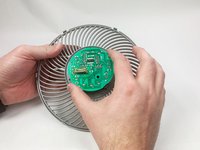
    3. Levoit Core 300-RAC Control Board Replacement: шаг 3, изображение 1 из 2 Levoit Core 300-RAC Control Board Replacement: шаг 3, изображение 2 из 2
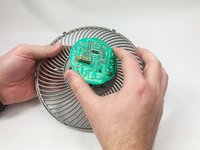
      • Gently bend the gray plastic cover to release the control board.

      • There are several hard tabs holding the control board in place.

      Спросите у FixBot

      Добавить комментарий

    4. Levoit Core 300-RAC Control Board Replacement: шаг 4, изображение 1 из 3 Levoit Core 300-RAC Control Board Replacement: шаг 4, изображение 2 из 3 Levoit Core 300-RAC Control Board Replacement: шаг 4, изображение 3 из 3
      • Lift the control board from the gray plastic cover.

      • Take note of the orientations of the buttons, as that will help during reassembly.

      Спросите у FixBot

      Добавить комментарий

Заключение

To reassemble your device, follow these instructions in reverse order.

Отменить: Я не выполнил это руководство.

Mustafa

Участник с: 11/03/23

259 Репутация

1 руководство автора

Команда

UMass Dartmouth, Team 1-6, Petersen Fall 2023 Участник UMass Dartmouth, Team 1-6, Petersen Fall 2023

UMASSD-PETERSEN-F23S1G6

5 членов

Автор 8 руководств

0 Комментарии к руководству

Добавить комментарий

Статистика просмотров:

За последние 24 часов: 1

За последние 7 дней: 16

За последние 30 дней: 85

За всё время: 1,863