Этот перевод был сделан машиной и пока не проверен человеком. Говорите на этом языке? Просмотрите его.
Введение
Обновите или замените привод Combo или SuperDrive.
Выберете то, что вам нужно
-
-
-
Выключите Mac mini, отсоедините все кабели и переверните его.
-
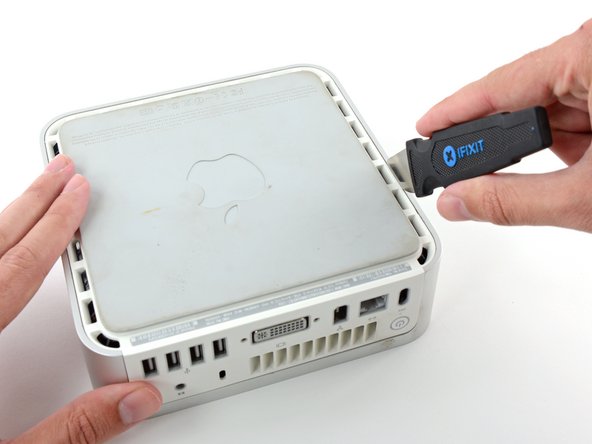
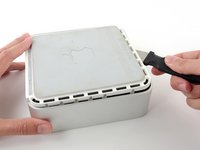
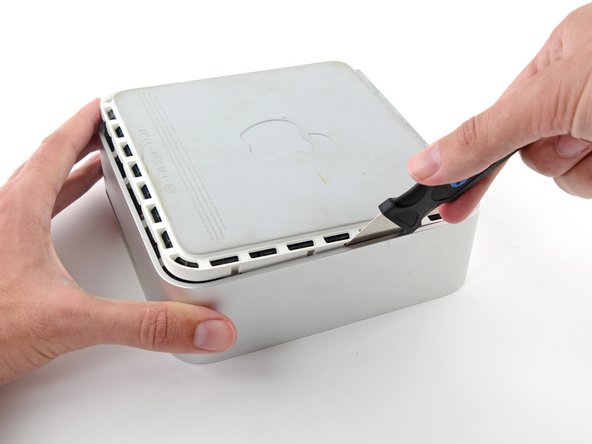
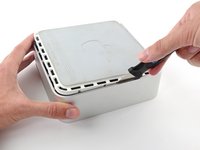
Вставьте Jimmy в зазор между алюминиевой верхней частью корпуса и пластиковой нижней крышкой.
-
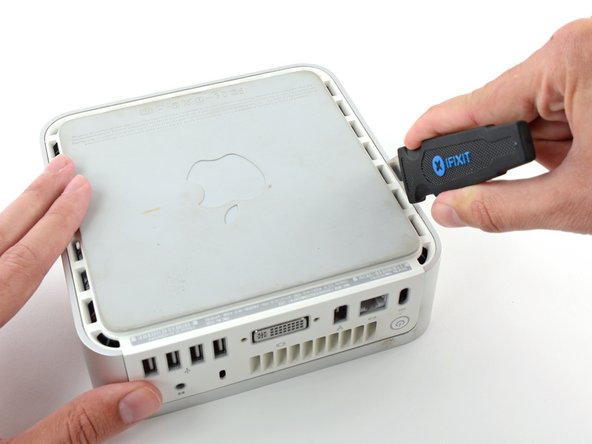
Инструмент Jimmy должен упереться, пройдя внутрь примерно на 1 см.
 Спросите у FixBot
-
-
-
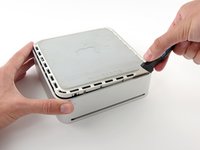
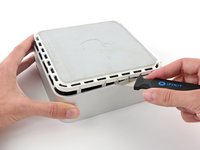
Аккуратно отогните Jimmy наружу, чтобы немного увеличить трещину и слегка приподнять нижнюю часть корпуса.
-
-
-
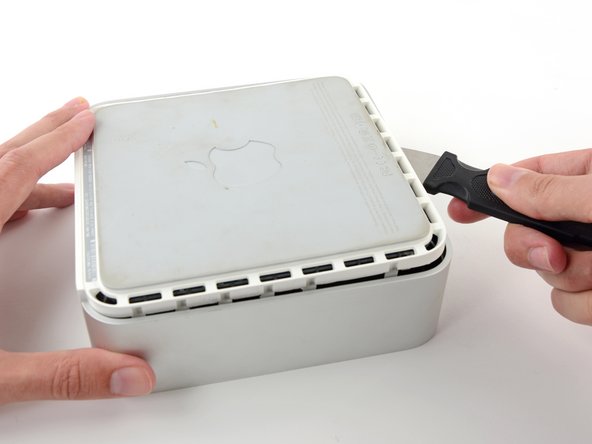
Освободив первую сторону, поверните Mac mini и начните поддевать передний край.
-
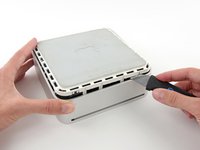
Используйте то же движение, чтобы одновременно отогнуть зажимы внутрь и вытянуть нижнюю часть корпуса из верхней.
-
-
-
Возможно, вам придется провести инструментом Jimmy вдоль края, чтобы поддеть все защелки. Будьте терпеливы и продвигайтесь понемногу.
-
-
-
Продолжайте работать по периметру, освобождая защелки вдоль последнего края.
-
-
-
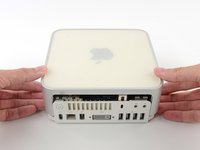
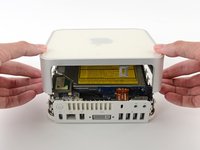
Переверните Mac mini обратно и снимите верхнюю часть корпуса с нижней.
-
-
-
-
-
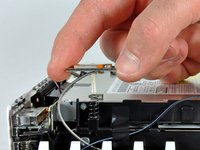
Сначала мы снимем антенну AirPort, расположенную в нижнем левом углу на этом изображении.
-
-
-
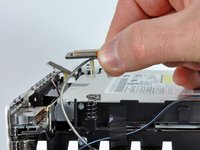
Слегка сожмите два фиксирующих рычага друг к другу и снимите антенну AirPort с её стойки.
-
-
-
-
Возьмитесь за края платы антенны Bluetooth, расположенной ближе к стороне портов компьютера, и потяните её прямо вверх, чтобы снять с внутренней рамы.
-
-
-
Снимите плату антенны рядом с передней частью mini, потянув её строго вверх от внутренней рамы.
-
При необходимости удалите кусок ленты, удерживающий провода антенны на внутренней раме.
-
-
-
Используйте плоский конец лопатки (spudger), чтобы поддеть разъем шлейфа аудиоплаты и отсоединить его от аудиоплаты.
-
-
-
Открутите следующие четыре винта, крепящие внутренний каркас к нижнему корпусу:
-
Три винта Phillips #00 длиной 6,7 мм
-
Один винт Phillips #00 длиной 9,5 мм
-
-
-
Снимите внутреннюю рамку с нижнего корпуса, начиная с заднего края, пока не почувствуете, что скрытый краевой разъем на материнской плате отсоединился. Затем снимите рамку, подняв её прямо вверх, следя за кабелями Bluetooth и антенны 802.11.
-
-
-
-
-
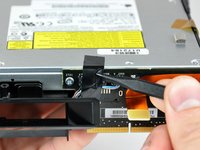
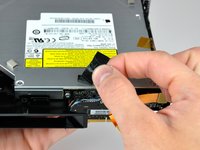
Используйте кончик пластиковой лопатки (spudger), чтобы снять черную изоляционную ленту, проходящую поверх соединительной платы и оптического привода.
-
-
-
Используйте плоский конец пластиковой лопатки (spudger), чтобы отсоединить шлейф аудиоразъема от соединительной платы.
-
-
-
При необходимости снимите желтую ленту Kapton, закрывающую внутреннюю рамку и оптический привод.
-
-
-
Открутите два винта Phillips, которыми оптический привод крепится к внутренней раме.
-
-
-
Поверните mini на 180 градусов и открутите два винта Phillips, которыми оптический привод крепится к внутренней рамке с другой стороны.
-
-
-
Открутите два винта Phillips, которыми плата межкомпонентных соединений крепится к оптическому приводу.
-
-
-
Вставьте плоский конец пластиковой лопатки (spudger) в щель между оптическим приводом и соединительной платой.
-
Осторожно увеличьте зазор, чтобы отсоединить оптический привод от соединительной платы.
-
-
-
-
-
Перенесите четыре поролоновые накладки на новый оптический привод.
-
-













Для сборки устройства выполните эти действия в обратном порядке.
Отменить: Я не выполнил это руководство.
65 человек успешно провели ремонт по этому руководству.

6 Комментарии к руководству
I found that it's entirely possible to remove the optical drive without removing the whole subframe. You can remove the four screws on the sides of the drive quite easily, remove the other end of the audio cable then unscrew the two screws on the back of the drive holding the interconnect board to the drive (the only fiddly bit as it's hard to get a a good angle onto those two screws), then gently lift the front of the drive and pull it forward.
Can anyone tell me now that I have replaced the optical drive, why if only accepts dvd's being put into it when I have first turn on the computer?? If I do it when the computer is already on, no matter how far I try and push in the DVD it doesn't grab it and pull it in properly. No trouble playing them once in.
Please help! Can anyone tell me now that I have replaced the optical drive, why if only accepts dvd's being put into it when I have first turn on the computer?? If I do it when the computer is already on, no matter how far I try and push in the DVD it doesn't grab it and pull it in properly. No trouble playing them once in.
Hi!
Is is correct about the optibay i need to replace a DVD up to SSD:
- the inside connector of this optibay is SATA 3 witch is compatible for a modern SSD, like this one - https://ru.aliexpress.com/item/Newest-Go...
- the outside that goes to a motherboard - what is it - i can't really understand - is it eSATA or it it mSATA or smth else?
Thanks for your reply in advance!
I also had n0o need to remove the frame. To use a screwdriver that is magnetized made some undesirable problems. Overall, the optical drive was replaced -that is , put in as the former drive was removed by someone else.
