Перейти к основному содержанию
Присоединяйся к сообществу ремонтников - Создай аккаунт

Motorola Defy Display Assembly Replacement

Выберете то, что вам нужно

    1. Motorola Defy Display Assembly Replacement, Display Assembly: шаг 1, изображение 1 из 2 Motorola Defy Display Assembly Replacement, Display Assembly: шаг 1, изображение 2 из 2
      • Remove the battery cover and the battery itself.

      Спросите у FixBot

      Добавить комментарий

    2. Motorola Defy Display Assembly Replacement: шаг 2, изображение 1 из 2 Motorola Defy Display Assembly Replacement: шаг 2, изображение 2 из 2
      • Using a Torx T5 screwdriver, remove both screws near the camera.

      Спросите у FixBot

      Добавить комментарий

    3. Motorola Defy Display Assembly Replacement: шаг 3, изображение 1 из 1
      • Using the Torx T5 screwdriver, remove all 7 screws around the mobile: 3 on each side + 1 on the botton.

      Спросите у FixBot

      Добавить комментарий

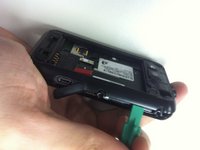
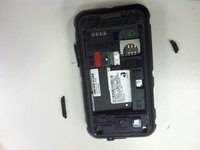
    4. Motorola Defy Display Assembly Replacement: шаг 4, изображение 1 из 3 Motorola Defy Display Assembly Replacement: шаг 4, изображение 2 из 3 Motorola Defy Display Assembly Replacement: шаг 4, изображение 3 из 3
      • Using a plastic opener tool, open the device removing the back cover.

      • Remove the power button and volume button.

      Спросите у FixBot

      Добавить комментарий

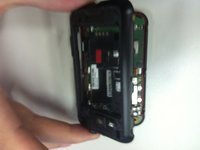
    5. Motorola Defy Display Assembly Replacement: шаг 5, изображение 1 из 3 Motorola Defy Display Assembly Replacement: шаг 5, изображение 2 из 3 Motorola Defy Display Assembly Replacement: шаг 5, изображение 3 из 3
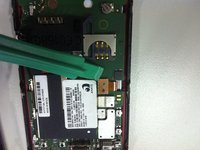
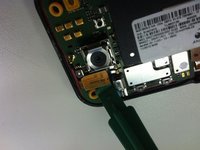
      • After opening the device, carefully, using the plastic opening tool, peel off the lcd and digitalizer conectors from the mainboard.

      Спросите у FixBot

      Добавить комментарий

    6. Motorola Defy Display Assembly Replacement: шаг 6, изображение 1 из 1
      • Remove the two yellow rubber protectors near the screws. The rectangular yellow rubber protector might fall off too so put it aside.

      Спросите у FixBot

      Добавить комментарий

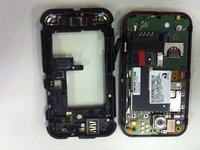
    7. Motorola Defy Display Assembly Replacement: шаг 7, изображение 1 из 1
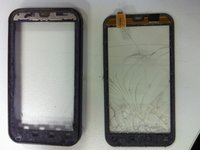
      • Separate the Frame + Digitizer, the LCD and the mainboard.

      Спросите у FixBot

      Добавить комментарий

    8. Motorola Defy Display Assembly Replacement: шаг 8, изображение 1 из 3 Motorola Defy Display Assembly Replacement: шаг 8, изображение 2 из 3 Motorola Defy Display Assembly Replacement: шаг 8, изображение 3 из 3
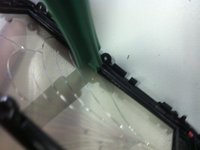
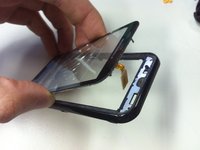
      • Now, using a plastic opening tool, carefully insert it between the frame and the glass and force it slowly to remove the adhesive. You may also heat it to help.

      • Now, Remove the rest of adhesive from the frame to better apply the new digitizer on it.

      • Follow this backwards to reassemble the mobile.

      Спросите у FixBot

      Добавить комментарий

Заключение

To reassemble your device, follow these instructions in reverse order.

Отменить: Я не выполнил это руководство.

11 человек успешно провели ремонт по этому руководству.

Leandro Fuscaldi Albergaria

Участник с: 01/12/12

285 Репутация

1 руководство автора

0 Комментарии к руководству

Добавить комментарий

Статистика просмотров:

За последние 24 часов: 0

За последние 7 дней: 6

За последние 30 дней: 32

За всё время: 6,180