Перейти к основному содержанию
Присоединяйся к сообществу ремонтников - Создай аккаунт

Motorola Droid Pro Keyboard Replacement

Выберете то, что вам нужно

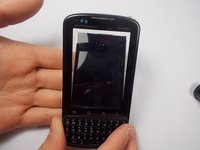
  1. Motorola Droid Pro Keyboard Replacement, Battery: шаг 1, изображение 1 из 1
    • Remove the back cover using the thumb tab located on the bottom of the phone.

    Спросите у FixBot

    Добавить комментарий

  2. Motorola Droid Pro Keyboard Replacement: шаг 2, изображение 1 из 2 Motorola Droid Pro Keyboard Replacement: шаг 2, изображение 2 из 2
    • Remove the battery using the thumb tab.

    Спросите у FixBot

    Добавить комментарий

  3. Motorola Droid Pro Keyboard Replacement, SD Card/SIM Card PCB Board: шаг 3, изображение 1 из 2 Motorola Droid Pro Keyboard Replacement, SD Card/SIM Card PCB Board: шаг 3, изображение 2 из 2
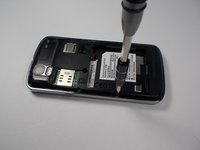
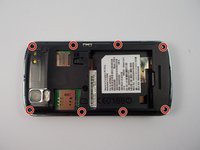
    • Using a T4 Torx driver, remove the eight 4 mm back panel screws.

    Спросите у FixBot

    Добавить комментарий

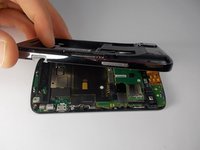
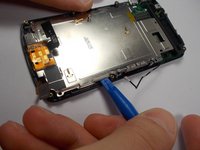
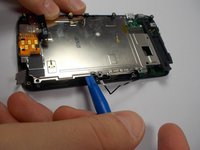
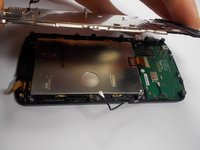
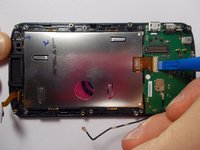
  4. Motorola Droid Pro Keyboard Replacement: шаг 4, изображение 1 из 3 Motorola Droid Pro Keyboard Replacement: шаг 4, изображение 2 из 3 Motorola Droid Pro Keyboard Replacement: шаг 4, изображение 3 из 3
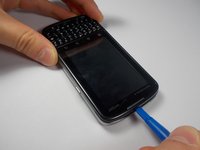
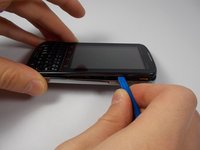
    • Use a plastic opening tool to open the phone along the sides between the front panel and the chrome trim.

    • It is held together by small clips that lock in. You may have to use extra force to unlock them.

    • Go around on all sides of the phone, unlocking the clips. Then pull the back panel off.

    Спросите у FixBot

    Добавить комментарий

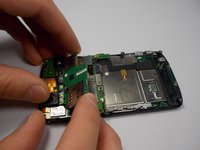
  5. Motorola Droid Pro Keyboard Replacement: шаг 5, изображение 1 из 2 Motorola Droid Pro Keyboard Replacement: шаг 5, изображение 2 из 2
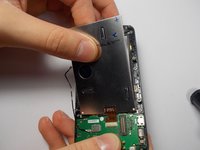
    • Gently lift the SD & SIM card board (PCB) as shown.

    • There is a ribbon cable attached underneath. Gently pull the PCB board away from the phone and it will detach easily.

    Спросите у FixBot

    Добавить комментарий

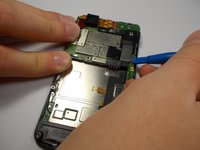
  6. Motorola Droid Pro Keyboard Replacement, Motherboard: шаг 6, изображение 1 из 2 Motorola Droid Pro Keyboard Replacement, Motherboard: шаг 6, изображение 2 из 2
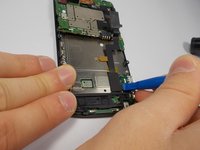
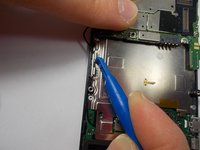
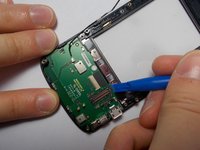
    • Use your plastic opening tool to disconnect the motherboard/keyboard ribbon cable.

    • There are small tabs on the side of the connectors to wedge your tool under.

    Спросите у FixBot

    Добавить комментарий

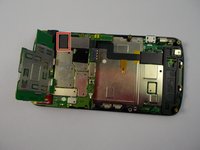
  7. Motorola Droid Pro Keyboard Replacement: шаг 7, изображение 1 из 2 Motorola Droid Pro Keyboard Replacement: шаг 7, изображение 2 из 2
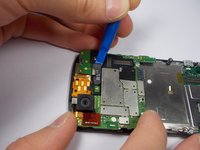
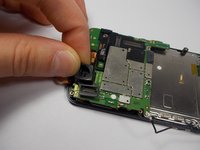
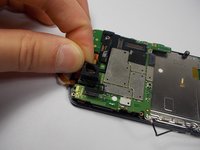
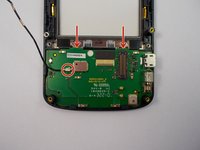
    • Use your plastic opening tool to disconnect the two ribbon cables at the top of the phone.

    Спросите у FixBot

    Добавить комментарий

  8. Motorola Droid Pro Keyboard Replacement: шаг 8, изображение 1 из 2 Motorola Droid Pro Keyboard Replacement: шаг 8, изображение 2 из 2
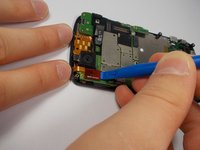
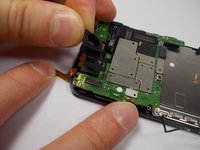
    • Disconnect the 2nd keyboard connector from the motherboard and remove it from its side holders.

    • This cable is fragile so be careful when disconnecting and moving it around.

    Спросите у FixBot

    Добавить комментарий

  9. Motorola Droid Pro Keyboard Replacement: шаг 9, изображение 1 из 1
    • Use a T5 Torx Screwdriver to unscrew the 2mm screw.

    Спросите у FixBot

    Добавить комментарий

  10. Motorola Droid Pro Keyboard Replacement: шаг 10, изображение 1 из 3 Motorola Droid Pro Keyboard Replacement: шаг 10, изображение 2 из 3 Motorola Droid Pro Keyboard Replacement: шаг 10, изображение 3 из 3
    • Remove the camera's rubber seal by pulling it off. It is not connected to anything.

    Спросите у FixBot

    Добавить комментарий

  11. Motorola Droid Pro Keyboard Replacement: шаг 11, изображение 1 из 2 Motorola Droid Pro Keyboard Replacement: шаг 11, изображение 2 из 2
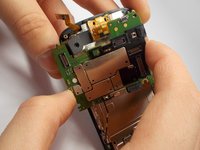
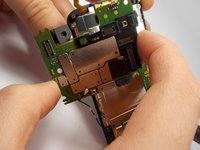
    • To remove the motherboard, pull it to the side. The camera that is connected to the motherboard does not pull straight up and out from its holder.

    Спросите у FixBot

    Добавить комментарий

  12. Motorola Droid Pro Keyboard Replacement, Screen: шаг 12, изображение 1 из 2 Motorola Droid Pro Keyboard Replacement, Screen: шаг 12, изображение 2 из 2
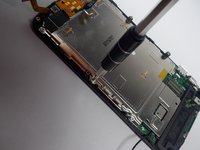
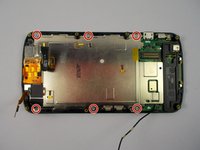
    • Use a T4 Torx Screwdriver to remove the (6) 1mm screws.

    Спросите у FixBot

    Добавить комментарий

  13. Motorola Droid Pro Keyboard Replacement: шаг 13, изображение 1 из 3 Motorola Droid Pro Keyboard Replacement: шаг 13, изображение 2 из 3 Motorola Droid Pro Keyboard Replacement: шаг 13, изображение 3 из 3
    • Using a plastic opening tool or spudger lift the rear screen plate up and pull it off.

    Спросите у FixBot

    Добавить комментарий

  14. Motorola Droid Pro Keyboard Replacement: шаг 14, изображение 1 из 3 Motorola Droid Pro Keyboard Replacement: шаг 14, изображение 2 из 3 Motorola Droid Pro Keyboard Replacement: шаг 14, изображение 3 из 3
    • Unlock the screen's ribbon cable.

    • The mechanism that locks the ribbon cable in place for the screen is very weak, so be careful.

    • To remove the screen, you have to flip the phone over and let it fall out slowly into your hand. Be careful not to put any tension on the ribbon cable.

    • Then pull the screen away from the ribbon cable connector and it will slide out easily. Do not use excessive force.

    Спросите у FixBot

    Добавить комментарий

  15. Motorola Droid Pro Keyboard Replacement, Keyboard: шаг 15, изображение 1 из 2 Motorola Droid Pro Keyboard Replacement, Keyboard: шаг 15, изображение 2 из 2
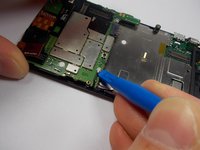
    • Disconnect the last cable.

    • Then use a plastic opening tool to pop out the keyboard.

    Спросите у FixBot

    Добавить комментарий

Заключение

To reassemble your device, follow these instructions in reverse order.

Отменить: Я не выполнил это руководство.

2 человек успешно провели ремонт по этому руководству.

Kyle Shays

Участник с: 10/28/15

836 Репутация

Автор 4 руководств

Команда

UMass Dartmouth, Team 1-6, Miles Fall 2015 Участник UMass Dartmouth, Team 1-6, Miles Fall 2015

UMASSD-MILES-F15S1G6

3 членов

Автор 12 руководств

0 Комментарии к руководству

Добавить комментарий

Статистика просмотров:

За последние 24 часов: 1

За последние 7 дней: 4

За последние 30 дней: 49

За всё время: 1,477