Перейти к основному содержанию
Присоединяйся к сообществу ремонтников - Создай аккаунт

Motorola Droid Pro Motherboard Replacement

Выберете то, что вам нужно

    1. Motorola Droid Pro Motherboard Replacement, Battery: шаг 1, изображение 1 из 1
      • Remove the back cover using the thumb tab located on the bottom of the phone.

      Спросите у FixBot

      Добавить комментарий

    2. Motorola Droid Pro Motherboard Replacement: шаг 2, изображение 1 из 2 Motorola Droid Pro Motherboard Replacement: шаг 2, изображение 2 из 2
      • Remove the battery using the thumb tab.

      Спросите у FixBot

      Добавить комментарий

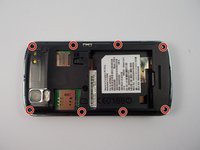
    1. Motorola Droid Pro Motherboard Replacement, SD Card/SIM Card PCB Board: шаг 3, изображение 1 из 2 Motorola Droid Pro Motherboard Replacement, SD Card/SIM Card PCB Board: шаг 3, изображение 2 из 2
      • Using a T4 Torx driver, remove the eight 4 mm back panel screws.

      Спросите у FixBot

      Добавить комментарий

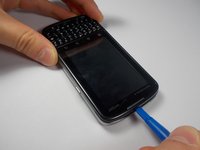
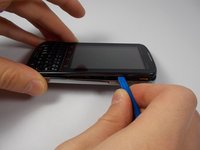
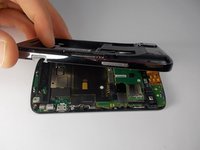
    2. Motorola Droid Pro Motherboard Replacement: шаг 4, изображение 1 из 3 Motorola Droid Pro Motherboard Replacement: шаг 4, изображение 2 из 3 Motorola Droid Pro Motherboard Replacement: шаг 4, изображение 3 из 3
      • Use a plastic opening tool to open the phone along the sides between the front panel and the chrome trim.

      • It is held together by small clips that lock in. You may have to use extra force to unlock them.

      • Go around on all sides of the phone, unlocking the clips. Then pull the back panel off.

      Спросите у FixBot

      Добавить комментарий

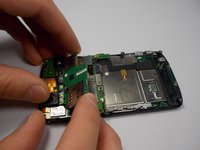
    3. Motorola Droid Pro Motherboard Replacement: шаг 5, изображение 1 из 2 Motorola Droid Pro Motherboard Replacement: шаг 5, изображение 2 из 2
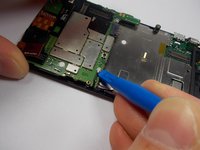
      • Gently lift the SD & SIM card board (PCB) as shown.

      • There is a ribbon cable attached underneath. Gently pull the PCB board away from the phone and it will detach easily.

      Спросите у FixBot

      Добавить комментарий

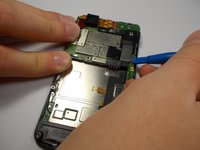
    1. Motorola Droid Pro Motherboard Replacement, Motherboard: шаг 6, изображение 1 из 2 Motorola Droid Pro Motherboard Replacement, Motherboard: шаг 6, изображение 2 из 2
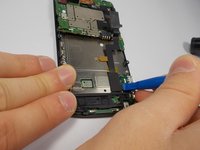
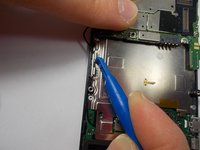
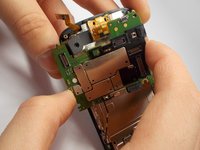
      • Use your plastic opening tool to disconnect the motherboard/keyboard ribbon cable.

      • There are small tabs on the side of the connectors to wedge your tool under.

      Спросите у FixBot

      Добавить комментарий

    2. Motorola Droid Pro Motherboard Replacement: шаг 7, изображение 1 из 2 Motorola Droid Pro Motherboard Replacement: шаг 7, изображение 2 из 2
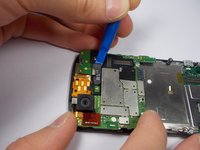
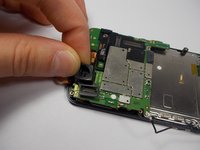
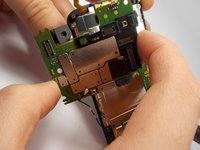
      • Use your plastic opening tool to disconnect the two ribbon cables at the top of the phone.

      Спросите у FixBot

      Добавить комментарий

    3. Motorola Droid Pro Motherboard Replacement: шаг 8, изображение 1 из 2 Motorola Droid Pro Motherboard Replacement: шаг 8, изображение 2 из 2
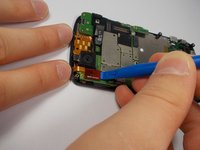
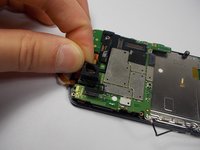
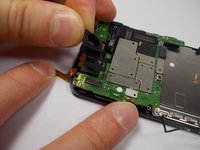
      • Disconnect the 2nd keyboard connector from the motherboard and remove it from its side holders.

      • This cable is fragile so be careful when disconnecting and moving it around.

      Спросите у FixBot

      Добавить комментарий

    4. Motorola Droid Pro Motherboard Replacement: шаг 9, изображение 1 из 1
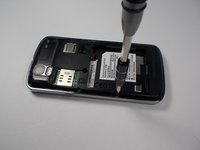
      • Use a T5 Torx Screwdriver to unscrew the 2mm screw.

      Спросите у FixBot

      Добавить комментарий

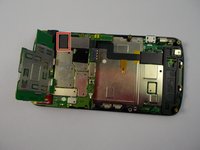
    5. Motorola Droid Pro Motherboard Replacement: шаг 10, изображение 1 из 3 Motorola Droid Pro Motherboard Replacement: шаг 10, изображение 2 из 3 Motorola Droid Pro Motherboard Replacement: шаг 10, изображение 3 из 3
      • Remove the camera's rubber seal by pulling it off. It is not connected to anything.

      Спросите у FixBot

      Добавить комментарий

    6. Motorola Droid Pro Motherboard Replacement: шаг 11, изображение 1 из 2 Motorola Droid Pro Motherboard Replacement: шаг 11, изображение 2 из 2
      • To remove the motherboard, pull it to the side. The camera that is connected to the motherboard does not pull straight up and out from its holder.

      Спросите у FixBot

      Добавить комментарий

Заключение

To reassemble your device, follow these instructions in reverse order.

Отменить: Я не выполнил это руководство.

3 человек успешно провели ремонт по этому руководству.

Richard Bellizzi

Участник с: 10/28/15

352 Репутация

Автор 2 руководств

Команда

UMass Dartmouth, Team 1-6, Miles Fall 2015 Участник UMass Dartmouth, Team 1-6, Miles Fall 2015

UMASSD-MILES-F15S1G6

3 членов

Автор 42 руководств

0 Комментарии к руководству

Добавить комментарий

Статистика просмотров:

За последние 24 часов: 3

За последние 7 дней: 10

За последние 30 дней: 38

За всё время: 692