Введение
You've shattered your screen and now you can barely use your phone without covering your hand in cuts. With this guide, you'll be able to replace that screen with a slick new one.
Выберете то, что вам нужно
-
-
-
Remove the two 4.5mm screws in the bottom left and right corners of the device using a T4 Torx Screwdriver.
 Спросите у FixBot
-
-
-
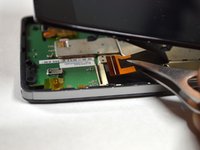
Holding the device in your hand, push the screen towards the top of the phone until it disconnects from the base of the phone.
-
-
-
Инструмент, используемый на этом этапе:Tweezers$4.99
-
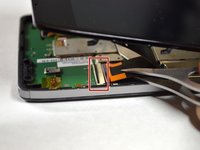
Use tweezers to remove the yellow tape covering the lcd/digitizer cable connector.
-
Carefully lift up the black locking tab to release the lcd/digitizer cable.
-
-
-
Lift up the screen further to reveal another cable at the top of the device connecting the motherboard to the screen.
-
Use tweezers to lift the black bar on top of the ZIF connector.
-
Pull the ribbon cable out of the connector with tweezers.
-
Now that there are no cables connecting the screen to the motherboard, remove the screen.
-
-
-
-
Инструмент, используемый на этом этапе:Tweezers$4.99
-
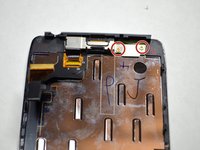
Remove the two 2.0mm T4 Torx screws near the top of the screen.
-
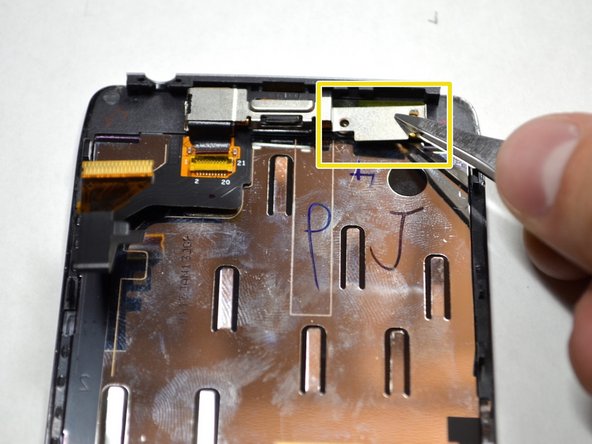
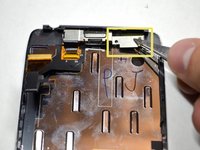
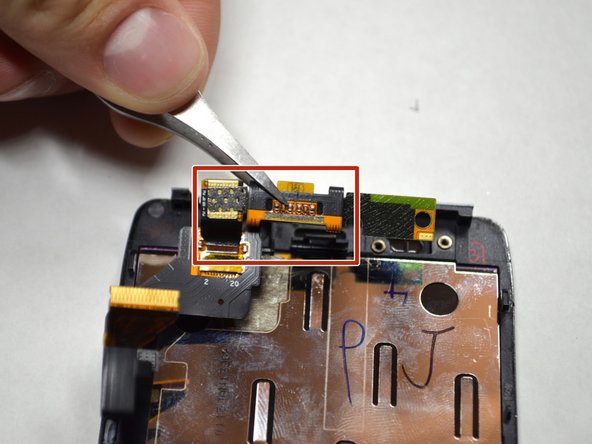
Remove the metal plate protecting the front camera and ear speaker with tweezers.
-
-
-
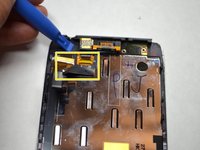
Using a plastic openining tool, lift up the front camera and ear speaker assembly.
-
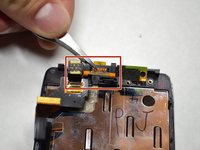
Remove the assembly with tweezers.
-
-





To reassemble your device, follow these instructions in reverse order.
Отменить: Я не выполнил это руководство.
2 человек успешно провели ремонт по этому руководству.

Команда

Cal Poly, Team 4-4, Maness Spring 2015 Участник Cal Poly, Team 4-4, Maness Spring 2015
CPSU-MANESS-S15S4G4
5 членов
Автор 54 руководств
