Введение
Replacing phone battery.
Выберете то, что вам нужно
-
-
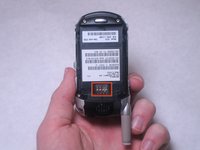
Locate the silver button on the back of the phone, near the bottom.
-
Depress the silver button with one hand and slide the back cover of the phone away from the antenna.
 Спросите у FixBot
-
-
-
-
Insert a plastic spudger near one corner of the battery (preferably one furthest from the phone's antenna).
-
Gently pry the battery up and away from the phone. The battery should easily raise out of its place.
-
Now that the battery is exposed, use your fingers to remove the it from the phone.
-
-
-
Note the metal connections on the phone, which are now exposed with the battery removed.
-
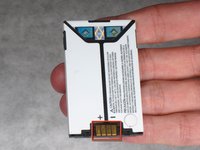
There are corresponding metal connectors on the replacement battery.
-
When you install the battery, be sure both connectors are matched up. Otherwise, your battery will be unable to supply power to your phone.
-


To reassemble your device, follow these instructions in reverse order.

Команда

Cal Poly, Team 27-96, Amido Spring 2010 Участник Cal Poly, Team 27-96, Amido Spring 2010
CPSU-AMIDO-S10S27G96
4 членов
Автор 15 руководств
