Введение
If you have identified an issue with your speaker’s indicator light bulb and need to replace it, use this guide to help you replace the light bulb. In order to remove and replace the indicator light bulb of your MPOW Armor speaker, you will need a T6 and JIS #00 head screwdriver.
Выберете то, что вам нужно
-
-
-
Remove four Hex 10 mm screws from the outer speaker cover displaying the speaker's serial number indicated by the red circle.
-
Carefully insert the spudger tool into one of the holes in the cover to pry open the outer cover of the speaker.
 Спросите у FixBot
-
-
Инструмент, используемый на этом этапе:Tweezers$4.99
-
Remove four JIS J00 12mm screws.
-
Remove the inner speaker cover with the precision tweezers and a spudger if needed.
-
-
-
Carefully detach the battery from the adhesive securing the battery to the inner wall of the speaker.
-
Use the iFixit Adhesive Remover as directed to remove the battery from the inner wall of the speaker.
-
Detach the battery from the inner wall without detaching the wires connecting the battery to the motherboard.
-
-
-
-
Hold down the small lever on the white, plastic plug attached to the battery wires, and detach the wires from the white, plastic plug outlet on the motherboard.
-
-
-
-
-
Unplug all wires that are connected to the motherboard.
-
-
Инструмент, используемый на этом этапе:Tweezers$4.99
-
Detach the motherboard from the speaker using the tech knife and the adhesive remover to remove the adhesive securing the motherboard.
-
Use iFixit Adhesive Remover as directed.
-
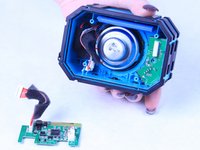
Use the precision tweezers with the blunt head to carefully grip and pull out the motherboard.
-
-
-
-
Инструмент, используемый на этом этапе:Tweezers$4.99
-
Use the adhesive remover to loosen the light bulb.
-
Gently remove bulb with the precision tweezers.
-
-


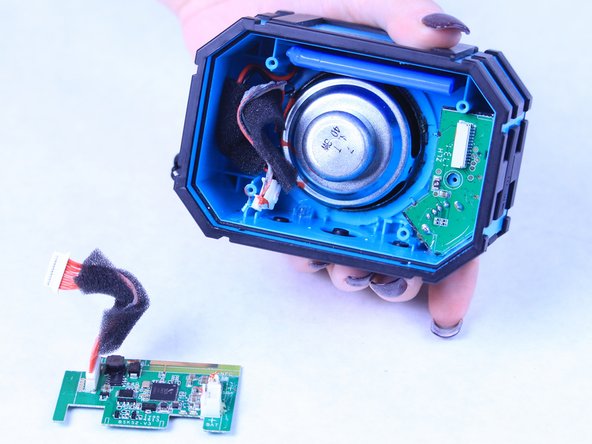

To reassemble your device, follow these instructions in reverse order.

Команда

Sam Houston State, Team S15-G5, Blackburne Fall 2018 Участник Sam Houston State, Team S15-G5, Blackburne Fall 2018
SHSU-BLACKBURNE-F18S15G5
3 членов
Автор 10 руководств
