Введение
This guide shows how to remove and replace the audio port located on the motherboard in the top right-hand corner of the phone.
Выберете то, что вам нужно
-
-
Инструмент, используемый на этом этапе:SIM Card Eject Tool$2.99
-
Power off the phone, by long-pressing the power button and touching Power off.
-
Remove the SIM tray using the SIM Card Eject Tool.
 Спросите у FixBot
-
-
Инструмент, используемый на этом этапе:T5 Torx Screwdriver$5.49
-
Remove the two screws from the bottom of the phone with a T5 Torx Screwdriver.
-
-
-
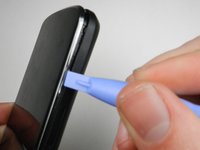
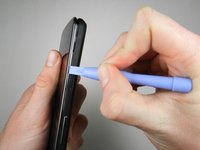
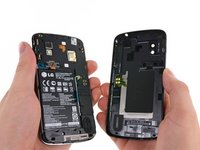
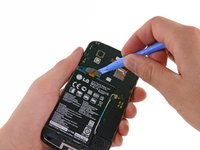
Gently open the back case by prying along the edge of the cover, starting at a corner of the phone and circling around the phone using a plastic opening tool.
-
-
-
-
-
-
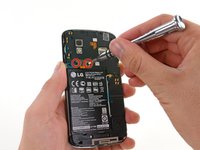
Remove the two 1.8 mm Phillips screws holding down the battery connector.
-
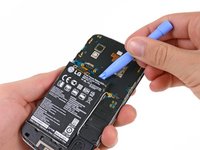
Using a plastic opening tool, disconnect the battery cable from its socket on the motherboard.
-
-
Инструмент, используемый на этом этапе:Plastic Cards$2.99
-
Remove the blue tape that secures the white antenna cable to the battery.
-
Using a spudger, carefully disconnect the white antenna cable.
-
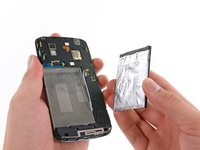
Carefully pry the battery out with a Plastic Opening Tool, starting at the top left-hand corner and working down towards the bottom right-hand corner.
-
-
-
-
-
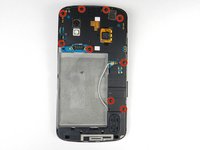
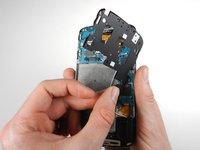
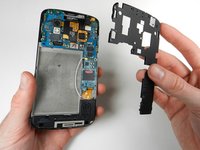
Remove the nine 4.6 mm Phillips #000 screws. Gently lift out the plastic cover.
-
The midframe is held in with two clips, one at either side. Use a plastic spudger to release each side and gently lift up and away.
-
-
-
-
-
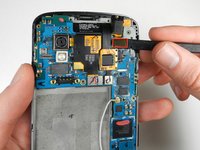
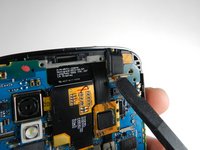
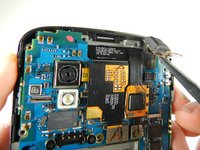
Using a spudger, pop off the gray connector on the top right of the motherboard.
-
-
-
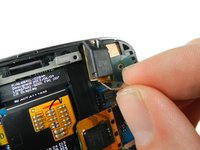
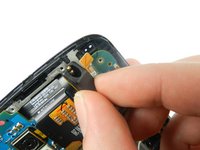
Gently lift the audio jack upwards and to the left to remove it from the motherboard.
-
-
-
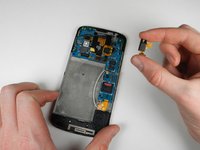
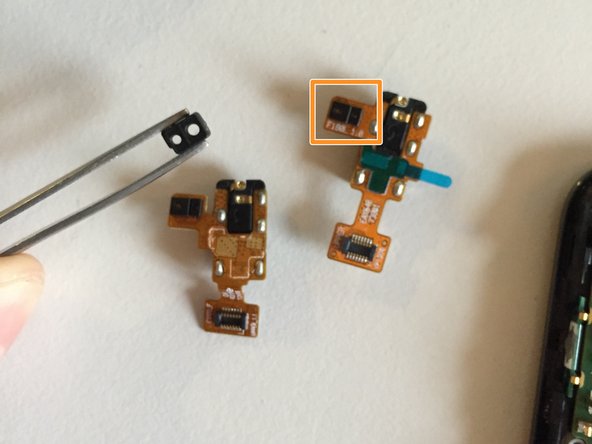
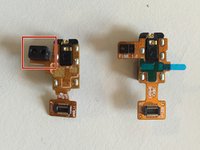
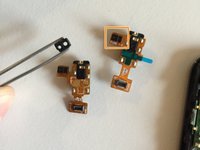
The audio port will likely lift out together with the ambient light sensor rubber cap.
-
Remove the cap from the old part and move it to the new one. Ensure the cap stays in place when installing the new audio port into the phone.
-
-













To reassemble your device, follow these instructions in reverse order.
Отменить: Я не выполнил это руководство.
26 человек успешно провели ремонт по этому руководству.

Команда

Cal Poly, Team 3-32, Amido Winter 2013 Участник Cal Poly, Team 3-32, Amido Winter 2013
CPSU-AMIDO-W13S3G32
4 членов
Автор 24 руководств
1 Комментарий к руководству
where can I order the original connector on my Nexus 4? With delivery to the Crimea.
Grateful for the answer in advance.
