Этот перевод был сделан машиной и пока не проверен человеком. Говорите на этом языке? Просмотрите его.
Введение
В этом руководстве подробно описано, как снять и установить динамики телефона, расположенные в нижней части Nexus 4.
Выберете то, что вам нужно
-
-
Инструмент, используемый на этом этапе:SIM Card Eject Tool$2.99
-
Выключите телефон, удерживая кнопку питания и нажав на экране «Выключить».
-
Извлеките лоток SIM-карты с помощью инструмента для извлечения SIM-карты.
 Спросите у FixBot
-
-
Инструмент, используемый на этом этапе:T5 Torx Screwdriver$5.49
-
Открутите два винта в нижней части телефона с помощью отвертки Torx T5.
-
-
-
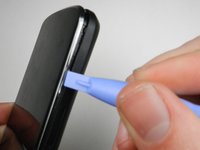
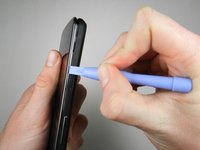
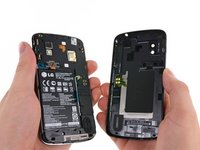
Аккуратно откройте заднюю крышку, поддевая её вдоль края: начните с угла телефона и пройдитесь по периметру с помощью пластикового инструмента для открывания.
-
-
-
-
-
-
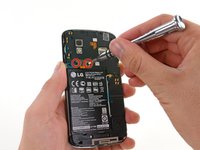
Открутите два винта Phillips длиной 1,8 мм, удерживающие разъем аккумулятора.
-
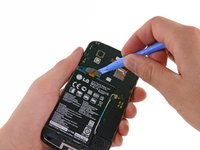
С помощью пластиковой лопатки отсоедините шлейф аккумулятора от разъема на материнской плате.
-
-
Инструмент, используемый на этом этапе:Plastic Cards$2.99
-
Удалите синюю ленту, которая удерживает белый кабель антенны на аккумуляторе.
-
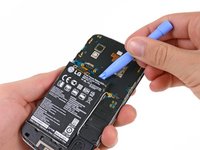
С помощью лопатки осторожно отсоедините белый кабель антенны.
-
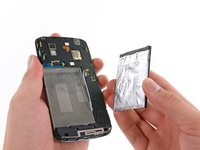
Осторожно подденьте аккумулятор инструментом Plastic Opening Tool, начиная с верхнего левого угла и продвигаясь к нижнему правому углу.
-
-
-
-
-
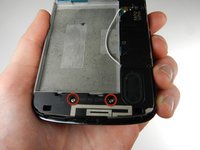
Открутите два винта длиной 4,8 мм, удерживающие корпус динамика, с помощью отвертки Phillips 00.
-
-
-
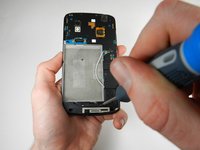
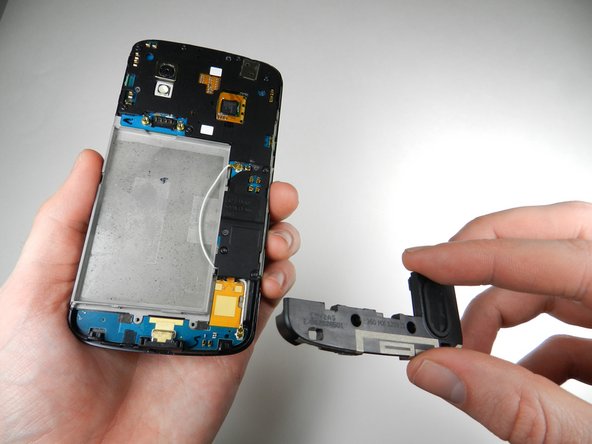
Аккуратно подденьте динамик пластиковой лопаткой для вскрытия, отделяя его от задней панели телефона, и извлеките его.
-
-









Для сборки устройства выполните эти инструкции в обратном порядке.
Отменить: Я не выполнил это руководство.
10 человек успешно провели ремонт по этому руководству.

Команда

Cal Poly, Team 3-32, Amido Winter 2013 Участник Cal Poly, Team 3-32, Amido Winter 2013
CPSU-AMIDO-W13S3G32
4 членов
Автор 96 руководств
