Перейти к основному содержанию
Присоединяйся к сообществу ремонтников - Создай аккаунт
Nintendo Wii Remote B Trigger Button Replacement

Выберете то, что вам нужно

    1. Nintendo Wii Remote B Trigger Button Replacement, Front Cover Plate and Batteries: шаг 1, изображение 1 из 2 Nintendo Wii Remote B Trigger Button Replacement, Front Cover Plate and Batteries: шаг 1, изображение 2 из 2
      • Flip the Wii Remote over so the battery cover faces you.

      • Push up on the bottom tab.

      • Remove the battery cover.

      Спросите у FixBot

      Добавить комментарий

    2. Nintendo Wii Remote B Trigger Button Replacement: шаг 2, изображение 1 из 1
      • Remove the first battery by pressing down on the positive end and pulling the battery out.

      • Remove the second battery by pushing up on the positive end and pulling the battery out.

      Спросите у FixBot

      Добавить комментарий

    3. Nintendo Wii Remote B Trigger Button Replacement: шаг 3, изображение 1 из 1
      • Using a tri-point Y1 Screwdriver, remove the two center 7mm screws by turning them counterclockwise.

      • Repeat with the two bottom screws.

      Спросите у FixBot

      Добавить комментарий

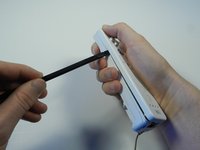
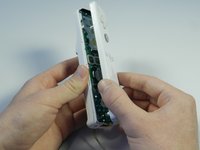
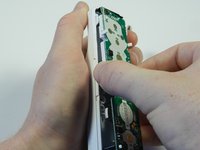
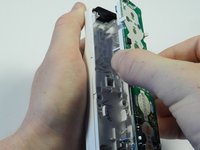
    4. Nintendo Wii Remote B Trigger Button Replacement: шаг 4, изображение 1 из 2 Nintendo Wii Remote B Trigger Button Replacement: шаг 4, изображение 2 из 2
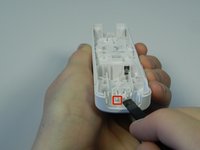
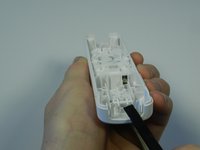
      • With the flat end of a spudger, gently apply pressure to the tabs located on left side of the controller.

      • These tabs are breakable. However, if the tabs are broken the controller will still function.

      • Open the front plate like a book.

      • Small parts may fall out as you open the front plate.

      Спросите у FixBot

      Добавить комментарий

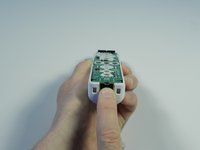
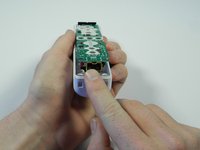
    1. Nintendo Wii Remote B Trigger Button Replacement, Motherboard: шаг 5, изображение 1 из 2 Nintendo Wii Remote B Trigger Button Replacement, Motherboard: шаг 5, изображение 2 из 2
      • Using the connector port, gently lift the motherboard about 2 cm from the base.

      • Electrostatic discharge may damage the device. Be careful and avoid touching the electronic components as much as possible.

      Спросите у FixBot

      Добавить комментарий

    2. Nintendo Wii Remote B Trigger Button Replacement: шаг 6, изображение 1 из 2 Nintendo Wii Remote B Trigger Button Replacement: шаг 6, изображение 2 из 2
      • Grasp the edges of the motherboard and pull it straight away from the case.

      Спросите у FixBot

      Добавить комментарий

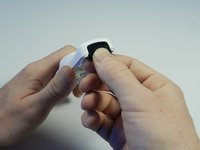
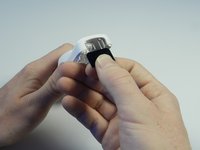
    1. Nintendo Wii Remote B Trigger Button Replacement, B Trigger Button: шаг 7, изображение 1 из 2 Nintendo Wii Remote B Trigger Button Replacement, B Trigger Button: шаг 7, изображение 2 из 2
      • Locate the black sensor screen found at the bottom end of the Wii remote.

      • Grip the free edge of the black sensor screen and gently pull it down to remove from the Wii control.

      Спросите у FixBot

      Добавить комментарий

    2. Nintendo Wii Remote B Trigger Button Replacement: шаг 8, изображение 1 из 2 Nintendo Wii Remote B Trigger Button Replacement: шаг 8, изображение 2 из 2
      • Find the two small tabs near the front end of the white plastic housing.

      • Place the flat end of the spudger tool under one tab and lightly push up until the tabs pop out of place.

      Спросите у FixBot

      Добавить комментарий

    3. Nintendo Wii Remote B Trigger Button Replacement: шаг 9, изображение 1 из 1
      • Flip the remote over and the plastic B trigger will fall out.

      • Catch the plastic trigger so it does not get lost.

      Спросите у FixBot

      Добавить комментарий

    4. Nintendo Wii Remote B Trigger Button Replacement: шаг 10, изображение 1 из 3 Nintendo Wii Remote B Trigger Button Replacement: шаг 10, изображение 2 из 3 Nintendo Wii Remote B Trigger Button Replacement: шаг 10, изображение 3 из 3
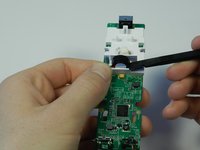
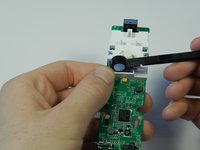
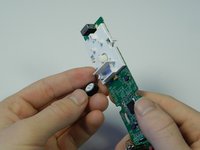
      • Flip the motherboard so that the rumble motor and the white plastic housing face up.

      • Place the flat end of the spudger tool under the round rumble motor and lightly push up.

      • Tilt the motherboard to the left and the rumble motor will fall out of the white housing.

      • Do not pull the rumble motor out, this could cause the wires to rip from the motherboard.

      Спросите у FixBot

      Добавить комментарий

    5. Nintendo Wii Remote B Trigger Button Replacement: шаг 11, изображение 1 из 3 Nintendo Wii Remote B Trigger Button Replacement: шаг 11, изображение 2 из 3 Nintendo Wii Remote B Trigger Button Replacement: шаг 11, изображение 3 из 3
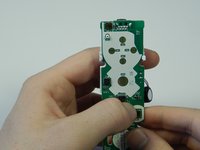
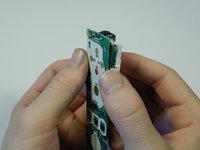
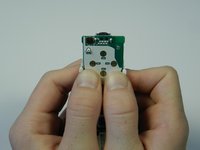
      • Flip the motherboard over and locate the two white tabs at the top the plastic housing.

      • Place both thumbs on the inside of the tabs and push the tabs outward.

      • Use the inner sides of your thumbs to separate the motherboard from the plastic housing.

      Спросите у FixBot

      Добавить комментарий

    6. Nintendo Wii Remote B Trigger Button Replacement: шаг 12, изображение 1 из 2 Nintendo Wii Remote B Trigger Button Replacement: шаг 12, изображение 2 из 2
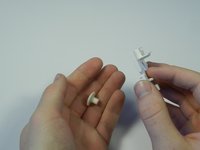
      • Gently push the rubber button out of the plastic housing.

      • The rubber button is bouncy, so be cautious after pushing it out.

      Спросите у FixBot

      Добавить комментарий

Заключение

To reassemble your device, follow these instructions in reverse order.

Отменить: Я не выполнил это руководство.

5 человек успешно провели ремонт по этому руководству.

Emily

Участник с: 04/14/13

2 015 Репутация

Автор 6 руководств

Команда

Cal Poly, Team 3-44, Amido Spring 2013 Участник Cal Poly, Team 3-44, Amido Spring 2013

CPSU-AMIDO-S13S3G44

4 членов

Автор 35 руководств

0 Комментарии к руководству

Добавить комментарий

Статистика просмотров:

За последние 24 часов: 4

За последние 7 дней: 41

За последние 30 дней: 164

За всё время: 20,692