Введение
This guide will show you how to replace a faulty battery in your phone and how to replace a Sim card.
Выберете то, что вам нужно
-
-
-
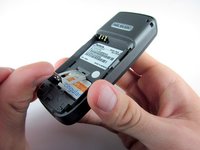
Place your thumb on the middle of the back cover and push it toward the bottom of the phone to slide the cover off.
 Спросите у FixBot
-
-
-
-
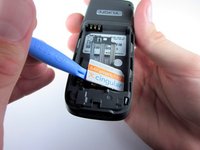
Use a plastic opening tool (or your finger) to gently pry the battery out of the battery slot on the back of the phone.
-
-
-
Lift the metal sim card holder (at the bottom of the battery slot) up and carefully pry the sim card out of its slot with a plastic opening tool or your finger.
-
After removal, lower the metal sim card holder into its original position.
-
-



To reassemble your device, follow these instructions in reverse order.
Отменить: Я не выполнил это руководство.
5 человек успешно провели ремонт по этому руководству.

Команда

Cal Poly, Team 7-52, Amido Fall 2010 Участник Cal Poly, Team 7-52, Amido Fall 2010
CPSU-AMIDO-F10S7G52
4 членов
Автор 54 руководств
